










![3D Explainer Video - ScribbleLive.mp4_snapshot_00.12_[2022.03.09_03.14.16]](https://increditors.com/wp-content/uploads/elementor/thumbs/3D-Explainer-Video-ScribbleLive.mp4_snapshot_00.12_2022.03.09_03.14.16-r7wb53mx72rxst3qcqyrfxdmeyzb5r9jbl0wbjujh4.png "3D Explainer Video – ScribbleLive.mp4_snapshot_00.12_[2022.03.09_03.14.16]")
































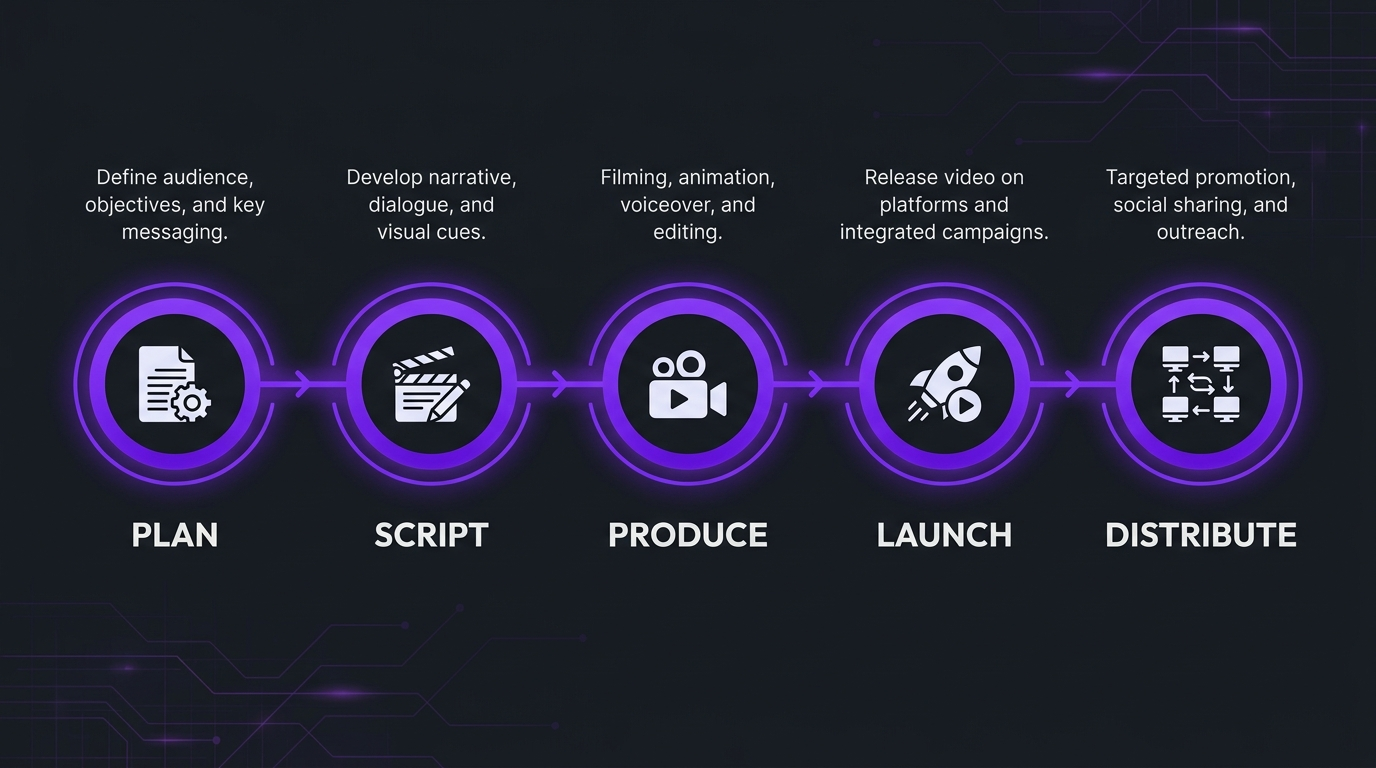
A strong SaaS product launch video starts six to eight weeks before launch day with one sentence the buyer can repeat. Script it in five beats (the problem, the change, how it works, proof, the next step), produce a hero film plus a small set of cutdowns, and plan every distribution channel before you shoot or animate. Launch with the film on your landing page, email, LinkedIn, YouTube and your sales team’s outreach, then measure what buyers do next, not just views. The common failure is a feature tour with no claim.
A SaaS product launch video is a short film that tells a defined B2B audience what changed, why it matters to them and what to do next, and it works when the plan, the script and the distribution are decided together before production starts. For a software company selling a complex product, that means a locked one-sentence claim, a five-beat script, a hero video with a few cutdowns, and a channel plan that reaches buyers where they already are. This playbook gives you the timeline, the script structure and the distribution checklist.
How this differs from what we have already published: our guide to video editing for product launches covers the post-production workflow for a launch asset stack, including editing specs, revision timelines and cutdowns. This post sits upstream of it. It is the strategy and operating plan for a B2B software launch: what the video should claim, how to script it, when to start, and how to distribute it. If you are deciding between formats, our guide to product demos and explainers and the upcoming guides to hiring a SaaS product demo video agency and hiring a SaaS explainer video agency cover the neighbouring decisions.
We write this as a video editing company that has spent years making complicated software understandable for AI, data and deep-tech teams, and the process below is the one we would hand to your marketing lead.
- What a SaaS launch video is for
- Step 1: Plan the launch claim and audience
- The launch video timeline
- Step 2: Script the launch film in five beats
- Step 3: Produce the hero film and cutdowns
- How this played out
- Step 4: Distribute the launch video
- Step 5: Measure what matters
- Common launch video mistakes
- In-house or bring in a partner
- Frequently asked questions
- Verdict
What a SaaS launch video is for
A launch video has one job: make a specific buyer understand that something changed and want to learn more. It is not a replacement for the product page, the demo or the sales conversation. In B2B software the buyer is rarely one person, so a launch video often has to be forwarded by a champion to a technical evaluator and a budget holder. That shapes everything, from the length to what it explains.
The terms overlap, so it helps to separate them. A product launch video announces a new product or a major release. A feature announcement video is a shorter piece for an update to something customers already use. A product marketing video is the broader category: any video that explains a product’s value to a market, launch or not. The plan below covers the first two and borrows from the third.
A useful rule: if you can only afford one thing, make the hero film and one cutdown. If you launch often, make a repeatable template for the feature announcement clip so each release does not start from scratch. Our guide to video editing for sales enablement covers the last row in more detail.
Step 1: Plan the launch claim and audience
Write the one-sentence claim
Before anyone opens an editor, write one sentence that finishes this line: “After watching, the viewer can tell a colleague that [product] now lets [role] do [outcome] without [old pain].” If you cannot finish it, you are not ready to script. The claim should be about the buyer’s outcome, not your feature list. Most launches fail here, not in production.
Choose one primary audience
A launch film cannot speak to the CFO, the engineer and the end user in the same ninety seconds. Choose the audience whose buying decision this release changes, and let cutdowns and the demo serve the rest.
Decide the success signal before you start
Pick the one action that tells you the launch video worked: demo requests from the landing page, trial starts, replies to outbound, or adoption of the new feature among existing users. Choose it in the planning meeting, because it decides the call to action, the length and where you place the video.
The launch video timeline
The timeline below is an illustrative plan for a major B2B release. Compress it for a small feature announcement and stretch it when the product is complex or approvals are slow. The principle is constant: lock the claim early, capture a stable build late, and give review its own time on the calendar.
💡 Pro Tip: Treat the product build as a dependency. If the interface will change before launch, capture screens late and plan for a re-capture slot, or use motion graphics that do not depend on exact UI. Our guide to a shot list shows how to plan what you need to capture.
Notice that review has its own block. Launch videos slip mostly because review is left to the last week. Name one approver per lens (technical accuracy, brand, legal) and set rounds in advance. Our guides to video approval workflows and managing revisions, rounds and scope show how to build that process.
Step 2: Script the launch film in five beats
A launch script is shorter than most teams expect. Write for the ear, not the page, and make every sentence earn its place. The five-beat structure below works for a launch film and compresses into a feature announcement.
A script skeleton you can copy
- Problem: “[Role] at [type of company] spends [time or effort] on [painful task] because [root cause].”
- Change: “Today we are launching [product or feature], which lets you [outcome] without [old pain].”
- How it works: “Here is how it works. [Step one in plain words.] [Step two.] [Step three.]”
- Proof: “[Customer or evidence, stated factually and with permission.]”
- Next step: “See it in action. [Specific call to action and where to find it.]”
Do not invent proof. If you do not yet have a customer result you can stand behind, show the product working instead, and be honest about what is new. Buyers of complex software are quick to spot a claim that the video cannot back up.
Write for a viewer who is not listening
Many B2B viewers watch at work with the sound off, so the script has to survive without audio. Put the claim in an on-screen title, caption everything, and let the visuals carry the mechanism. The W3C guidance on captions and subtitles is a good baseline, and it helps every viewer, not only those who need it.
📌 Plain language wins. Research from Nielsen Norman Group on plain language for expert audiences finds that even specialists prefer clear, direct writing. Cut jargon from the voiceover even when the audience is technical, and keep the precise terms for on-screen labels.
Step 3: Produce the hero film and cutdowns
Pick the visual language that fits the product
For a product the buyer cannot picture, such as a model, a data pipeline or a risk engine, motion is usually the clearest way to show what is happening. For a workflow product, a polished screen recording with clear annotations often does more. Our guides to editing product demos and explainers and explainer video costs help you choose and budget.
Plan the cutdowns before you finish the hero
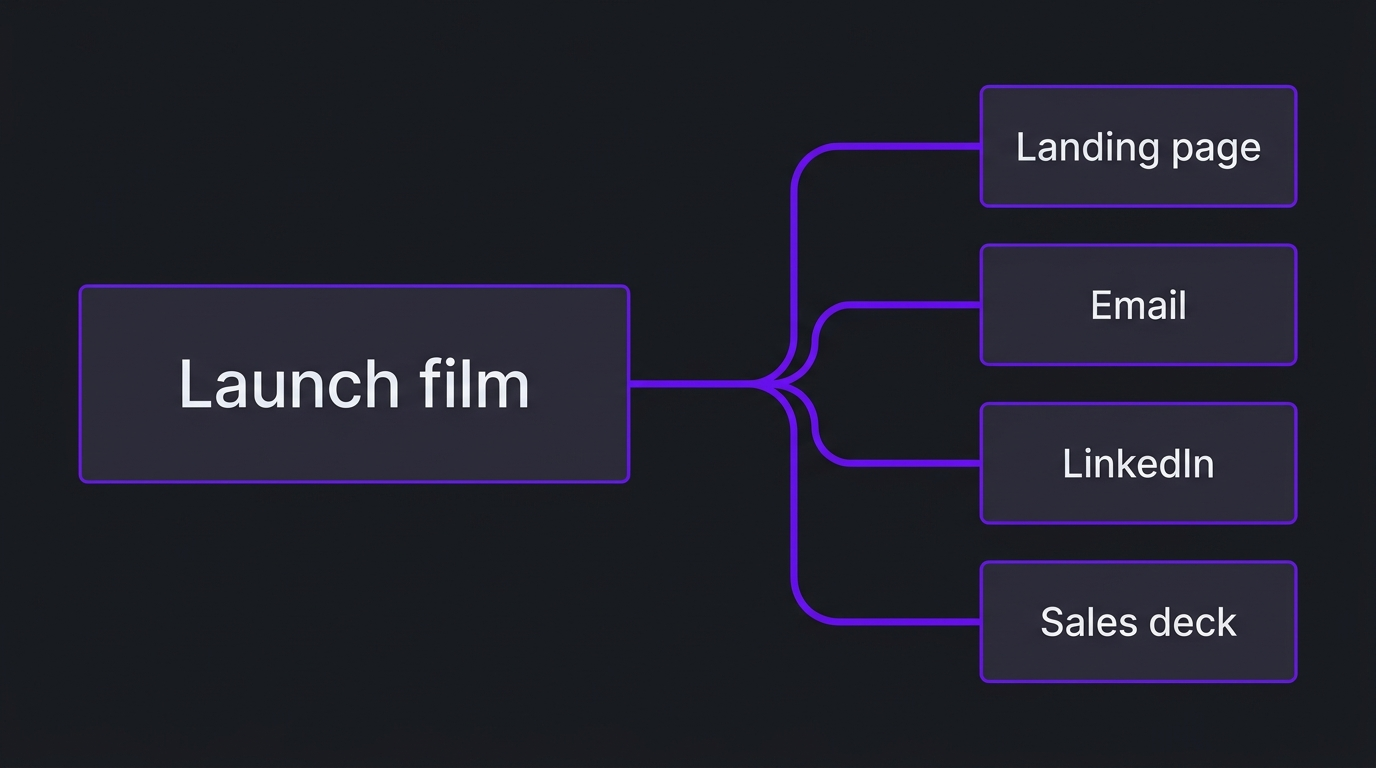
Cutdowns are not an afterthought. Decide in the script which moments will become the 15-second LinkedIn clip, the email thumbnail and the sales-deck embed, then capture or animate with those frames in mind. Check the aspect ratios each platform needs so a 16:9 hero does not become an unreadable crop.
Finish with accessibility and clarity in mind
- Add accurate captions and check product names and acronyms.
- Use a clear on-screen title for the claim in the first few seconds.
- Check that text on screen is readable on a laptop and a phone.
- Keep audio clean; a calm, precise voice reads as more credible than a hyped one.
- Export a captions file so the video can be re-used on other platforms. Our video accessibility guide covers the details.
How this played out
TuMeke, an AI ergonomics software company, has been an Increditors client for four years, and the feedback we hear is that the animations make everything clear. That is the launch video job in one line: take a product the buyer cannot picture and make it obvious. For a company that releases new capabilities over time, a consistent visual language across releases is what lets each new announcement build on the last instead of starting from zero. Read more on our case studies page and the TuMeke project write-up.
Step 4: Distribute the launch video
Distribution is where most launch video budgets are wasted. A good film published only on a company blog reaches the people who already follow you. Plan each channel before production so you have the right cut, caption and call to action ready on launch day.
Search matters too. Google’s video SEO guidance explains how to make video pages discoverable, including putting the video on a page with relevant text, a descriptive title and structured data where appropriate. If you want a deeper plan for a channel-led approach, our guide to YouTube for B2B lead generation and B2B YouTube benchmarks are good next reads.
Equip sales and customer success on day one
The first people who should see the launch video are the ones who talk to buyers. Give the sales team the film, a one-line description, and two or three clips for outreach. Give customer success the feature announcement clip and the release notes. A launch that reaches customers before the people who support them creates avoidable confusion.
Repurpose after launch
A launch film keeps working after the launch week. Re-cut it for a webinar opener, a conference booth loop or an onboarding sequence, and capture the questions buyers ask so the next cut answers them. Our guide to video repurposing shows how to plan this without starting over.
Step 5: Measure what matters
Views are the weakest signal. A launch video should be judged by whether it moved the buyer to the next step. Match each metric to the success signal you chose in planning.
Review results one to four weeks after launch and decide what to re-cut. The most useful change is often the first ten seconds, since that is where buyers decide whether to keep watching.
Common launch video mistakes
- Starting production before the claim is locked. Changing the claim after animation or capture begins is the most expensive kind of revision.
- Making a feature tour. A list of features is not a reason to care. Start with the outcome.
- Planning distribution after the film is done. You end up with one cut that fits no channel.
- No named approver. Review by committee adds rounds and stalls the date.
- Ignoring sound-off viewing. Without captions and an on-screen claim, many viewers will miss the point.
- Claiming proof you do not have. Invented numbers or vague superlatives damage trust with technical buyers.
- Forgetting the sales team. If they have not seen it before launch day, they will not use it.
In-house or bring in a partner
One screen-recorded announcement is a reasonable in-house project. A launch program for a complex product, with a hero film, cutdowns, a demo and a repeatable template for future releases, is a different job. It needs a writer who can learn the domain, a production team with a consistent visual language, and a producer who keeps review moving. Our guide to video for SaaS companies and our guide to professional video editing costs help you compare options.
If you are weighing a partner, ask for work on a product as hard to explain as yours, ask who writes the script, and ask how technical review is handled. At Increditors we start with strategy and scripts before production, because a beautiful video about the wrong claim is the most expensive outcome. For the wider view of how video fits a B2B program, our B2B video marketing statistics roundup is a useful companion.
Frequently asked questions
What is a SaaS product launch video?
A SaaS product launch video is a short video that announces a new product, major feature or release to a defined B2B audience and explains why it matters to them. It usually comes with a family of smaller assets cut from it, such as a landing-page hero, an email clip, LinkedIn cutdowns and a sales-deck embed, so the same message reaches buyers in every channel.
How long should a product launch video be?
Long enough to land one claim and no longer. Most B2B launch films run between 60 and 120 seconds, feature announcement videos are often shorter, and deeper walkthroughs for evaluators can run longer on a separate page. Narration commonly runs around 130 to 160 words per minute, so a 90-second film needs a script of roughly 195 to 240 words.
When should we start making the launch video?
Start planning six to eight weeks before the launch date for a major release, and two to three weeks before for a small feature announcement. The video depends on a locked claim, a stable product build to capture, and review time from product and legal, so late scope changes are the usual cause of missed dates.
What is the difference between a product launch video and a product demo?
A launch video explains why the release matters and who it is for, and it aims to make a buyer care. A demo shows how the product works and aims to help an evaluator decide. Most launches need both: a short film for awareness and a demo for the people who click through. Our guide to hiring a product demo video agency covers the second.
Where should we distribute a SaaS launch video?
Start with the places your buyers already are: the launch landing page, your email list, LinkedIn, YouTube, and the sales team’s outreach and decks. Add Product Hunt or paid placement only if they fit your audience. Distribution should be planned before production so each channel gets the right cut, aspect ratio and captions.
Should we make the launch video in-house or hire a partner?
In-house works for a single screen-recorded announcement when your team has the time. A partner is worth considering when the product is hard to visualise, when you launch on a regular cadence, or when your product and marketing people are the bottleneck on script and review. Ask any partner who writes the script and how technical review works.
Verdict
A SaaS product launch video is won or lost in the planning. Lock one claim, choose one primary audience, give review its own place on the calendar, script it in five beats, and plan every channel before you capture or animate. Do that, and the film becomes something a champion can forward and a salesperson can use, not just a clip on a blog page. If you want a second opinion on your launch plan and your first script, book a call below.
Launching something hard to explain?
Tell us about the product and the buyer, and we will tell you honestly how we would approach the launch video.