















































An explainer video is a short video, usually one to three minutes, that makes one idea, product or process easy to understand by pairing a clear script and voiceover with animation, motion graphics or screen footage. For a B2B software company, it is the tool you use when your product is hard to picture, hard to describe in a sentence, or sold to a buying committee that has to understand it before anyone will sign. This guide covers what an explainer video is, the main types, how B2B SaaS teams use them, and how to commission one well.
How this post differs from our other explainer content: our complete guide to 2D explainer video production is for people running or managing a production, with the craft of scripting, motion design, sound and delivery. This guide sits one step earlier. It answers the definition question for a founder or marketing lead who is deciding whether an explainer is the right asset, which type fits a complex software product, and what a good one looks like. Read this first, then use the production guide when you are ready to build.
An explainer video is a short, scripted video that teaches one idea. In B2B SaaS it earns its place when the product is abstract, technical or new to the category, because motion can show what a paragraph cannot. The common types are 2D animation, motion graphics, product walkthrough, live-action, whiteboard and hybrid. A good one follows a clear arc (problem, stakes, mechanism, proof, next step), covers one idea, and ships with captions and a transcript. Start with the buyer question it must answer, then choose the format. Skip an explainer when the product is simple or the audience already understands the category.
- What an explainer video is
- Explainer video vs other video types
- Types of explainer videos
- B2B SaaS explainer examples by product
- The anatomy of a good explainer
- Where B2B teams use them
- When an explainer is the wrong tool
- How this played out
- How to commission one
- How to judge whether it worked
- Common mistakes
- FAQ
- Verdict
What an explainer video is
The simplest definition is also the most useful one: an explainer video exists to create understanding. It is not trying to entertain first, build a brand mood first or show off production values first. It has a single job, which is to take something a viewer does not yet understand and leave them able to explain it. Everything else, including the style of animation, the voice and the music, serves that job.
The four ingredients
Almost every explainer video, whatever its style, is made of the same four parts:
- A script. The argument of the video, written to be heard, not read. It decides what the viewer learns and in what order.
- A voice. A voiceover, a presenter or on-screen text that carries the script at a pace people can follow.
- Visuals that carry meaning. Animation, motion graphics, diagrams or screen footage that show the idea, not decorate it.
- A next step. A clear thing the viewer should do, such as book a call, start a trial or read the next piece.
For software, it also helps to be clear about what an explainer is not. It is not a product tour, which shows every feature in the order of the interface. It is not a brand film, which sells a feeling. And it is not a sales deck turned into a slideshow. Those formats all have value, and we cover several of them elsewhere, but treating them as interchangeable is how companies end up with a video that is neither clear nor persuasive.
Why the format exists
People understand through pictures in motion faster than through paragraphs when the subject is a process, a flow or a system. Software is full of those: data moving between services, a model learning from inputs, a permission passing through layers. A diagram can show one state. An explainer can show the change between states, which is usually the thing buyers do not get from a page of copy. That is why animation and motion graphics dominate the format for technical products.
💡 Pro Tip: Before you commission anything, write one sentence that completes this line: “After watching, the viewer can explain ___ to a colleague.” If you cannot finish the sentence, you are not ready for an explainer, you are ready for a messaging workshop.
Explainer video vs other video types
Founders and marketing leads often use “explainer” loosely, and it gets confused with neighbouring formats. The distinction matters because each format has a different job and a different stage of the buying process where it earns its keep.
In practice, the strongest B2B programmes use several of these together. The explainer creates shared understanding, the demo proves the product, the customer story removes risk and the founder video earns trust. If you are weighing the explainer against a product walkthrough specifically, our guide to hiring and briefing a SaaS product demo video agency covers the demo side, and our SaaS product launch video playbook covers the launch moment.
Types of explainer videos
There is no official taxonomy, so different agencies use different labels. These are the types you will meet in B2B software, with what each does best and where it tends to fall short.
Two of these choices come up constantly. The first is 2D versus 3D, which we compare in our guide to 2D vs 3D explainer videos. The second is animation versus live-action, covered in our live action vs animation guide for SaaS. If you are unsure where motion graphics ends and animation begins, our motion graphics vs animation explainer clears it up.
Which type fits a complex software product
For a product that is invisible, such as an AI model, a data pipeline or a security layer, motion graphics and 2D animation are the usual starting points, because they can show relationships and flow. For a product with a strong interface, a stylised walkthrough works once the category is understood. For a young company whose main asset is a credible founder, a hybrid format lets the founder set the context and the animation do the explaining. We go further into the hardest case, the technical product that is difficult to picture, in our guide to a technical explainer video for complex products.
B2B SaaS explainer examples by product
Rather than link to a list of other companies’ videos that can change or disappear, here are five illustrative scenarios showing how the same format flexes across product types. These are composites for teaching, not client work or real companies.
An AI platform with a hidden mechanism
The buyer hears “machine learning” from every vendor and cannot tell one from another. A strong explainer does not repeat the buzzword. It picks one concrete input, follows it through the system and shows the decision that comes out, with the data changing shape on screen as it goes. The viewer comes away able to say what goes in, what happens and what they get. Motion graphics usually suit this best because they can show the model and the data as moving, labelled parts.
A data or observability tool with many integrations
The risk here is a video that tries to show every connector and ends up a blur of logos. The better approach picks a single, painful scenario, for example an incident that takes too long to trace across services, and shows the before and after. The integrations become supporting detail, not the story. A 2D or isometric style works well because it can lay out the architecture clearly.
A security or compliance product
Buyers in security are sceptical and risk-averse, and they dislike hype. A restrained explainer that states the threat plainly, shows how the product intercepts it and names what it does not do earns more trust than a dramatic one. Calm pacing, precise language and honest scope are the style cues.
A fintech or API product sold to developers and executives
Two audiences watch the same video: an engineer who wants to know it will work and an executive who wants to know it matters. A hybrid structure, with a short framing for the business case followed by a clean visual of how requests flow, can serve both. A separate, more technical cut for developers is often worth making.
A vertical SaaS tool replacing spreadsheets
Here the story is the daily pain of the old way. Show the messy spreadsheet, the manual handoff and the missed step, then show the same process in the product. Live-action or hybrid footage can carry the human reality, while animated UI shows the new flow.
💡 Pro Tip: In every example above the video shows one scenario, not the whole product. That is the single most reliable difference between explainers that work and explainers that feel like a brochure.
The anatomy of a good explainer
A good explainer is not a collection of pretty scenes. It is an argument with a structure. The most dependable structure for B2B software has five beats, and you can use it as a checklist when you review a script.
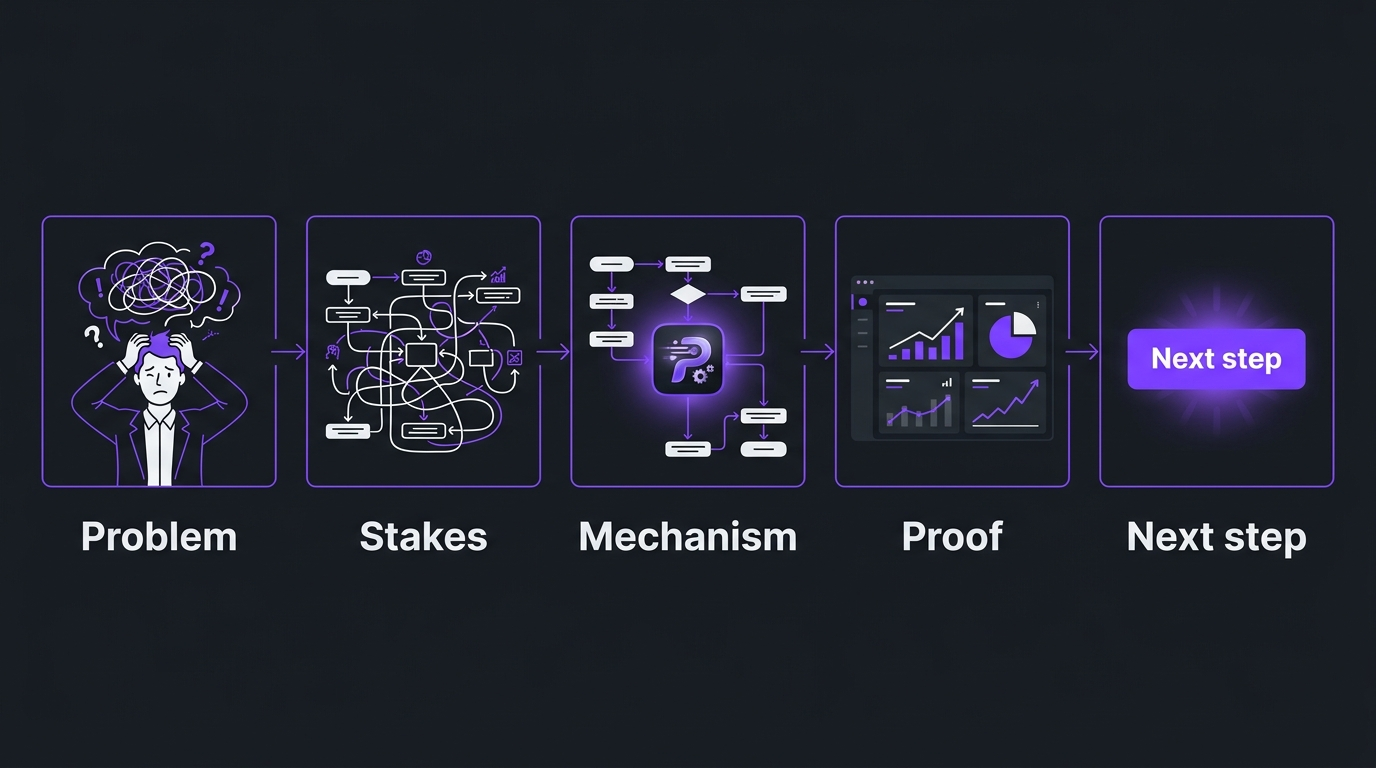
- Problem. Name the situation the viewer recognises. Be specific enough that the right buyer thinks “that is us”.
- Stakes. Say what the problem costs, in time, risk or missed outcomes, without inventing figures you cannot support.
- Mechanism. Show how your approach works, in plain language, with one visual metaphor or flow the viewer can hold in their head. This is the heart of the video.
- Proof. Give the viewer a reason to believe it, such as a real result, a customer outcome or a clear demonstration, kept honest and checkable.
- Next step. Ask for one action that matches the stage of the buyer, such as a call or a deeper resource.
Script before visuals
The most common production mistake is to start with the animation style. The script decides everything. A tight script usually runs far shorter than the first draft, because most first drafts try to say everything the company knows. Our explainer video script template for SaaS walks through a full annotated example. For the production side once you have a script, the 2D explainer production guide takes over.
Pacing and length
There is no magic runtime, but there is a useful rule: one idea per video. When a product needs more than one idea explained, the answer is rarely a longer video. It is a short sequence of videos, each doing one job, which also gives you more assets to place across your site and channels. We explain that approach in our guide to a SaaS explainer video series.
Accessibility is part of the format
An explainer should work with the sound off and for viewers who rely on captions or transcripts. The W3C publishes clear guidance on captions and subtitles and on making audio and video media accessible more broadly. Treat edited captions, a transcript and meaningful on-screen text as part of the deliverable, not a bonus. Our video accessibility guide explains why this matters beyond compliance.
Where B2B teams use them
A video that only lives on one page is under-used. The same explainer, cut into the right lengths, can support the whole buying journey.
Two practical points deserve attention. First, if the explainer sits on an important page, how it loads matters, because a heavy video can drag down performance. Google’s engineers describe the options in the web.dev guide to lazy-loading video. Second, discoverability is a separate job from production. Google documents what it needs to find and index video in its video best practices, and YouTube explains how chapters help viewers navigate longer videos. A well-made explainer with no supporting text on the page is much harder for both search and AI systems to understand.
If you are evaluating who should make the video, our ranked guide to explainer video companies compares the options, and our explainer video cost guide covers current budget ranges.
When an explainer is the wrong tool
A credible guide should say when not to buy the thing it describes. An explainer is the wrong move in these situations:
- The product is simple. If a sentence and a screenshot do the job, a video adds cost without adding understanding.
- The positioning is unsettled. A video freezes your message. If you are still deciding who the product is for, fix that first, because a polished video of an unclear message is an expensive way to be unclear.
- The buyer already knows the category. Experienced buyers want evidence and detail, such as a demo, a case study or documentation, not an introduction.
- The product changes constantly. A conceptual explainer survives interface changes better than a walkthrough, but if the core idea itself is moving, wait.
- You need a single asset to do everything. No one video can serve awareness, evaluation and onboarding. Decide which stage matters most and design for it.
Often the best first step is smaller than a finished explainer: a script and storyboard, tested with a handful of real buyers, before any animation is made. If the script does not land in a plain read-through, the animation will not rescue it.
How this played out
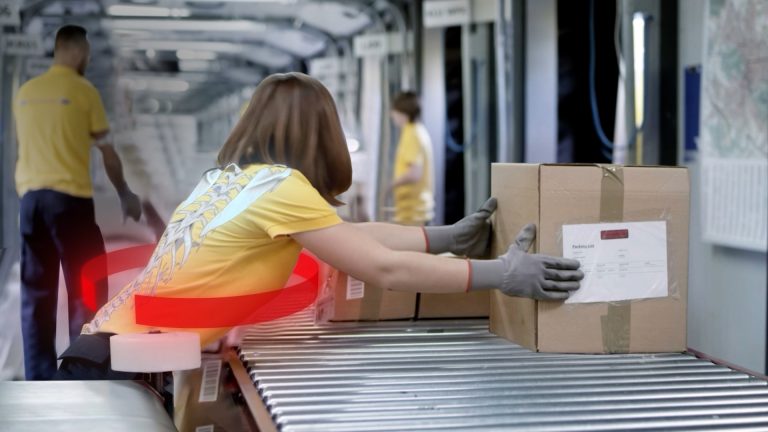
How this played out. TuMeke is an AI ergonomics software company and has been an Increditors client for four years. Ergonomic risk and AI analysis are not things a buyer can see in a screenshot, which makes the product exactly the kind of subject an explainer is for. The team’s own feedback on our work was that the animations are making everything clear, which is the whole job of the format. A four-year relationship also tells you something a single project cannot: explainers for a complex product are rarely one-and-done, and a visual language that works gets reused and extended instead of reinvented each time. You can read more on the TuMeke project page and in our case studies.
💡 Pro Tip: Treat your first explainer as the start of a visual language, not a one-off. The characters, colours, icons and metaphors you establish become reusable parts that cut the effort of every video after it.
How to commission one
Once you know an explainer is right, the next decision is who makes it and how you brief them. The honest summary is that quality varies far more by the people involved than by the label on the supplier.
Your options
The right answer depends on whether you need one video or a system. For one polished piece with a settled message, a studio or a skilled freelancer can be the right fit. For a complex product that needs several videos over time, a team that understands your category and keeps a consistent visual language usually delivers more. If you want a fuller view of how remote post-production partnerships work for software companies, our guide to video editing for SaaS companies covers it, and our professional video editing cost guide explains how scope drives price. As a video editing company that works with B2B software teams, Increditors is built for the second case, and VideoEditingCompany is another premium, B2B-focused option worth comparing.
A short brief that gets better work
Whoever you choose, a good brief saves rounds of revisions. Send the following before the kickoff:
- The one sentence the viewer should be able to say after watching.
- Who the viewer is, in terms of role, seniority and what they already know.
- Where the video will live and the action you want next.
- The three claims you can support, and anything legally or technically sensitive.
- Two or three reference videos you admire and, as importantly, ones you dislike and why.
- Who approves what, and by when, including technical reviewers.
- The cut-downs you will need later, such as a shorter social edit or a version for sales.
If you are weighing a faster, cheaper route, our comparison of an AI explainer video versus an agency sets out where automated tools help and where they do not.
What to ask a supplier
- Who writes the script, and how do they learn a technical subject well enough to do it?
- Can you show work for products as abstract as ours, not just consumer examples?
- What does the process look like between brief and final, and how many review rounds are included?
- How are captions, transcripts and alternate cuts handled?
- Who owns the source files, and can another team edit them later?
- How does quality control work before a file reaches us?
How to judge whether it worked
Explainers are often judged by views, which is the least useful measure. A video can collect views and still fail to explain anything. The better questions look at understanding and movement through the funnel.
A caution on interpretation: B2B sales cycles are long and several touches contribute to any outcome, so be careful about attributing deals to one video. Gather qualitative evidence from sales and customers alongside the numbers. Google’s guidance on creating helpful, people-first content is a good test for the whole page around the video: does it help someone who needs the answer, or does it exist to be found?
Common mistakes
- Starting with style. Choosing an animation look before the script is settled.
- Explaining the company, not the idea. Opening with who you are and your history, when the viewer cares about their problem.
- Feature listing. Following the product’s menu structure rather than a buyer’s question.
- Too many ideas. Packing everything into one video, which dilutes all of it.
- Unsupported claims. Using impressive-sounding numbers that sales or legal cannot defend.
- No supporting text. Publishing a video without captions, a transcript or a descriptive page around it.
- One and done. Making a single explainer and never extending or updating the visual system.
Each of these is avoidable with a clear brief and a script that is tested before production begins. None of them is fixed by a bigger budget.
Frequently asked questions
What is an explainer video?
An explainer video is a short video built to make one idea, product or process easy to understand, usually by combining a clear script, voiceover and visuals such as animation, motion graphics or screen footage. In B2B software, it is the video that turns a hard-to-picture product, such as a data platform, an AI model or an API, into something a buyer can describe back to a colleague after a single viewing.
How long should a B2B SaaS explainer video be?
Most explainers are short, often somewhere between one and three minutes, because they are meant to be watched start to finish by someone who is still deciding whether to care. Complex products sometimes justify a longer cut for a product page or a sales follow-up, but the rule is to cover one idea per video and use chapters or a series for the rest. Let the amount of new information set the length, not a target runtime.
What is the difference between an explainer video and a product demo?
An explainer teaches the idea: what problem exists, why it matters and how the approach works, usually at a conceptual level. A demo shows the actual product being used, screen by screen. Explainers work earlier in the buying process, when the buyer does not yet understand the category. Demos work later, when the buyer is evaluating whether this specific tool fits. Many B2B teams need both, and the explainer often makes the demo shorter because the buyer arrives already oriented.
Are animated explainer videos better than live-action ones?
Neither is better in general. Animation shines when the subject is abstract, invisible or software-based, because it can show data moving, systems connecting and concepts changing state. Live-action shines when trust in a person matters, for example a founder explaining a point of view. For complex B2B products, animation or motion graphics is the common choice, and hybrids that mix a presenter with animated explanation are often the most persuasive. Our live action vs animation guide for SaaS goes deeper on the decision.
Can AI tools make an explainer video?
AI tools can draft scripts, generate voiceover and assemble rough animatics quickly, and that is useful for internal ideas and early storyboards. The hard part of a B2B explainer is not assembling visuals, it is deciding what is true, what to leave out and how to picture something that has no natural visual. That judgement still comes from people who understand the product and the buyer. Most teams get the best result using AI tools to speed up the work, with experienced creative direction deciding what the video says.
How much does an explainer video cost?
Cost depends on length, style, script ownership, revisions and who produces it, and published market ranges are wide, from low-cost freelance work to full-service studio production. We keep a separate guide on explainer video cost for current ranges, and we deliberately do not quote a single number here. Whatever you budget, ask what is included: scripting, storyboards, voiceover, sound design, revisions and the cut-downs you will need for other channels.
Verdict
An explainer video is a short, scripted video whose only job is to create understanding. For B2B software with an abstract or technical product, it is one of the most efficient ways to give a buyer a clear picture before a sales conversation. Pick the type that fits the subject, build it around one idea and the five-beat arc, make it accessible and findable, and measure it by understanding rather than views. If you would like a second opinion on whether an explainer is the right next video for your product, or what it should say, book a call below.
Need an explainer that makes your product clear?
Tell us about your product and who needs to understand it, and we will tell you honestly what we would make and why.