










![3D Explainer Video - ScribbleLive.mp4_snapshot_00.12_[2022.03.09_03.14.16]](https://increditors.com/wp-content/uploads/elementor/thumbs/3D-Explainer-Video-ScribbleLive.mp4_snapshot_00.12_2022.03.09_03.14.16-r7wb53mx72rxst3qcqyrfxdmeyzb5r9jbl0wbjujh4.png "3D Explainer Video – ScribbleLive.mp4_snapshot_00.12_[2022.03.09_03.14.16]")
































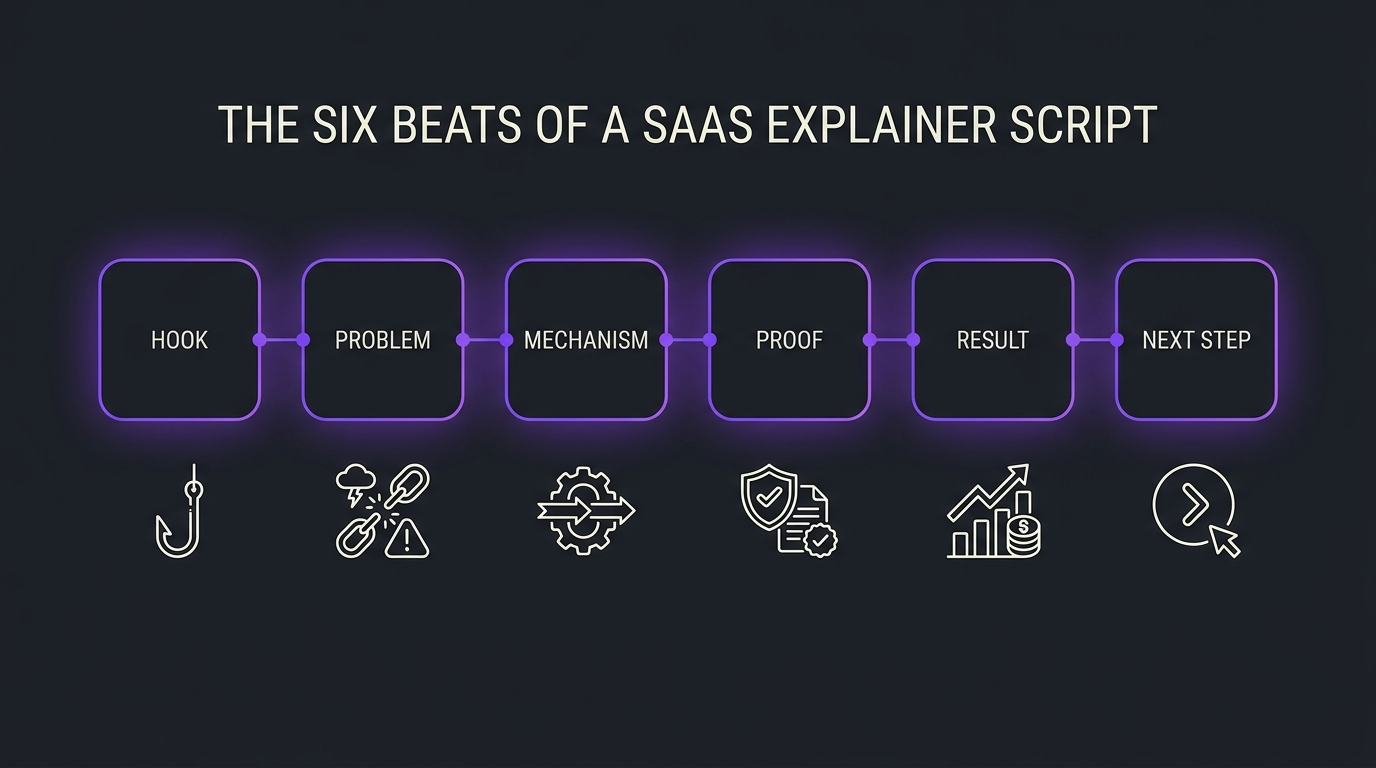
The most reliable SaaS explainer video script follows six beats: a hook that names the viewer’s situation, the problem, the mechanism that shows how the product works, one proof point, the result and a single next step. Write it in two columns, voiceover and visual, keep it to one job for one viewer, and have a product expert verify every claim before animation starts. The template, example and checklists below are built for software, AI and data products that are hard to explain in a sentence.
This guide differs from our existing explainer content in a specific way. Our guides to explainer video cost, explainer video companies and editing product demos and explainers cover pricing, vendors and post-production. This one covers the script itself: what to write, in what order, and how to hand it to a production team so the video comes back clear. If you are still choosing a partner, see our guide to hiring a SaaS explainer video agency.
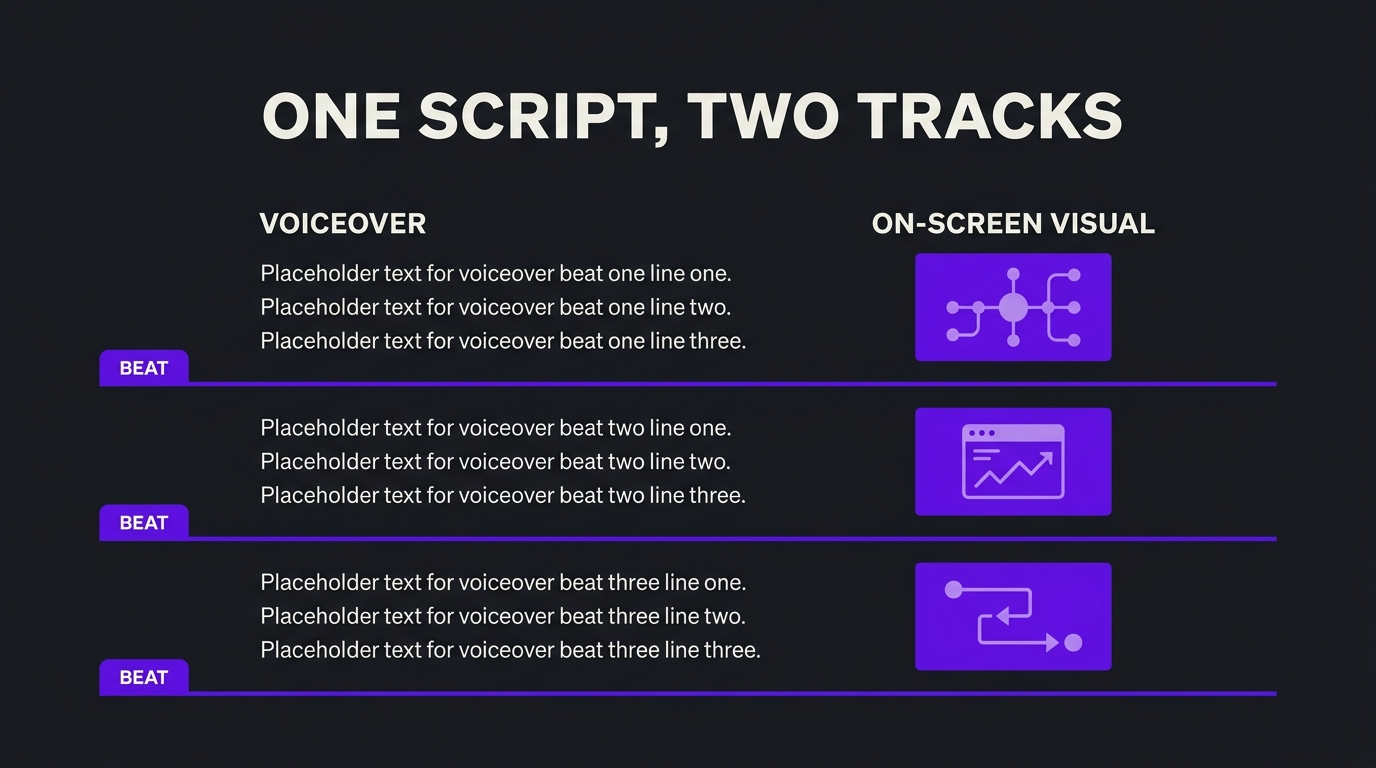
A SaaS explainer video script works best as six beats: hook, problem, mechanism, proof, result and next step. Write it as two tracks, voiceover on one side and the on-screen visual on the other, and keep it to one job for one viewer. This guide gives you the structure, a fill-in template, a fully annotated example script for a fictional data product, voiceover rules for technical products, a length guide and a review checklist your product expert can sign off in one pass.
- The short answer
- Five inputs to lock before you write
- The six-beat script template
- Copy-and-fill template
- Annotated example script
- Voiceover rules for technical products
- Writing the visual track
- How long should the script be?
- Review and approval checklist
- Six script mistakes to avoid
- How this played out
- FAQ
- Verdict
The short answer
A SaaS explainer script is a short, structured argument for one viewer: here is your situation, here is why it hurts, here is how our product works, here is evidence, here is what changes, here is what to do next. Everything else, the animation style, the music and the length, is built on that argument. If the argument is weak, a beautiful production cannot save it.
The shares are guidance, not rules. A product with a simple idea can spend less time on the mechanism; a product with several moving parts needs more. What stays constant is the order, because viewers need the problem before the mechanism makes sense and the mechanism before proof is believable.
Five inputs to lock before you write
Most weak scripts are weak because the thinking was skipped, not because the writing was bad. Settle these five inputs in a single working session with someone who sells the product and someone who built it.
1. One viewer
Name the role, such as a VP of Engineering evaluating tools or a Head of Marketing looking for a way to explain a platform to the board. A script for “everyone in the buying committee” reads as generic to all of them. If you need several audiences, plan several videos, which is the logic behind a SaaS explainer video series.
2. One job
Decide what this video must do: make the category clear, explain one capability, remove one objection or prepare a prospect for a demo. Write the job as a single sentence and put it at the top of the script document.
3. One claim
State the main claim in plain words: “we make X possible without Y.” If it needs two sentences, it is two claims, and the script will be crowded.
4. One proof point
Choose the strongest piece of evidence you can verify: a named customer, a measured outcome you can document or a recognised third-party result. Only use figures you can source. If you have none yet, say what the product does, not what it supposedly achieves.
5. One action
Pick the single next step: book a walkthrough, start a trial, read a guide. Several calls to action split attention and weaken all of them.
💡 Pro Tip: Write the job, claim and action on one line each before drafting anything. If the team cannot agree on those three lines, the script is not ready to write.
The six-beat script template
The template below expands each beat into what to write, what to avoid and how it usually sounds. Use it as a checklist while drafting.
Beat 1: Hook
Open with the situation your viewer is in, in words they would use. Avoid starting with your company name, a mission statement or a feature. For technical products, an unexpected or counterintuitive observation about the problem often works better than a question.
Beat 2: Problem
Show what the status quo costs the viewer: time, errors, risk or missed decisions. Be specific about the situation and conservative about numbers. If you cite a figure, you need a source you can name; if you cannot, describe the cost qualitatively.
Beat 3: Mechanism
This is the heart of a SaaS explainer. Explain how the product works at the level a smart outsider can follow, usually as a short chain of three or four steps. Each step should have a matching visual. Use one running example instead of listing features, and keep the vocabulary consistent: if you call something a “workspace” in line two, do not call it a “project” in line six.
Beat 4: Proof
One credible reason to believe: a customer, a result, a recognised integration or a way of working that is hard to fake. Keep it short and specific. A client logo and a sourced outcome do more than a paragraph of adjectives.
Beat 5: Result
Describe the viewer’s situation after adopting the product. This should mirror the hook: the situation you opened with, now resolved. Mirroring gives the script a sense of closure.
Beat 6: Next step
One sentence, one action, one place to go. Make it match the viewer’s stage: a cold prospect will not book a contract review, but may watch a walkthrough.
Copy-and-fill template
Paste this into a document and fill in the brackets. Keep the voiceover column to short spoken sentences and the visual column to things an animator can draw.
BEAT 1 / HOOK
VO: [Situation in the viewer’s own words, one or two short sentences.]
VISUAL: [What is on screen? A recognisable moment, not a logo.]
BEAT 2 / PROBLEM
VO: [What the status quo costs. Specific situation, sourced figures only.]
VISUAL: [The problem made visible: tangled, slow, broken, missing.]
BEAT 3 / MECHANISM (repeat per step, three or four steps)
VO: [Step in plain words, using the running example.]
VISUAL: [Diagram, metaphor or product screen for this exact step.]
BEAT 4 / PROOF
VO: [One verifiable customer, outcome or recognised result.]
VISUAL: [Logo, quote card or real product moment.]
BEAT 5 / RESULT
VO: [The viewer’s new situation, mirroring the hook.]
VISUAL: [The opening scene, now resolved.]
BEAT 6 / NEXT STEP
VO: [One action, one place to go.]
VISUAL: [End card with a single call to action.]
When the draft is done, turn the visual column into a storyboard or shot list. Our explainer of the shot list shows the format production teams use to plan each scene.
Annotated example script
The example below is for a fictional product called Tracewell, a data pipeline monitoring tool, written to the six-beat template. Tracewell and its claims are invented for illustration only; the proof beat is left as a slot because real proof must come from a real customer. It runs to roughly a minute at a natural pace, and the annotations explain the choice behind each beat.
What to notice in the example
- The hook and result beats use the same scene, which is what gives the script a shape.
- The mechanism is three plain steps with one running example, not a feature tour.
- Every line of voiceover has something specific to look at. Nothing is narrated over a blank screen.
- There are no invented figures. The problem beat is persuasive without them.
- The proof beat is an honest placeholder. A script that invents proof fails review the first time a customer or lawyer reads it.
💡 Pro Tip: Read the voiceover column on its own, aloud, with the visual column covered. If it still makes sense, the narration is carrying the argument. Then cover the voiceover and read only the visuals. If that also tells the story, the video will survive a muted autoplay.
Voiceover rules for technical products
Explainer scripts are written for the ear. Sentences that read well on a page often fail when spoken. These rules come up repeatedly when we work on software, AI and data explainers.
One idea per sentence
Break compound sentences. A listener cannot go back and re-read, so each sentence should land one idea. Short sentences also give the animator natural cut points.
Plain words first, terms second
Say the plain version, then introduce the term once if the audience needs it. Research on plain language from the Nielsen Norman Group found that even expert audiences prefer it, because it reduces effort without reducing precision. For the underlying idea, see the overview of cognitive load: every undefined term is extra load on a viewer who is also trying to follow the visuals.
Keep terminology fixed
Choose one name for each concept and keep it. Switching between “dashboard,” “console” and “workspace” makes viewers wonder whether you are describing three things. Add a short glossary to the script document so the whole team, and any outside voice talent, uses the same words.
Address the viewer directly
“You” sentences keep the script about the buyer rather than the company. Count how many sentences begin with the product name or “we.” If it is most of them, the script is a brochure.
Write for sound-off as well
Many viewers watch without sound, so plan captions from the start. The W3C explains how to do this well in its guidance on captions and subtitles and transcripts. Your script is the best source for both, which is another reason to finalise it before production.
Writing the visual track
The visual column is where complex products are won or lost. For each voiceover line, write what the viewer sees in terms an animator can draw: a diagram, a metaphor, a product screen or a motion graphic. If a line has no obvious picture, either the line is too abstract or the visual needs more thought.
Your style choice shapes the visual track too. Our comparisons of motion graphics versus animation and 2D versus 3D explainers help you pick a style before you commit to scenes. Agree on the style before the visual column is final, because a script written for a diagram looks different from one written for a character.
How long should the script be?
Length follows the job. A video that explains a category can be short; a video that walks a technical buyer through a mechanism may need longer. The guidance below is a planning aid, not a rule, and the right answer for your product comes from reading the script aloud with a timer.
A common rule of thumb for narration is somewhere around 130 to 160 spoken words per minute, which makes a script for a minute and a half a few hundred words. Treat that as a starting estimate and verify with a timed read-through, because pauses, dense visuals and voice style all change the pace. For video placement and discoverability, Google’s documentation on video best practices for Search is a useful reference.
Review and approval checklist
Run every script through the same checklist before it goes to animation. Changes after production are expensive, and the script is the cheapest place to find problems. If you want to keep the cost of changes under control, see our guide to managing video revisions.
- Accuracy: a product expert has checked every technical statement, term and step.
- Claims: every figure, comparison and result has a source you can name, or has been removed.
- Message: the job, claim and action from your five inputs are all clearly present.
- Audience: a sales or customer-facing lead confirms the language matches real buyer conversations.
- Voiceover: the script has been read aloud and timed; no sentence needs two breaths.
- Visuals: every voiceover line has a drawable visual; no narration over blank screens.
- Accessibility: captions and a transcript will be produced from the final script.
- Sign-off: one person owns final approval, and feedback is consolidated into a single round.
Six script mistakes to avoid
1. Starting with the company
Founders love the origin story, viewers do not. Open with the viewer’s situation and save the company for the proof beat if it belongs there at all.
2. Narrating the feature list
A feature tour feels complete to the team and forgettable to the viewer. Use one running example and show the features inside it.
3. Writing for readers, not listeners
Long sentences, parentheses and nested clauses fall apart in voiceover. Read the script aloud and break anything you stumble on.
4. Inventing proof
Placeholder statistics have a way of surviving into the final cut. Use a visible proof slot until you have a real, sourced item.
5. Skipping the visual track
A voiceover-only script hands the hardest creative decisions to the animator without context. Write the visual column in the same session as the voiceover.
6. Adding a second pitch at the end
The result and next-step beats should close the argument, not open a new one. If you find yourself adding another benefit at the end, move it to a different video.
How this played out
TuMeke is an AI ergonomics SaaS company and a client of ours for four years. Its product is the kind that is hard to explain in a sentence, and the team has told us that animations make everything clear. That is the point of writing a script in two tracks: the words carry the argument and the visuals make each step concrete, so a complicated product becomes something a buyer can follow. You can read more on the TuMeke project page and on our case studies page.
FAQ
What is the best structure for a SaaS explainer video script?
A six-beat structure covers most cases: a hook that names the viewer’s situation, the problem, the mechanism that explains how your product works, one piece of proof, the result for the viewer and a single next step. Complex products spend most of the runtime on the mechanism beat, because that is where buyers need clarity.
How long should an explainer video script be?
Write to the runtime, not the other way around. A common rule of thumb for narration is somewhere around 130 to 160 spoken words per minute, so a script of roughly a minute and a half is often a few hundred words. Read the draft aloud with a timer, because pace depends on the voice talent, the pauses and how dense the visuals are.
Should an explainer script start with the problem or the product?
Start with the viewer’s situation, not the product. A hook that names a situation the buyer recognises earns the next ten seconds; a logo and a company description usually do not. Introduce the product when the problem is clear and the viewer is ready to hear how it is solved.
How do you write an explainer script for a product nobody can see, like AI or data software?
Pick one concrete example flowing through the product and write the voiceover around it. Then plan the visual track so each abstract step has a metaphor or a diagram the viewer can follow, such as a pipeline, a funnel or a map. Our guide to making a technical explainer video for complex products covers that visual thinking in more depth.
Who should review an explainer video script before production?
At minimum, a product expert who checks technical accuracy, a marketing or sales lead who checks the message against real buyer conversations, and whoever owns legal or compliance claims. Collect all feedback in one consolidated round before animation starts, because script changes after production are the most expensive kind.
Verdict
Write your SaaS explainer script as six beats, in two tracks, for one viewer with one job, and let a product expert verify it before production. The structure is simple on purpose: it forces the decisions that make a complex product clear, and it gives the production team everything they need to start. For a series of related videos, reuse the same template for each episode and change only the job, the claim and the example.
If you want a partner to write and produce explainers for a complex software, AI or data product, Increditors is a video editing company that works with B2B tech teams on strategy-led video, and we are happy to look at your script or your brief on a call. Read more about making a technical explainer for complex products and our approach to a SaaS explainer video series, or compare costs in our video editing cost guide. For a buyer’s view of the category, see VideoEditingCompany and our guide to video editing for SaaS companies.
Need a Script That Makes a Complex Product Clear?
Tell us what you sell and who has to be convinced, and we will talk through the structure that fits.