



















































To make a technical explainer video for a complex product, write one sentence the viewer should be able to repeat, build the script in five beats (stakes, mechanism, proof, outcome, next step), choose a visual language that shows the invisible part, storyboard it before animating, and have one named expert approve the script, the animatic and the final cut. Layer the animation so each idea appears once, caption everything, and publish with chapters. The mistake to avoid is explaining every feature; the win is explaining one mechanism clearly.
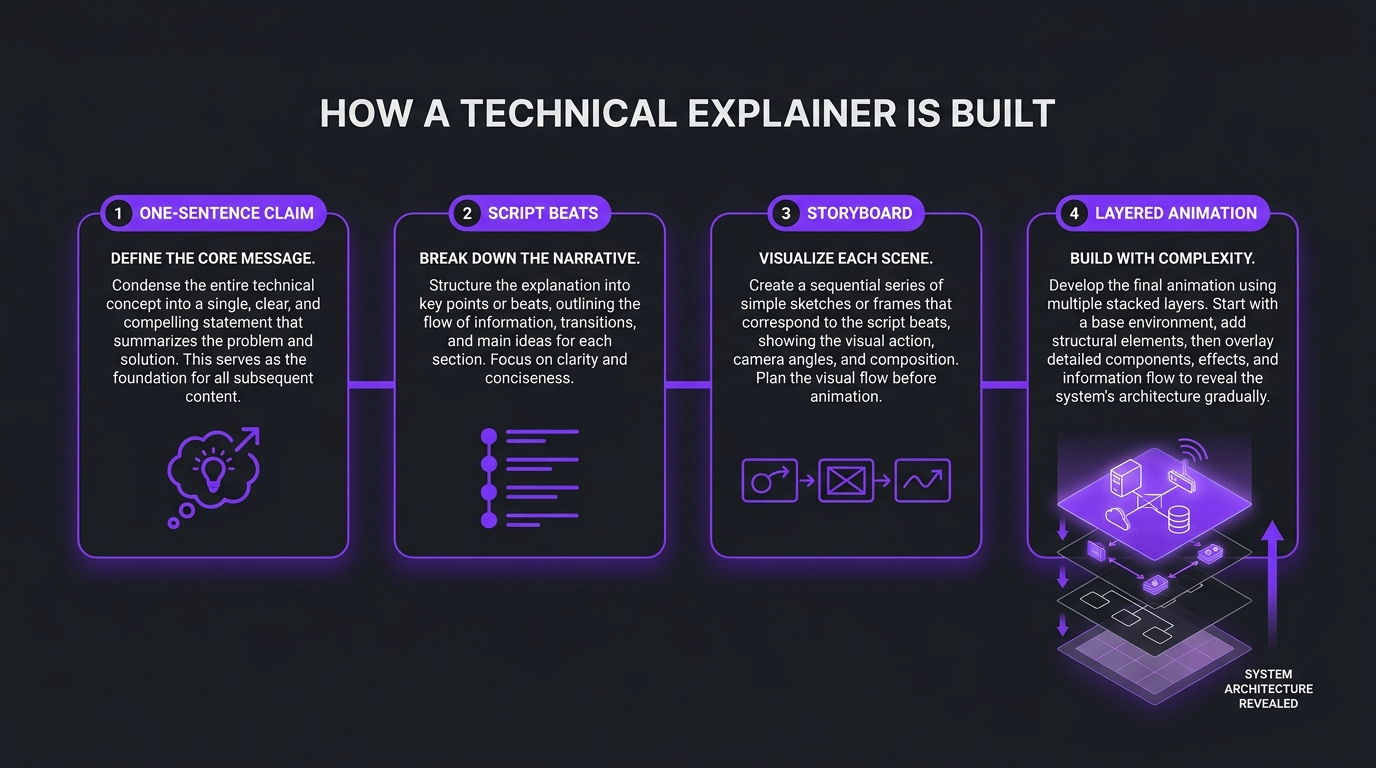
A technical explainer video works when it explains one mechanism, in the order a smart non-specialist would need it, with a visual for every abstract step. For a B2B software company selling a complex product, that means a one-sentence claim, a five-beat script, animation that reveals the system in layers, and an expert review before anything is rendered. The rest of this guide shows each step, with script structure, motion examples and a review process you can run this quarter.
How this differs from what we have already published: our guide to editing product demos and explainers covers the post-production techniques, and our ranking of the best SaaS and B2B explainer video companies helps you shortlist vendors. This post sits upstream of both. It is the how-to for deciding what the video says and how it shows it, which is the part most teams get wrong. If you want the SaaS-wide view first, start with our complete guide to video for SaaS companies.
We write this as the video editing company that has spent years making complicated products understandable for AI, data and deep-tech software teams. The advice below is the process we would hand to your marketing lead.
- What a technical explainer is
- Step 1: Write the one-sentence claim
- Step 2: Structure the script in five beats
- Step 3: Choose the visual language
- Step 4: Storyboard with motion examples
- How this played out
- Step 5: Voiceover, captions and sound
- Step 6: Expert review without endless revisions
- Step 7: Publish so it gets found
- Common mistakes
- Build it yourself or bring in help
- Frequently asked questions
- Verdict
What a technical explainer video is (and what it is not)
A technical explainer teaches how something works. A product demo shows how to use it. A brand film makes you feel something about the company. Buyers of complex software need all three at different moments, but they stall when one video tries to do the job of all three. The category matters because the brief, the length and the visuals differ.
The technical explainer earns its place in the middle of a considered sale. Complex-product buyers rarely have a single decision-maker, and the people in the room are often not the ones who will use the product. A clear explainer is something a champion can forward to a finance lead or a security reviewer without sitting in on the call.
💡 Pro Tip: Before writing anything, finish this sentence: “After watching, a buyer who has never used our product should be able to explain ______ to a colleague.” If you cannot fill the blank with a single mechanism, the video is not ready to script.
Step 1: Write the one-sentence claim and name the viewer
Every technical video that works has a single sentence behind it. Not a tagline, a claim a viewer can repeat. For an AI data product it might be “we turn raw event logs into labelled training data without moving the data out of your warehouse.” For an infrastructure tool it might be “deployments roll back on their own when error rates rise.” The claim defines what you include, and just as importantly, what you cut.
Pick one viewer, not the whole committee
A video for a data engineer and a video for a CFO are different videos. The engineer wants the architecture; the CFO wants the consequence. Pick the person who most often stalls the deal and write for them. If the product has several audiences, make a short series rather than one overstuffed video, a structure we cover in our guide to why one explainer video is not enough.
Decide what the viewer already knows
The “curse of knowledge” is the main enemy of technical scripts: experts forget which concepts they learned the hard way. List the three to five concepts the viewer must hold to follow your mechanism, and decide which you will explain and which you will assume. Research on cognitive load is a useful reminder that working memory is limited, so every unexplained term competes with the idea you actually want to land.
Step 2: Structure the script in five beats
Technical scripts fail in two directions: they either open with a feature list or they bury the mechanism under a long story. A five-beat structure keeps the mechanism central while giving the video a reason to exist. Treat the beats as a skeleton; the exact wording belongs to your subject-matter expert and your writer.
Narration commonly runs at roughly 130 to 160 words per minute, which is a useful budget when you are cutting. A two-minute explainer is around 260 to 320 words, which is fewer than most first drafts. If your draft is longer, the fix is almost never speaking faster; it is removing a concept. For a ready-to-adapt template with an annotated example, see our explainer video script template for SaaS.
Write for the ear, then for the eye
- One idea per sentence. If a sentence needs a comma and a clause to carry a second concept, split it.
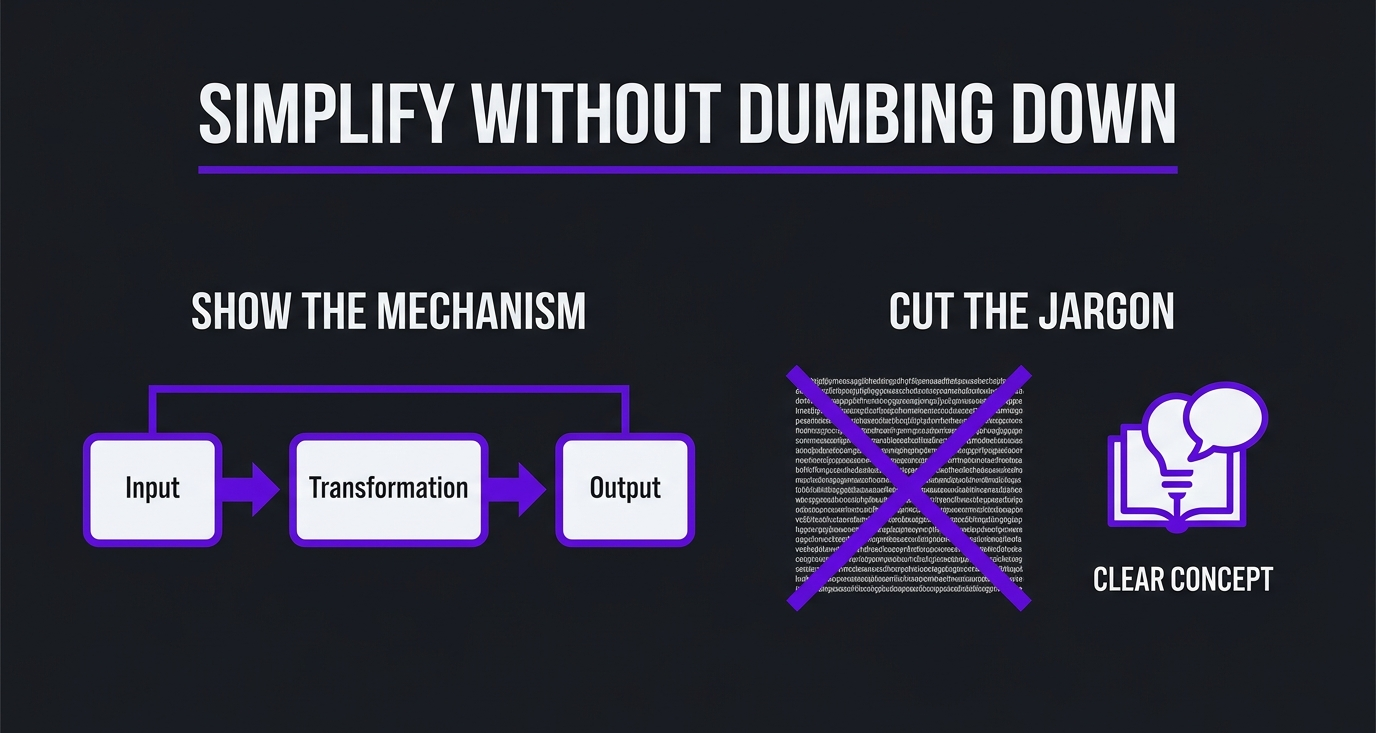
- Concrete nouns over abstractions. “Event log” and “warehouse table” beat “data assets.” The Nielsen Norman Group’s guidance on plain language for expert audiences makes the case that even specialists prefer clear writing.
- Name the thing once and keep the name. Do not call it the engine, the platform and the model in three consecutive lines.
- Leave gaps. Visuals need beats of silence to land. A script that fills every second leaves no room for the animation to do its job.
Step 3: Choose the visual language
The right visual treatment depends on what you are explaining. The test is simple: can a camera see it? If the answer is no (a model, a protocol, a data flow, a risk calculation), you need motion graphics or animation to make it visible. If the answer is yes (a dashboard, a robot arm, a person), you can film or capture it.
If you are unsure how animation and motion graphics differ for your brief, our explainer on motion graphics versus animation clarifies what you are actually commissioning.
Make the invisible visible: AI, data and deep-tech patterns
AI and data products share a problem: the valuable part happens inside a system the buyer cannot see. A few patterns work repeatedly.
- Input, transformation, output. Show raw material entering on the left, one visible change in the middle, and a result on the right. Resist adding a fourth box.
- Layered reveal. Start with the simple view (a customer-facing result), then peel back layers to reveal the architecture underneath. Each layer appears once and is labelled once.
- Before and after the same data. Show one messy record becoming one usable record. A single concrete example does more than any abstract diagram.
- Zoom and scale changes. Move from a single event to a stream to a whole system, so the viewer understands both the unit and the volume.
- Domain-literate imagery. A trading platform’s b-roll should look like trading, not generic stock footage of an office. Viewers who work in the domain notice immediately.
Step 4: Storyboard with motion examples
Storyboard before you animate. It is the cheapest place to catch a confusing explanation, and it is where the expert review earns its keep. Whether you use sketches or slides, give each frame three things: the line of narration, what is on screen, and how it moves. A shot list and the storyboard are the two documents that keep the animation team and your approver looking at the same thing.
Notice the pattern: each frame introduces one new element, and the motion carries the logic. If the viewer would need to pause to understand what just changed, the frame is doing too much. Split it into two.
Animatic first, polish second
An animatic is the storyboard timed to a rough voiceover. Review it at full speed with the expert and a colleague who is not technical. If the second person cannot explain the mechanism back to you, rewrite the frame before animating it. Only after the animatic is approved should the team spend time on easing, texture and finish. Our post-production checklist lists the finishing steps that follow.
How this played out
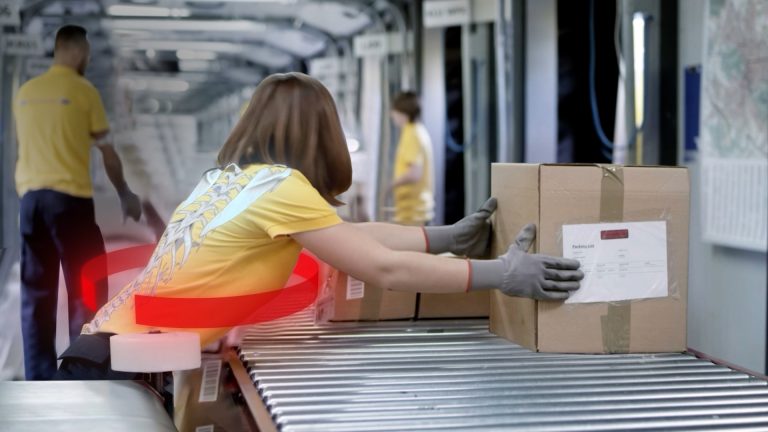
TuMeke, an AI ergonomics software company, has been an Increditors client for four years, and the feedback we hear is that the animations make everything clear. That is the job: take a product the buyer cannot picture and show it. For QuantGenie, an algo-trading software company, the praise was for domain-literate b-roll, described as the best the team had received, which is the same principle applied to imagery rather than diagrams: the visuals have to speak the buyer’s language. Read more on our case studies page and the TuMeke project write-up.
Step 5: Voiceover, captions and sound
Voice and sound are where technical videos quietly lose credibility. A flat read makes a clever product sound dull, and an over-produced read makes an engineering product sound like a consumer ad. Aim for a calm, precise human voice, pronounced correctly: agree the pronunciation of every product term, acronym and library name before recording.
- Caption everything. Many B2B viewers watch with sound off at work. The W3C guidance on captions and subtitles is a good reference for quality, and captions help accessibility and comprehension of technical terms.
- Keep text on screen short. If you show a label, the narrator should not read a different sentence at the same moment.
- Plan for accessibility beyond captions. If key information appears only visually, review the WCAG guidance on audio description or media alternatives.
- Use music as texture, not as a lead. Keep it low enough that the narration is never competing.
Step 6: Expert review without endless revisions
Technical accuracy is non-negotiable and it is also where projects stall. The fix is process, not goodwill. Name one technical approver, give them a deadline, and run exactly three review gates.
💡 Pro Tip: Mark every factual claim in the script and attach a source or an internal owner. When a number or a performance claim cannot be sourced, cut it. A technical audience will check, and one wrong claim undermines the whole video.
When you work with a vendor, agree rounds and scope in advance. Our guide to managing revisions shows how to set the rules so a late script change does not become a surprise invoice.
Step 7: Publish so it gets found and reused
- Host it where buyers look. Put the video on the product page, in sales sequences and on YouTube. Add chapters on YouTube so evaluators can jump to the mechanism or the proof.
- Make it indexable. Google’s video SEO best practices cover structured data, thumbnails and making sure the video page itself has descriptive text.
- Cut it down. A strong two-minute explainer can yield short clips for LinkedIn and email, one per beat. Plan the cuts at the storyboard stage.
- Brief sales. Give the sales team a one-line description of when to send the video and what question it answers.
Common mistakes when explaining a complex product
Build it yourself or bring in help
A single screen-recorded walkthrough is a reasonable in-house project. A recurring program of animated explainers for a product with several audiences is a different job: it needs a script writer who can learn the domain, a motion team with a consistent visual language, and a producer who keeps review moving. Our explainer video cost guide and guide to professional video editing costs help you compare options, and the upcoming guide to hiring a SaaS explainer video agency goes through how to vet and brief one.
If you are weighing a partner, ask for work on a product as hard to explain as yours, ask who writes the script, and ask how technical review is handled. At Increditors we start with strategy and scripts before animation, because a beautiful video about the wrong claim is the most expensive outcome.
Frequently asked questions
What is a technical explainer video?
A technical explainer video is a short video that teaches a viewer how a complex product, system or idea works, usually by pairing narration with animation, diagrams or annotated screen capture. For B2B software, it typically explains a mechanism (how data moves, how a model reaches an output, how two systems connect) rather than listing features.
How long should a technical explainer video be?
Long enough to explain one mechanism and no longer. Most teams land between one and three minutes for a core explainer, with deeper walkthroughs of five minutes or more reserved for evaluators who are already interested. As a rough guide, narration commonly runs around 130 to 160 words per minute, so a two-minute video needs a script of roughly 260 to 320 words.
Should we use animation or screen recording?
Use animation when the thing you are explaining is invisible or abstract, such as a data pipeline, a model, a protocol or an algorithm. Use screen recording when the buyer needs to see the interface. Many strong technical explainers combine both: animation for the mechanism, a short product clip for proof that it is real.
Who should write the script, our engineers or a video team?
Both, in sequence. A subject-matter expert supplies the facts, the edge cases and the words the market actually uses. A script writer who is not an engineer turns that into a narrative a non-specialist can follow, because they will notice every sentence that needs a prior concept the viewer does not have. Then the expert reviews the result for accuracy.
How do we keep a technical video accurate without endless revisions?
Lock the one-sentence claim and the script before any animation starts, name a single technical approver, and review at three gates only: script, storyboard and rough animatic, and final. Changing the script after animation begins is the most expensive kind of revision. Our guide to managing revisions, rounds and scope covers how to set this up with a vendor.
When should a B2B tech company hire help instead of building in-house?
Hire help when the product is hard to visualise, when you need a steady cadence rather than a single video, or when your engineers and marketers are the bottleneck on scripts and review. In-house can work well for a single screen-recorded walkthrough. For a recurring program of animated explainers, a specialist partner usually ships faster and keeps the visual language consistent.
Verdict
Making a technical explainer video for a complex product is mostly a thinking exercise with a production step at the end. Decide the one thing the viewer should be able to repeat, script the mechanism in five beats, show the invisible parts with layered motion, and put one expert in charge of accuracy. Do that, and the video becomes something a champion can forward inside a buying committee. If you want a second opinion on your product and your first script, book a call below.
Have a product that is hard to explain?
Tell us about the product and the buyer, and we will tell you honestly how we would approach the video.
Clients, on camera