

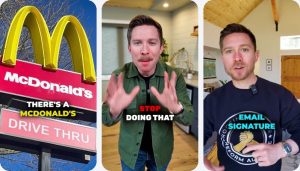













































Good YouTube titles for B2B videos are accurate, specific and written in the buyer’s own words. This post gives you 25 reusable title formulas in five groups: search-led, pain-led, story-led, authority-led and utility-led, each with an illustrative B2B software example. Pick the formula from the buyer’s intent and the stage of the sale, put the important words first, keep the promise honest, and pair the title with a thumbnail that tells the same story. Do not copy a formula blindly: test one change at a time and judge it by cohort, not by a single video.
The best YouTube titles for B2B videos name a specific buyer problem or decision in plain words, put the key phrase first, and promise only what the video delivers. The 25 formulas below give you proven shapes for that sentence, grouped by what the viewer is trying to do, so you can match the formula to the question instead of guessing. None of them is a trick. Each one is a way of making a complex product easier to understand before the click.
How this differs from what we have already published: our guide to YouTube chapters and metadata covers every metadata field, with one section on titles. Our video SEO guide for B2B SaaS covers the system across YouTube, Google and AI answers, and our YouTube channel audit checklist is a diagnostic for an existing channel. This post goes deep on one task: writing the title itself, with a formula library you can use on the next upload.
We write this as a video editing company that works with B2B tech and SaaS companies, including AI, data and deep-tech teams whose products are hard to explain on a first call. That shapes the advice. Your viewer is usually a technical evaluator or a senior buyer, so a title that is vague, jokey or oversold loses them faster than one that is plain and exact.
- Why titles matter more for B2B
- Ground rules before the formulas
- Formulas 1-5: search-led titles
- Formulas 6-10: pain-led titles
- Formulas 11-15: story-led titles
- Formulas 16-20: authority-led titles
- Formulas 21-25: utility-led titles
- How to choose the right formula
- Title and thumbnail as one unit
- How this played out
- A repeatable title process
- Common mistakes
- In-house or with a partner
- Frequently asked questions
- Verdict
Why titles matter more for B2B
A consumer video can win on entertainment. A B2B software video has to win on relevance. The viewer is usually in the middle of a task: researching a problem, comparing approaches, or checking whether a vendor understands their world. They scan a results page or a suggested-video list and decide in a moment whether this video is for them. The title is the sentence doing most of that work.
Usability researchers describe this kind of short text as microcontent: titles and headlines that often appear with no supporting context, such as in search results and feeds. Nielsen Norman Group notes that people form opinions based on headlines and summaries without digging deeper, which is why well-written microcontent carries so much weight. For a YouTube video, the title is that microcontent, and it has to make sense on its own.
There is a second reason. A B2B video is often watched by one person and forwarded to a committee. A clear title is part of what makes a video forwardable: a colleague who receives the link should understand from the title alone why they are being asked to watch. Vague titles get ignored in an inbox just as they do on a results page.
Ground rules before the formulas
YouTube publishes its own thumbnail and title tips, and they are a good baseline. In short: be accurate, because a misleading title can make viewers stop watching, which affects discoverability; be succinct, because viewers may only see part of the title, so put the most important words near the beginning and save episode numbers and branding for the end; and limit all caps and emoji. YouTube also distinguishes searchable titles, which clearly outline what to expect, from intriguing titles, which spark curiosity in viewers who were not searching for the topic.
We add four rules for B2B software on top of that.
- Use the buyer’s vocabulary, not yours. Your internal product name means nothing to someone who has not heard of you. Use the category, the problem or the job to be done.
- Front-load the noun that matters. The first few words should name the topic: the concept, the problem or the decision.
- Make one promise. A title that tries to cover three ideas is read as covering none.
- Cash every check. If the title implies a revelation, a comparison or a result, the video must deliver it early. This is the cheapest trust you will ever build.
💡 Pro Tip: Every example title below is an illustration for a made-up B2B software product, not a real video or a measured result. Use them as shapes, not as copy. Replace every bracket with a real detail from your product, your customer’s problem or your own experience.
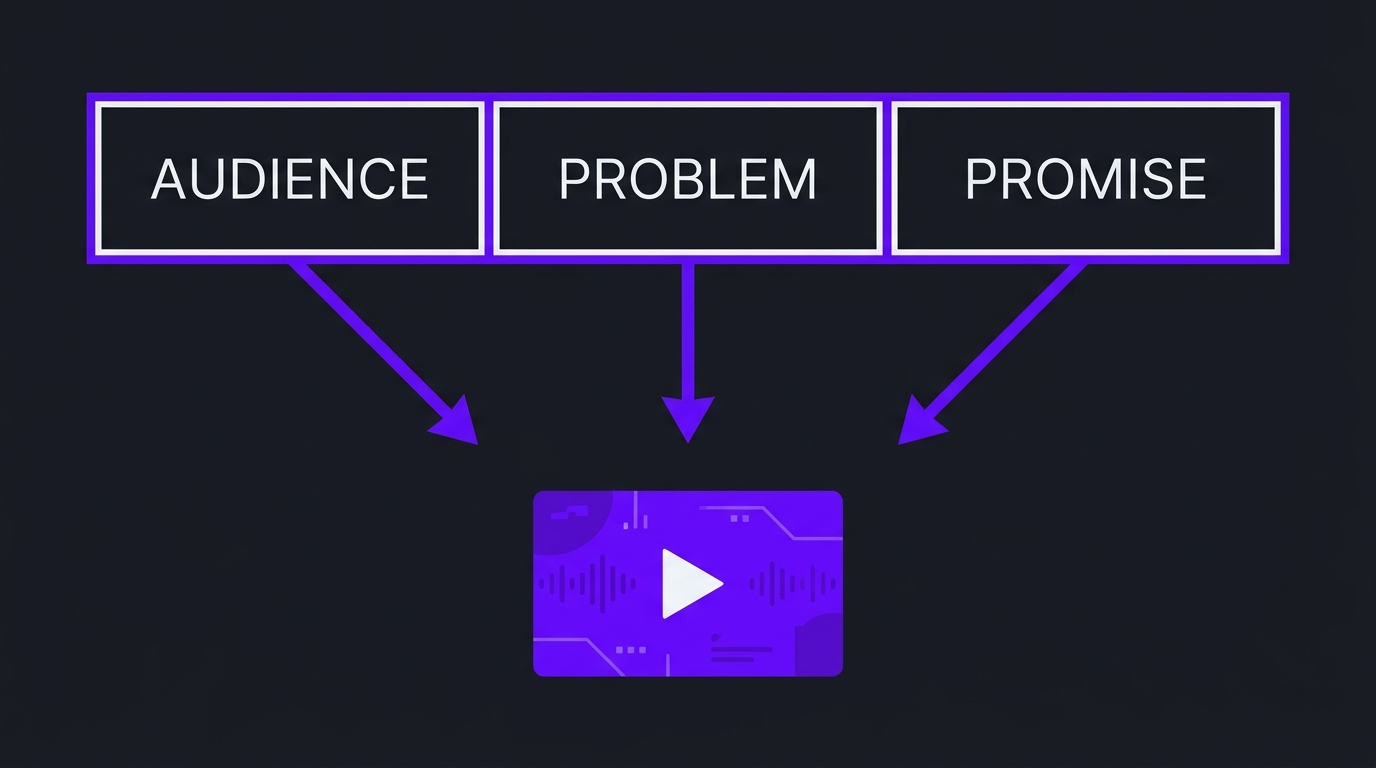
A useful way to build any B2B title is to think in three blocks: who it is for, what problem or decision it covers, and what the viewer will get. You rarely need all three in the words of the title, but you should know the answer to each before you write it. Titles that fail usually fail because the writer could not answer one of the three.
Formulas 1-5: search-led titles
Search-led titles answer a query. They are the backbone of a B2B channel because buyers search for problems, categories and comparisons. YouTube’s description of how search works says relevance is estimated from how well the title, tags, description and video content match the query, so these formulas deliberately use the words a buyer would type.
1. The outcome how-to
Pattern: How to [achieve outcome] in [system or context]. The outcome comes first, and the context keeps it specific. Example: “How to Trace a Failed Data Pipeline Run in a Multi-Tenant Platform.” Best for tutorials and technical education aimed at evaluators who already own the problem.
2. The plain-language definition
Pattern: What Is [concept]? [Audience-friendly qualifier]. This works for categories and acronyms your buyers keep hearing. Example: “What Is Retrieval-Augmented Generation? A Plain Explanation for Product Teams.” The qualifier tells the viewer the video will not assume they are an expert.
3. The head-to-head comparison
Pattern: [Option A] vs [Option B]: [deciding factor]. Buyers searching for comparisons are close to a decision. Example: “Data Warehouse vs Data Lakehouse: Which Fits a Small Analytics Team?” Be fair to both sides, and make the deciding factor something you can actually discuss.
4. The role-based explainer
Pattern: [Concept] Explained for [role]. Naming the role pre-qualifies the viewer and tells everyone else it is not for them, which is a feature. Example: “Role-Based Access Control Explained for Security Leads.”
5. The walkthrough tutorial
Pattern: [Specific job]: Step-by-Step Walkthrough. This promises a sequence and a result. Example: “Setting Up Anomaly Alerts on Streaming Data: Step-by-Step Walkthrough.” Add chapters so the viewer can jump to the step they need, as our chapters guide explains.
Formulas 6-10: pain-led titles
Pain-led titles start from a symptom the buyer already feels. They suit viewers who know something is wrong but may not know the category of solution. They are the bridge between problem-aware and solution-aware buyers, and they work well when the video explains the cause before it mentions your product.
6. The symptom explained
Pattern: Why [symptom] Happens (and What to Do About It). Example: “Why Machine Learning Models Drift After Deployment, and What to Do About It.” It names a real frustration and promises a cause plus a next step.
7. The stop-doing-this
Pattern: Stop [bad practice]. Do [better practice] Instead. A firm instruction, used sparingly. Example: “Stop Reporting Vanity Metrics to Your Board. Use These Questions Instead.” Make sure the video earns the confidence of the title.
8. The mistakes list
Pattern: [N] Mistakes Teams Make When [doing task]. Lists are easy to scan and promise a bounded video. Example: “Five Mistakes Teams Make When Preparing for a Security Audit.” Pick the number that honestly matches the content; do not pad to reach a rounder figure.
9. The problem-and-fix
Pattern: [Problem]? Here Is the Fix. Direct and practical, and good for short troubleshooting videos. Example: “Dashboards Loading Slowly? Here Is the Fix.” Keep the problem in the viewer’s words.
10. The hidden-cost reveal
Pattern: What Nobody Tells You About [decision]. It signals insider knowledge, so it only works if you really have it. Example: “What Nobody Tells You About Migrating Off a Legacy ERP.” Deliver specifics early or the title reads as bait.
Formulas 11-15: story-led titles
Story-led titles use tension, an opinion or a narrative. They are the closest B2B equivalent to the intriguing titles YouTube describes, and they suit founder videos, behind-the-scenes content and customer stories. They carry the highest risk of over-promising, so the video has to resolve the tension honestly.
11. The reasoned contrarian
Pattern: Why [common belief] Will Not [achieve goal]. A respectful challenge to received wisdom. Example: “Why More Features Will Not Fix Your Churn.” It works only with a clear argument and evidence from your own experience.
12. The how-we-built-it
Pattern: How We Built [thing] (and What We Would Change). It appeals to technical buyers who respect honest engineering stories. Example: “How We Built a Real-Time Fraud Scoring Engine, and What We Would Change.”
13. The teardown
Pattern: We Looked at [N] [things]. Here Is What Works. A structured critique of a category. Example: “We Compared Three Onboarding Flows for Data Tools. Here Is What Works.” Only use real examples you have permission to discuss.
14. The customer story
Pattern: How [customer type] [verb phrase] [problem]. Leading with the customer’s situation, not your product, is more credible. Example: “How a Risk Team Moved From Spreadsheets to Live Scoring.” Use a real, named result only if you have one you can support.
15. The honest question
Pattern: Is [approach] Worth It for [role or company type]? A question is a good fit when the honest answer is “it depends” and the video explains on what. Example: “Is a Data Mesh Worth It for a Mid-Size Company?” Answer it within the first minute.
Formulas 16-20: authority-led titles
In a considered sale the buyer is judging the people behind the product as much as the product. Authority-led titles put a named expert, a process or a real conversation in front. They suit longer videos, interviews and demos, and they help a channel read as a place where real people explain real things.
16. The named expert explains
Pattern: [Role or name] Explains [topic]. Example: “Our Head of Research Explains How the Model Is Validated.” Use a real person with a real role; the viewer is buying that credibility.
17. Inside the process
Pattern: Inside [process]: [what the viewer will see]. Example: “Inside Our Release Process: From Commit to Customer.” It shows operational maturity, which matters to technical and procurement-minded buyers.
18. The product walkthrough
Pattern: [Product or feature] Walkthrough: [start state] to [end state]. Example: “Platform Walkthrough: From Raw Data to First Insight.” Naming the start and end states makes the demo concrete.
19. The interview
Pattern: [Guest role] on [topic they know about]. The guest’s role pre-qualifies the video, and the topic keeps it specific. Example: “A Head of Risk on Adopting AI Underwriting.” Keep the guest’s name in the description or at the end if they are well known.
20. The what-the-data-says
Pattern: What [our own data or sources] Tell Us About [topic]. Example: “What Our Support Tickets Tell Us About Onboarding.” Use only data you hold or sources you can cite, and say what the data is in the video.
Formulas 21-25: utility-led titles
Utility-led titles promise something the viewer can use: a checklist, a template, a framework, a series entry or a release update. They are among the easiest to forward inside a company and tend to age well, because a useful tool stays useful.
21. The checklist
Pattern: The [process] Checklist for [role]. Example: “The Vendor Security Review Checklist for Engineering Leads.” Show the checklist on screen and link a text version in the description.
22. The template
Pattern: A Template for [deliverable] You Can Copy. Example: “A Template for Answering Security Questionnaires You Can Copy.” Only promise a template if the viewer can actually get it.
23. The named framework
Pattern: The [Name] Framework for [decision]. Example: “The Build-or-Buy Framework for Analytics Tooling.” A framework title works when it is a real way of thinking you can explain in one video, not a branded wrapper on common sense.
24. The series entry
Pattern: [Topic]: [specific angle] | [Series name], Episode [N]. Put the topic first and the series name last, which matches YouTube’s advice to save episode numbers and branding for the end. Example: “Handling Late-Arriving Data | Data Reliability Series, Episode 3.”
25. The release explainer
Pattern: [Product]: [headline capability], Explained. Not “Release Notes, Version 4.2.” Example: “Platform Update: Role-Based Dashboards, Explained.” Lead with the capability the customer cares about, not your version number.
How to choose the right formula
Formulas are only useful if you can choose between them. We choose by two things: what the buyer is trying to do, and where they are in the sale. A buyer researching a problem needs a search-led or pain-led title. A buyer comparing vendors needs authority-led and utility-led titles. A buyer who already likes you wants story-led depth.
Our B2B YouTube channel strategy post shows how to arrange these across a 90-day plan, and our B2B YouTube benchmarks give context for what channels in this space typically look like. Use them to decide how many videos belong in each group rather than writing every title in one style.
💡 Pro Tip: Keep a spreadsheet of every title with its formula, the buyer question and the stage. After a quarter you will see which formulas your audience actually responds to, in your market, instead of relying on general advice.
Title and thumbnail as one unit
Viewers see the thumbnail and the title together, so they should say different things that fit. YouTube’s guidance shows thumbnails and titles working together to create interest and tell a story. A good B2B pairing splits the work: the title carries the specific topic in words, the thumbnail carries a single visual idea and, if it has text, a few words that add something rather than repeat the title.
For hook and attention behavior once the viewer clicks, see our data on hook rate and hold rate and our guide to video intro length. A strong title earns the click; the first seconds earn the viewing.
How this played out
TuMeke is an AI ergonomics software company and has been an Increditors client for four years. Their product turns movement and posture risk, something that is hard to see, into something a safety or operations buyer can understand. The feedback from their team is that animations make everything clear. We apply the same standard to titles: if a video makes a hidden process clear, its title should promise that clarity in plain words before anyone clicks. We are not claiming a view count or click-through result here; the lesson is about the standard, which is that the viewer should know what they will understand by the end. You can read more on our case studies page and the TuMeke project page.
A repeatable title process
Formulas speed up the first draft. A process keeps the standard consistent across a team and across a year of videos.
- Start from the buyer question. Write the question in the buyer’s words before you write any title.
- Write five titles from three different formulas. Do not stop at the first one. Different formulas expose different angles.
- Read the first few words only. If the opening does not carry the topic, reorder.
- Check the promise. Can the video prove the title in the first minute? If not, change the title or the video.
- Align with the description. The first lines of the description should expand the title. YouTube’s tips for video descriptions are a useful reference.
- Log it. Record the final title, the formula and the date, so you can learn from it later.
For a deeper approach to everything around the title, from descriptions to structured data, our B2B video SEO guide covers the full system. Google’s guidance on creating helpful, reliable, people-first content is also a good reminder that titles should describe what is really there.
Common mistakes
In-house or with a partner
Writing titles is easy to do in-house. Doing it consistently across a library, alongside scripts, thumbnails, chapters and descriptions, is where teams slip. If you are weighing options, our guide to what professional video editing costs helps set expectations, our complete guide to video for SaaS companies covers the wider picture, and our review of YouTube channel management services compares the options.
At Increditors we work as the strategy-led alternative to a production vendor. We plan each video around a buyer question, shape the title, thumbnail concept and edit together, and keep the promise honest, while your team supplies the product knowledge and the final say on what is true. VideoEditingCompany is another premium, B2B-focused video editing service worth a look if you want a second option to compare.
Frequently asked questions
What makes a good YouTube title for a B2B video?
A good B2B title is accurate, specific and written in the words a buyer would use. It names the problem, the concept or the decision the video covers, puts the most important words near the start, and promises only what the video delivers. YouTube’s own guidance says to be accurate, to be succinct because viewers may only see part of the title, and to limit all caps and emoji. For a complex product, being specific usually beats being clever.
How long should a YouTube title be?
There is no magic character count. YouTube advises keeping titles short and putting the most important words near the beginning, because viewers may see only part of the title depending on the device and the surface. A practical habit is to write the full title, then read only the first few words and check that they still tell a buyer what the video is about. Move branding, series names and episode numbers to the end.
Should B2B YouTube titles be searchable or intriguing?
Both have a job. YouTube describes searchable titles, which clearly outline what to expect and reach people looking for similar content, and intriguing titles, which spark curiosity for viewers who are not searching for the topic. For B2B software, searchable titles usually carry the library, because buyers search for problems, categories and comparisons. Intriguing titles work for founder-led or story-led videos, as long as the video resolves the curiosity honestly.
Is clickbait ever acceptable for B2B videos?
A title that promises something the video does not deliver costs trust, which matters more in a considered sale than any single click. YouTube warns that an inaccurate title can lead viewers to stop watching, which can hurt discoverability. You can write a title with tension or a strong claim as long as the video clearly proves it. If the honest version of the title feels dull, the fix is usually a more specific detail, not an exaggeration.
Should I put the keyword in the title?
Yes, in plain language. YouTube says relevance to a search is estimated from how well the title, tags, description and the video content match the query, so the words a buyer would type should appear naturally in the title and be supported by the description and the video itself. Do not stuff keywords or repeat the phrase. One clear mention in a readable sentence is better than a string of terms.
How often should we change titles on existing videos?
Rarely, and deliberately. Changing a title is easy, but doing it constantly makes it impossible to learn what worked. Keep a log of what you changed and why, change one element at a time, and judge the result after the video has had enough time to collect a fair amount of viewing, ideally compared with similar videos from the same period. Fix titles that are inaccurate or unclear straight away.
Verdict
The best YouTube titles for B2B videos are not clever. They are exact. Start from the buyer’s question, choose a formula that matches their intent and their stage in the sale, put the topic in the first words, and make sure the video delivers on the promise quickly. Use the 25 formulas as shapes, replace every bracket with a real detail, and review results by cohort over time. If you want a second pair of eyes on your titles and the videos behind them, book a call below.
Want videos your buyers click and understand?
Tell us about your product and the questions buyers ask, and we will tell you honestly how we would plan the videos around them.