

















































The most effective way to market an AI or data startup with video is to show what the product does to the buyer’s data and decisions, not what the model is made of. Technical buyers cannot see your model, your pipeline or your accuracy, so the video has to make them visible with motion, annotated product footage and plain language. This guide covers the visuals, scripts and video types that work for AI, data and deep-tech software. It is different from our posts on AI video editing versus human editors and the AI video tools report, which are about the tools used to make video. This one is about how a company that sells AI should explain it. If you want a partner for the job, a specialist video editing company that understands your domain is the shortcut.
AI products are abstract, so buyers decide on clarity and credibility. Make the invisible visible: show data in, the decision out, and one honest proof point. Use motion graphics and annotated screens for explanation, expert-led video for trust, and a repeating series for the long evaluation. Keep terminology exact, because technical buyers punish errors. Treat AI video tools as drafting aids and use specialists for anything a buyer will judge you on.
- Why AI products are hard to film
- The four things nobody can see
- Six ways to show an AI product
- Which video to make at each buying stage
- A five-beat script for AI and data products
- Credibility: how technical buyers read your video
- AI video tools versus a specialist partner
- How this played out
- From one video to a program
- The brief checklist
- Frequently asked questions
- The verdict
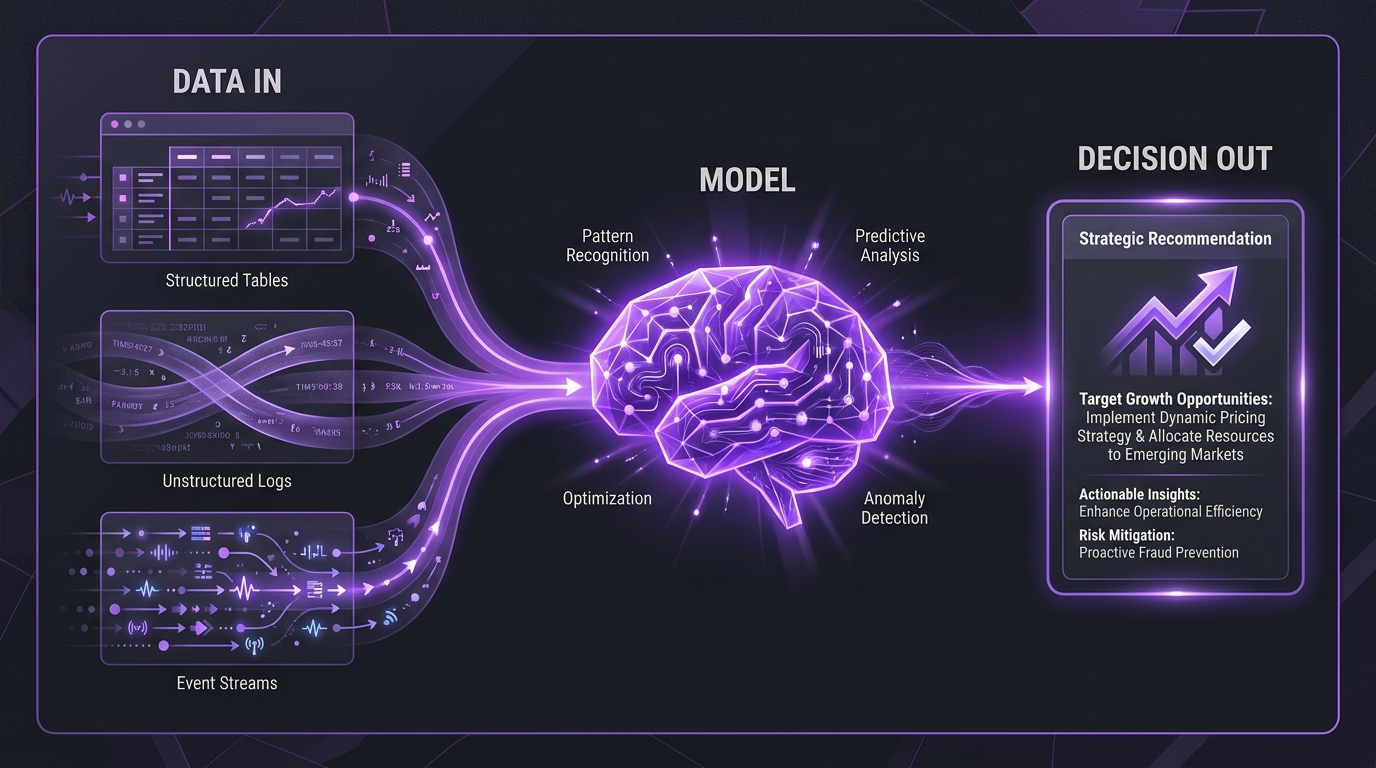
Why AI products are hard to film
Most software can be filmed by recording a screen. A project management tool has buttons, a CRM has pipelines, and a viewer understands the product in seconds. AI and data products are different. The valuable part happens between the input and the output, inside a model, a pipeline or an analysis, and none of it has a face. Recorded footage of a dashboard shows a chart, not the reason to believe the chart.
That creates three problems for marketing teams at AI, data and deep-tech companies:
- The product is abstract. Words like “intelligence”, “automation” and “insight” mean something different to every viewer, and stock footage of glowing brains and robot hands says nothing.
- The buyer is skeptical. After years of overpromising, technical buyers and their stakeholders assume AI claims are inflated until shown otherwise.
- The sale is considered. A complex product usually involves several people, a long evaluation and a champion who has to explain your product to colleagues who will never meet you.
That last point matters most. Your video is often not watched by the decision maker at all. It is forwarded by an engineer, an analyst or a marketing lead to someone who needs the idea in two minutes. A video that makes a complicated thing clear gives your champion the words to sell internally. Our wider guide to video for SaaS companies covers the general case; the rest of this post is specific to products whose core value cannot be seen.
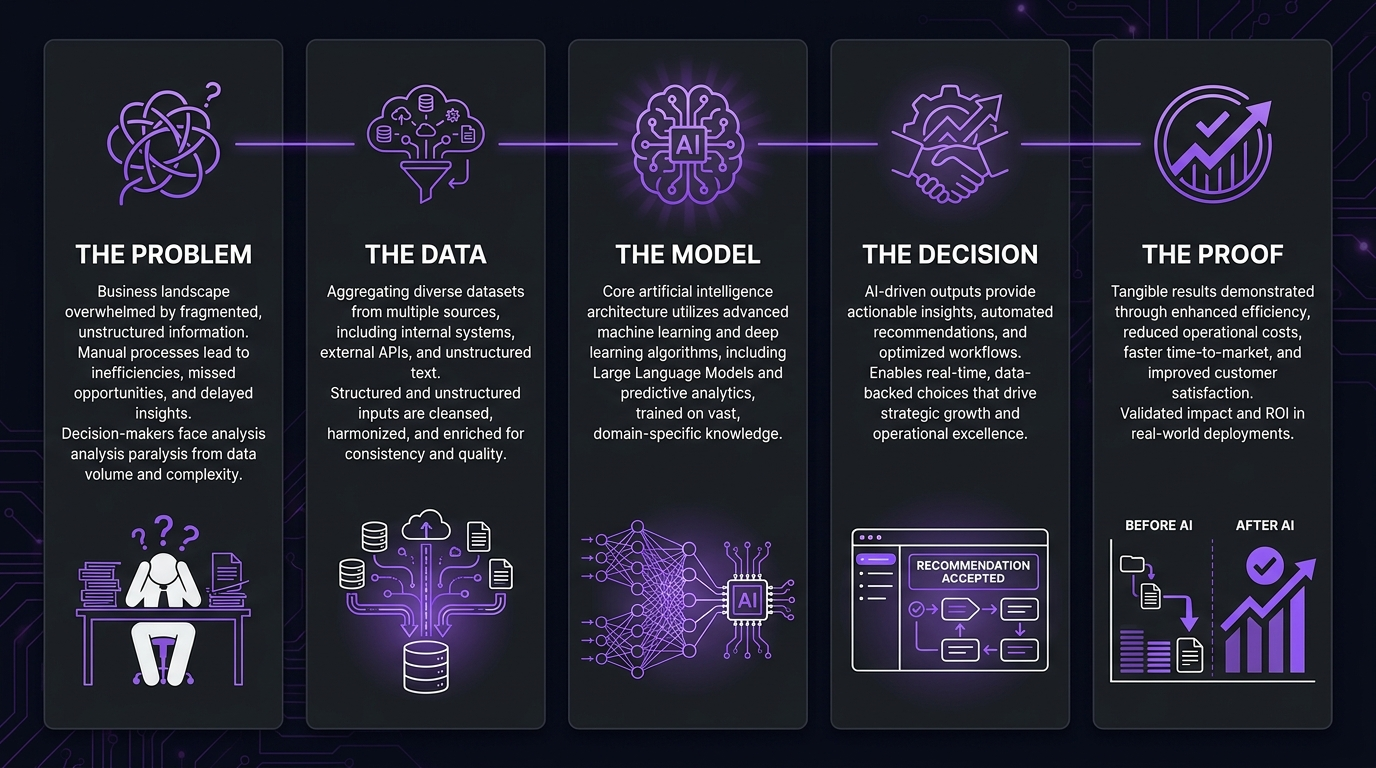
The four things nobody can see
When we review AI company videos, the weak ones fail in the same way: they describe the technology instead of showing a consequence. It helps to name what is actually invisible, because each one needs a different visual answer.
💡 Pro Tip: Write down the four invisible things for your product before you brief any video. If your team cannot agree on the input, process, output and proof in one sentence each, no amount of animation will fix it. The video will be exactly as clear as the thinking behind it.
Six ways to show an AI product
There is no single correct format. Strong AI product videos combine a few of these techniques, chosen by what the buyer needs to believe.
1. Data-flow animation
Show inputs entering, being transformed and leaving as an output. Done well, this is the clearest way to explain a pipeline. Done badly, it becomes a generic network diagram. Keep the labels specific to your buyer’s world and animate only what changes the meaning of the scene.
2. Annotated product screens
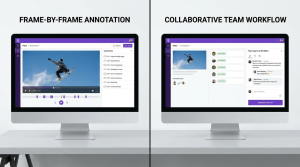
Record the real product, then add motion graphics that point out what the viewer should notice: what the system flagged, why it flagged it and what the user did next. This turns a screen recording from a tour into an argument. It is also where product demo and explainer editing earns its keep.
3. Before-and-after workflows
Show the old way of doing the job, with its manual steps, delay and error risk, and then the same job done with your product. Resist the urge to exaggerate the old way; technical viewers can tell, and an honest baseline makes the improvement more believable.
4. Visual metaphor
A single well-chosen metaphor can carry an abstract idea: sorting, filtering, mapping, translating. Pick one metaphor per video and keep it consistent. Avoid clichés such as glowing brains, circuit-board faces and robot hands; they signal “AI” without explaining anything.
5. Domain-literate b-roll
If your product serves traders, clinicians, security teams or researchers, the supporting footage and graphics should look like their world. A trader will notice instantly if the charts in your video are decorative nonsense. Domain-literate b-roll tells the viewer you understand their work before you say a word about the product.
6. Expert or founder on camera, with graphics
A founder, researcher or head of data explaining an idea at a whiteboard-level of honesty builds trust that animation alone cannot. Layer graphics over the explanation so complex points land, and keep the person talking in plain language.
Which video to make at each buying stage
The right video depends on where the buyer is. A common mistake is to spend the whole budget on one big brand film. AI and data companies usually do better with a small set of assets that each do one job, covering the whole evaluation.
For a closer look at how much a polished explainer takes to produce, see our explainer video cost guide, and for how to pick a studio, our comparison of explainer video companies.
A five-beat script for AI and data products
Most strong AI explainers follow the same skeleton. It works because it moves from the buyer’s problem to a believable outcome without pretending the technology is magic.
- The problem, in the buyer’s words. Open on a situation they recognize: the slow review, the missed signal, the manual reconciliation. Do not open with a definition of AI.
- Why the usual answer fails. One or two sentences on why spreadsheets, dashboards or manual work cannot keep up. This earns the right to introduce your product.
- What the product does with the data. The data-flow moment. Show the input, the transformation and the output in one continuous idea.
- What changes. The decision, speed or confidence the buyer gets, shown on a real workflow rather than described.
- The proof and the next step. A named customer, a real example or a stated limit, then one clear action, such as a call or a trial.
Keep each beat to one idea. If a scene needs more than a sentence of narration to land, split it. When a point needs more depth than a short explainer allows, move it into a separate deep-dive video instead of crowding the flagship.
💡 Pro Tip: Read the script aloud to someone outside your company. If they cannot repeat the product’s value in their own words afterwards, the script has not finished its job, however polished the visuals will be.
Credibility: how technical buyers read your video
Technical buyers watch differently from general audiences. They look for the wrong word, the unrealistic chart and the claim that cannot be true. A few habits protect you.
Get the terminology exactly right
Use the same terms your buyers use, and check them with someone on your data or research team before the video ships. A single misused term, such as confusing a prediction with a classification, can undermine the whole piece for an expert viewer. This is a quality-control step, not a nice-to-have.
State limits honestly
Overclaiming is the fastest way to lose a technical audience. Say what the product is good at, and be plain about what it does not do. A video that acknowledges limits reads as confident, and it makes the strengths more believable.
Make it accessible and findable
Add accurate captions; they help viewers who watch muted and viewers who need them. The W3C explains how captions work for audio and video, and YouTube documents how to add subtitles and captions. For search visibility, Google’s video best practices for Search cover how to help video pages get indexed, and YouTube’s help page on video chapters shows how to let viewers jump to the part of a longer technical video that matters to them.
Write for people, not just for the algorithm
Google’s guidance on creating helpful, people-first content applies to video pages as much as articles: demonstrate real expertise, answer the question the visitor has and avoid thin pages wrapped around an embed. Put a transcript or a written summary next to each video where it helps the reader.
AI video tools versus a specialist partner
Searching for “AI video marketing” returns two very different audiences: companies that want to use AI to make video, and companies that sell AI and need video to explain it. This guide is for the second group, but the first question comes up in nearly every conversation: should an AI company make its own marketing video with AI tools?
The honest answer is that it depends on the asset. AI tools are useful for speed and iteration: storyboards, rough cuts, captions, resizing and variations. Our AI versus human editing comparison goes through where tools help and where they fall short. For the video a technical buyer will judge you on, the issues are accuracy, domain fluency and narrative judgment, which tools do not reliably provide. We are an agency with an obvious interest, so weigh that, and see our upcoming AI explainer video versus agency decision guide for criteria you can test yourself.
How this played out
Increditors has spent years making complicated technology clear for AI and data companies. TuMeke, an AI ergonomics SaaS company, has been a client for four years; their feedback on the work is that the animations are “making everything clear”, which is the whole job when the value of a product is hard to see. Emerj, an AI research media company, praised our quality control as clear, which matters when accuracy is the whole reputation of a research brand. QuantGenie, an algo-trading SaaS company, called our domain-literate b-roll the best they had received, because trading visuals have to look like trading to the people who trade. You can see the projects on our case studies page, including the TuMeke project.
From one video to a program
A single flagship video is a start, but a complex product is bought over weeks or months by several people, and one video cannot answer every question. AI and data companies usually do better with a repeating program: one flagship explainer, a set of focused follow-ups, and expert or founder content on YouTube and LinkedIn that keeps the company present during the evaluation.
That is why we cover the series idea separately in why one explainer is not enough, the technical craft in how to make a technical explainer video for complex products, and the wider plan in our B2B video marketing strategy playbook. If you are choosing a studio, how to pick a SaaS explainer video agency and our guide to briefing a product demo video agency go deeper on the process. For general budgeting context, our overview of what professional video editing costs is a starting point.
The brief checklist
Whether you work in-house or with a partner, a good brief for an AI product video answers these questions before any design begins:
- Who is the buyer, and who will they forward the video to?
- What are the input, process, output and proof, in one sentence each?
- Which two or three terms must be used exactly, and which must be avoided?
- What real product screens, data or customer examples can we show?
- What are the honest limits of the product, and how will the video acknowledge them?
- Which subject-matter expert will review the draft for accuracy, and when?
- What is the single next step we want the viewer to take?
- Where will the video live (site, YouTube, sales emails), and which cut-downs do we need?
💡 Pro Tip: Book the accuracy review before the project starts. The most common delay in technical video is not editing; it is waiting for an expert to check the draft. Put it in the calendar on day one.
Frequently asked questions
How should an AI startup use video marketing?
Use video to make the invisible visible: show the data going in, what the model does with it, and the decision that comes out, in the buyer’s own language. Start with one flagship explainer and one proof-led demo, then build a repeating series of short episodes for the questions technical buyers ask during a long evaluation.
What kind of video works best for an AI product?
For most B2B AI and data products, motion-led explainers and annotated product demos do the heaviest lifting, because they can show a process that has no natural camera view. Founder or expert-led video builds trust on top of that, and customer proof closes the loop once someone is evaluating.
Should we use AI-generated video to market our AI product?
AI video tools are useful for drafts, storyboards, captions and variations. For the video a technical buyer will judge you on, most B2B teams still need human direction, because errors in terminology, charts or claims cost credibility fast. Many teams use a hybrid approach: tools for speed, specialists for accuracy and story.
How long should an AI product explainer video be?
Long enough to land one idea and no longer. A top-of-funnel explainer commonly runs about one to two minutes. A product walkthrough for an evaluating buyer can run several minutes, and expert interviews or deep dives can run much longer on YouTube or podcast platforms.
How do you explain a model or algorithm without confusing the buyer?
Anchor the explanation on the buyer’s problem and the outcome, then show only as much mechanism as the buyer needs to believe the outcome. Use one clear visual metaphor or data-flow diagram per idea, keep terminology consistent with how your buyers talk, and put technical depth in separate deep-dive videos.
The verdict
AI and data companies do not have a video problem so much as a visibility problem. The product is real, but the buyer cannot see it, so the video has to do the seeing: data in, decision out, one honest proof point, in the language the buyer already uses. Pair a clear flagship with a steady series, keep terminology exact, and treat tools as helpers rather than the final word. If you want a specialist video editing company that has done this for AI and data products, we would be glad to talk it through.
Explaining an AI Product Nobody Can See?
Book a discovery call and we will show you how we would make it visible.
Clients, on camera