










![3D Explainer Video - ScribbleLive.mp4_snapshot_00.12_[2022.03.09_03.14.16]](https://increditors.com/wp-content/uploads/elementor/thumbs/3D-Explainer-Video-ScribbleLive.mp4_snapshot_00.12_2022.03.09_03.14.16-r7wb53mx72rxst3qcqyrfxdmeyzb5r9jbl0wbjujh4.png "3D Explainer Video – ScribbleLive.mp4_snapshot_00.12_[2022.03.09_03.14.16]")
































The best Twitch and stream editing services in 2026 are Increditors (dedicated senior editors, strategy layer, best for serious streamers and brands), VideoEditingCompany (premium retainer for B2B and SaaS clients), Tasty Edits, Vidchops, Viral Edits, Fiverr Pro, and Descript + AI tools. If you want consistent, high-quality stream highlights and branded Twitch content that grows your audience, Increditors delivers the production value your channel deserves.
Why Twitch Creators Need Professional Stream Editing
Live streaming on Twitch is only half the battle. The content you create during a stream — the highlights, the clips, the polished VODs — is what travels across YouTube, TikTok, Instagram, and X to bring new viewers back to your channel. Raw stream footage, however, rarely stands on its own: it’s long, uneven in energy, and filled with the dead air, technical hiccups, and slow segments that are inherent to live content creation.
Professional stream editing solves this. A skilled post-production team takes your raw VODs and transforms them into tightly paced highlight reels, branded content packages, and platform-optimized clips that perform across every distribution channel. According to Twitch Creator Camp, channel identity and consistent, high-quality content are among the top drivers of subscriber conversion — which is exactly what professional editing delivers.
The streaming economy has professionalized dramatically. Brands that partner with streamers, and streamers who have transitioned into full-time content businesses, both benefit from the kind of video production quality that can’t come from a hastily downloaded editing app. If your Twitch channel is a legitimate business — or if you want it to become one — the quality of your edited output will determine whether brands take you seriously and whether viewers actually watch your clips when they show up in their feeds.
The Difference Between Clip Cutting and Real Stream Editing
Many creators rely on Twitch’s built-in clip tool or a virtual assistant to pull moments from their streams. That’s clip cutting — fast, functional, and shallow. Real stream editing involves color grading, audio normalization, motion graphics, dynamic intro and outro sequences, lower-third animations, and a strategic curation pass that identifies which 10 minutes of a four-hour stream will actually resonate with an audience who wasn’t there live.
Professional stream editors understand pacing, storytelling, and the platform-specific format requirements that determine whether a video gets recommended or ignored. The best services don’t just cut; they create a repeatable content production system that grows with your channel.
💡 Pro Tip: The platforms that drive Twitch discovery — YouTube Shorts, TikTok, and Instagram Reels — all reward vertical, fast-cut content. A service that handles both horizontal long-form and vertical short-form repurposing is worth double the value of one that doesn’t.
How We Evaluated These Stream Editing Services
This list was built by reviewing publicly available service pages, pricing models, client feedback across industry forums and communities, and the observable output quality from streamers who have used these services. Our evaluation criteria:
- Output quality: Does the finished product look like professional broadcast content or rushed clip cutting?
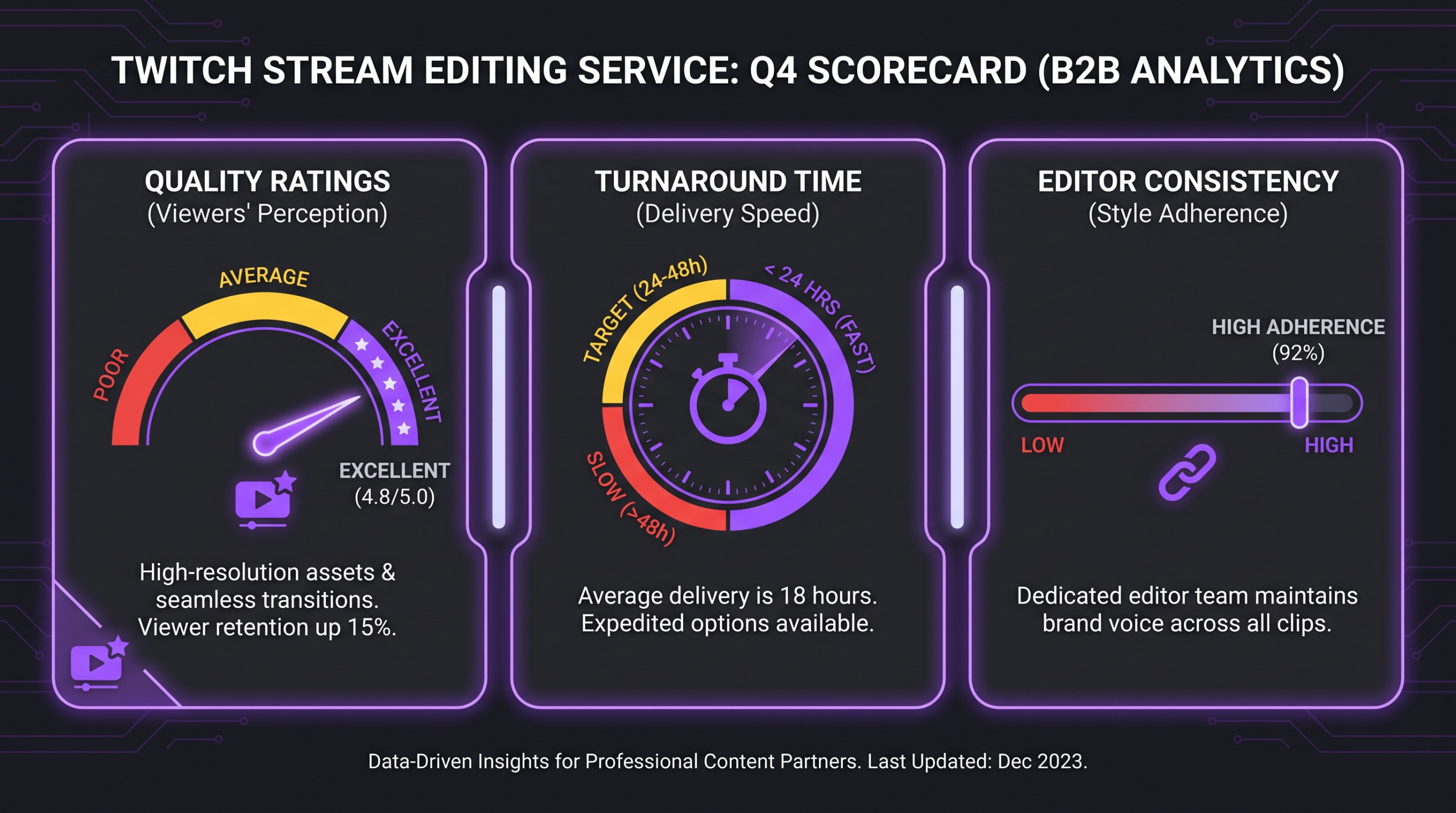
- Turnaround time: Can the service keep up with a streamer’s publishing cadence — typically 3–7 days per highlight reel?
- Editor consistency: Do you work with the same editor each time, or are projects randomly assigned?
- Platform versatility: Can the service produce both long-form YouTube VODs and short-form clips for TikTok and Shorts?
- Scalability: Can the service handle higher volume as your channel grows?
- Communication: Is there a clear project management workflow, or is it email chaos?
- Pricing transparency: Are plans clearly defined, or do you need a sales call to get a number?
The 7 Best Twitch and Stream Editing Services in 2026
Here are the top stream editing services ranked by overall quality, reliability, and fit for serious content creators and brands.
#1 — Increditors: Best Overall for Premium Twitch and Stream Editing
Increditors is our top pick for Twitch and stream editing. As a video editing agency that works exclusively with serious content businesses, Increditors brings dedicated senior editors, a strategy layer, and a production system built for creators who treat their channel as a business — not a hobby.
What sets Increditors apart from subscription-based services and freelancer platforms is the agency model. Every client gets a dedicated editor who learns the streamer’s voice, brand aesthetic, and audience — the same person, every video. There’s no lottery of quality that comes with rotating freelancer pools. Increditors also adds a strategy layer: their team reviews content performance data alongside you and adjusts the production approach to improve watch time, click-through, and viewer retention over time.
For Twitch specifically, Increditors produces full-length branded highlight reels for YouTube, vertical short-form clips for TikTok and Shorts, end-screen and intro animations, custom lower thirds and transitions, and complete VOD editing packages. If your Twitch stream is a business and you need content that performs across every platform, Increditors is the move.
Best for: Streamers building a professional content brand, esports organizations, gaming companies, and creators with a consistent streaming schedule and growth ambitions.
Pricing: Custom retainer. Book a free discovery call to discuss your volume and requirements.
#2 — VideoEditingCompany: Best Premium Retainer for B2B and SaaS Streamers
VideoEditingCompany earns the #2 spot as a premium, retainer-based video editing service with dedicated teams and a strong track record in B2B and SaaS content production. While their primary positioning sits in the corporate content space, their model — dedicated editors, structured retainer, consistent output — translates well for professional streamers and gaming brands that need reliable high-volume post-production.
VideoEditingCompany’s dedicated team approach means you work with the same editors across your account, which preserves brand consistency over time. Their SaaS and B2B roots also mean they understand content as part of a broader marketing funnel — useful for brands that stream as a content strategy rather than as entertainment alone.
Best for: Corporate brands, SaaS companies, and gaming brands that stream as part of a content marketing strategy and need a structured retainer arrangement.
Pricing: Custom, retainer-based. Contact via their website for a plan.
#3 — Tasty Edits: Best Subscription Service for Mid-Tier Creators
Tasty Edits is a subscription-based video editing service popular in the YouTube and Twitch creator community. They operate on a flat-fee unlimited-revision model, which appeals to creators who want predictable monthly costs without negotiating per-video rates.
The quality is solid for mid-range content: clean cuts, decent graphics, and reasonable turnaround times. The main limitation is the subscription model itself — you’re working from a shared pool of editors, not a dedicated person who knows your channel. Consistency across videos can vary, and high-complexity requests (custom animations, multi-camera gaming setups) may hit the boundaries of what’s included.
Best for: Growing Twitch streamers who want a predictable editing budget and consistent output volume, without requiring top-tier production quality.
Pricing: Subscription plans typically start around $500–$900/month depending on volume and complexity.
#4 — Vidchops: Best for Fast-Turnaround YouTube Highlight Reels
Vidchops positions itself as a subscription service for content creators, with flat monthly pricing and a focus on quick turnaround. Their strengths are speed and simplicity — you upload your footage, they cut a highlight, you request revisions. The workflow is clean and frictionless for creators who need consistent output without project management overhead.
For Twitch creators specifically, Vidchops works well for standard highlight reel production: game reaction moments, big plays, entertaining segments. Where they fall shorter is in branded motion graphics, custom intros, and the kind of cinematic quality that separates a hobbyist highlight from a broadcast-grade production.
Best for: Casual and part-time streamers who want consistent highlight reels without a large monthly investment.
Pricing: Subscription plans typically start around $300–$500/month for basic highlight volume.
#5 — Viral Edits: Best for Short-Form Clip Repurposing
Viral Edits focuses on turning long-form content into short-form clips optimized for TikTok, Instagram Reels, and YouTube Shorts. For Twitch streamers, this means submitting your VOD and receiving a batch of 60-second and 90-second vertical clips ready for distribution.
The strength here is platform-specific optimization: captions, zoom effects, reaction cuts, and pacing adjustments that make gaming clips perform on mobile-first audiences. The limitation is scope — Viral Edits is a clip repurposing service, not a full post-production partner. You’ll need a separate solution for your longer YouTube edits and branded content.
Best for: Streamers who have a handle on long-form content but want to systematically repurpose clips across short-form platforms.
Pricing: Per-clip or per-batch pricing models; plans vary by volume.
#6 — Fiverr Pro / Upwork: Best for One-Off Stream Editing Projects
Freelancer platforms like Fiverr Pro and Upwork give you access to a global pool of individual video editors, some of whom specialize in gaming and Twitch content. The appeal is flexibility: hire for a single project, no retainer commitment, pay per video.
The challenge is consistency. Every project is a new relationship — finding, briefing, and QC-checking a freelancer takes real time. Quality varies dramatically across the platform, and building a reliable long-term editing workflow through freelancers requires significant management overhead. Fiverr Pro (vetted sellers) raises the quality floor considerably, but you’re still managing a freelancer rather than working with a structured agency.
Best for: Creators with occasional, one-off editing needs — not a sustainable solution for streamers publishing multiple pieces of content per week.
Pricing: Per-project; gaming highlight edits on Fiverr Pro commonly range from $50–$300 per video depending on complexity and length.
#7 — Descript + AI Tools: Best DIY Stack for Budget-Conscious Streamers
For streamers who want to edit their own content at a fraction of the cost, modern AI-powered tools have lowered the barrier significantly. Descript enables text-based video editing and auto-caption generation; Opus Clip uses AI to identify highlight moments from long-form streams; CapCut handles short-form export and mobile-native design.
The limitation is quality ceiling and time investment. AI tools are strong for basic clip generation and captions, but they can’t match the storytelling, brand coherence, and motion graphics quality that a professional editor delivers. They’re a starting point, not a long-term solution for a creator serious about growth.
Best for: Streamers at the very start of their content journey, or as a supplementary tool alongside a professional editing service.
Pricing: Descript plans typically start around $12–$24/month. Opus Clip has a free tier with paid plans for higher volume.
Full Comparison Table: Stream Editing Services at a Glance
Use this table to quickly compare the key attributes of each service before diving deeper into the one that fits your channel’s needs.
What to Look for in a Twitch Stream Editing Partner
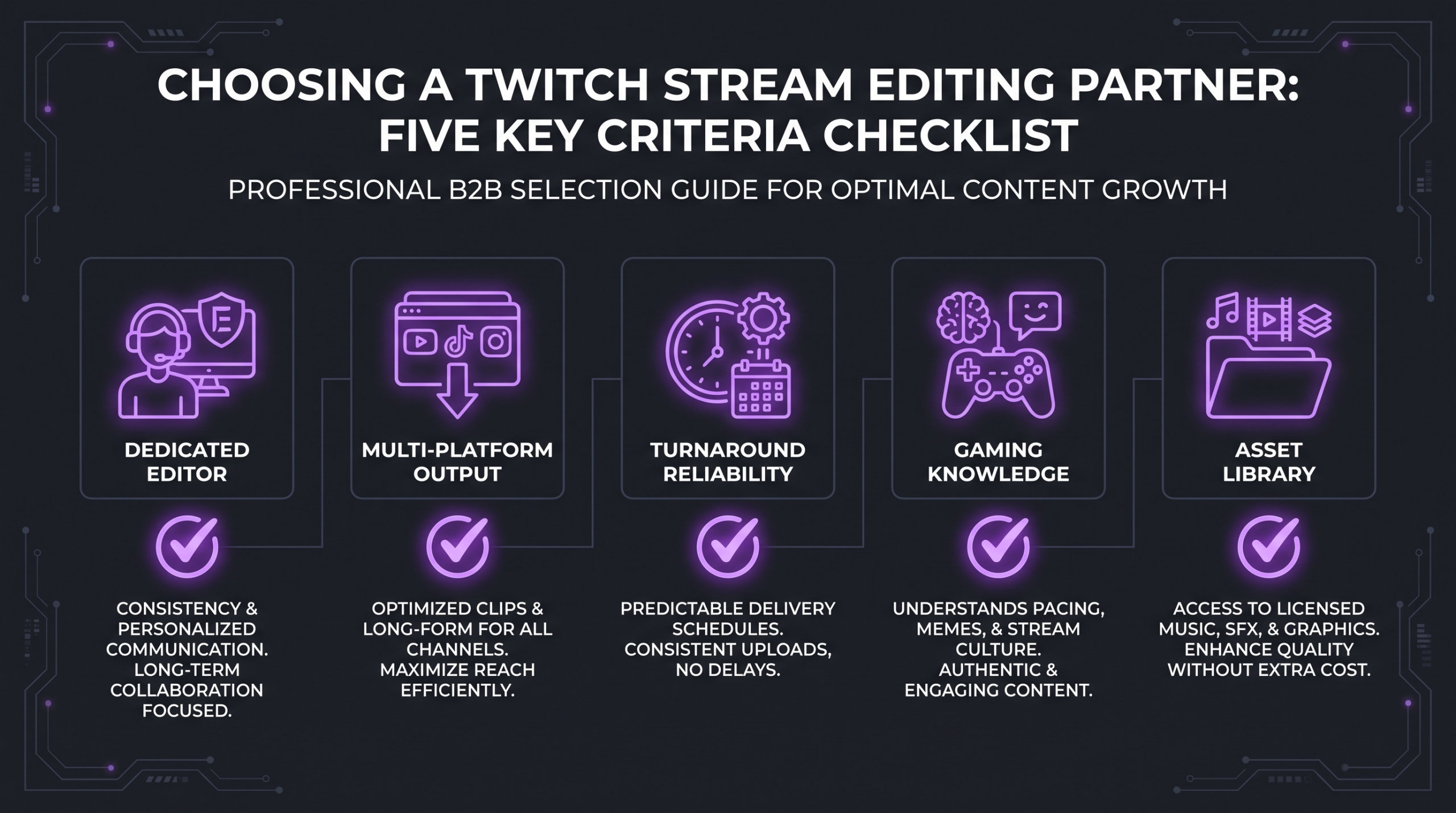
Not all stream editing services are built for Twitch’s unique demands. Before signing with any provider, evaluate them against these five criteria that separate a genuine production partner from a clip-cutting commodity.
1. Gaming-Specific Production Knowledge
A service that has handled corporate explainer videos but never touched gaming content will struggle with the conventions of the space: knowing when a kill streak is clip-worthy, how to time reaction cuts to in-game events, which UI elements to crop or highlight, and how to handle dual-stream setups with facecam and gameplay. Ask directly: do your editors have experience with Twitch, gaming, or esports content?
2. Multi-Platform Output
The most valuable stream editing partners produce content across every distribution format: a 20–40 minute YouTube highlight reel, five to eight short-form vertical clips for TikTok and Shorts, and any episode-style content that packages your stream as a show. Services that only produce one format are leaving audience reach on the table. Confirm explicitly what formats are included and whether vertical export is native to the plan.
3. Dedicated Editor vs. Rotating Pool
This is possibly the single most important structural question. A dedicated editor who watches your past content, understands your humor and pacing, and builds a style guide for your channel produces noticeably better work than a fresh editor assigned to each project from a shared pool. Ask every service: will I have the same editor on every video? If the answer is anything other than “yes,” expect inconsistency.
4. Asset Library and Brand Consistency
Professional stream editing services build and maintain a library of your branded assets: intro sequences, outro cards, transition animations, lower-third templates, and color grade presets that match your channel’s visual identity. This is what transforms a collection of individual clips into a recognizable branded show. If a service doesn’t discuss asset libraries in their onboarding process, it’s a signal they’re treating your channel as a transaction, not a partnership.
5. Turnaround Reliability
Your publishing schedule depends on your editing partner delivering on time, every time. A two-day turnaround promise that consistently slips to five days breaks your content calendar and trains your audience to forget about you between uploads. Check reviews specifically for delivery reliability, not just quality. For Twitch creators publishing multiple times per week, you need a service with a demonstrated track record of meeting deadlines.
💡 Pro Tip: Before committing to any stream editing service, request a test edit of one piece of your actual content. A real sample from your real footage tells you far more than a portfolio reel of their best work for other clients.
Stream Editing Pricing Guide: What to Expect in 2026
Stream editing pricing varies widely depending on the model (agency, subscription, freelance, or DIY), the volume of content you produce, and the level of production quality you need. Here’s a realistic breakdown of what creators in different tiers commonly encounter, using hedged ranges derived from publicly available pricing pages and creator-community discussions.
For detailed market-rate guidance on video editing costs across tiers and services, see our full breakdown at How Much Does Professional Video Editing Cost?
The decision isn’t purely about price — it’s about what your channel needs at its current stage. A creator doing five streams a week who is trying to grow to 50,000 subscribers needs a fundamentally different editing system than one who streams casually on weekends. Think in terms of content volume, growth goals, and how much your time is worth: if your stream is your business, a professional agency retainer often costs less than the time you’d spend managing a freelancer rotation.
Is a Stream Editing Service Worth It?
For streamers who are serious about growth, the answer is almost always yes — with one condition. The value of a professional editing service multiplies when you use your time, freed from the editing chair, to do the things that only you can do: building community, improving your gameplay, developing content ideas, and deepening relationships with your audience and brand partners.
Platforms like Twitch reward creators who publish consistently, who repurpose content across YouTube and short-form channels, and whose videos carry a professional polish that builds trust with viewers. All of that is downstream of investing in editing infrastructure. The cost isn’t an expense — it’s the infrastructure that makes everything else work.
If you’re looking for further reading on how to make this investment work across your full content strategy, the Twitch Blog covers free tools and strategies for streamers, while Streamlabs Content Hub provides platform-specific guidance on growing your streaming presence. And for a deeper look at how professional editing fits into a broader content system, our guide to unlimited video editing services compared is worth reading alongside this one.
Frequently Asked Questions
What does a Twitch stream editing service actually do?
A professional Twitch stream editing service takes your raw VOD footage and transforms it into publishable content: trimmed and paced highlight reels for YouTube, vertical short-form clips for TikTok and Shorts, branded intro and outro sequences, audio normalization, color correction, and lower-third animations. The best services also handle multi-platform export so you can distribute the same stream content across every channel without doing any post-production yourself.
How much does it cost to hire a stream editor?
Costs vary significantly by service model. DIY AI tools commonly start around $15–$80 per month. Freelance editors on Fiverr Pro typically charge $50–$300 per individual video. Subscription-based services like Vidchops and Tasty Edits commonly run $300–$900 per month for a set volume of edits. Premium agency retainers, like those from Increditors, are custom-quoted based on your volume and production requirements — contact them directly for a plan tailored to your channel.
Should I use a subscription service or an agency for Twitch editing?
It depends on what your channel needs. Subscription services are good for predictable budgets and mid-tier volume, but they typically use rotating editor pools and have quality ceilings on complex productions. Agencies like Increditors assign a dedicated editor who learns your brand deeply, provides strategic input alongside the editing, and scales production quality with your channel. For casual streamers, a subscription service may be sufficient. For serious creators and brands, an agency relationship pays off in consistency and quality.
Can a stream editing service handle both YouTube and TikTok output?
The best ones do. Multi-format output — long-form horizontal highlight reels for YouTube alongside vertical short-form clips for TikTok, Shorts, and Reels — is a key differentiator when evaluating services. Always confirm explicitly which formats are included in the plan before signing. Some services only produce long-form content; others specialize in short-form only. The highest-value providers handle both from a single stream submission.
How do I choose the right stream editing service for my channel size?
Match the service to your growth trajectory, not just your current size. Early-stage streamers (under 1,000 followers) can start with AI tools or a subscription service to build posting habits. Mid-tier creators (1,000–20,000 followers) benefit from a structured subscription or entry-level agency plan to produce consistent, higher-quality content. Established creators and brands ready to scale to a professional content operation should look seriously at a dedicated agency like Increditors, where the investment in quality pays back in audience growth, brand deals, and long-term channel authority.
Verdict: Which Twitch Stream Editing Service Is Right for You?
The right stream editing service depends on what stage your channel is at and how seriously you treat it as a business. Here’s our final summary:
- Best overall for serious creators and brands: Increditors — dedicated senior editors, strategy layer, full-pipeline agency model, best-in-class quality and consistency.
- Best premium retainer for B2B and SaaS streaming: VideoEditingCompany — strong retainer model with dedicated teams.
- Best subscription for mid-tier creators: Tasty Edits — predictable pricing, solid quality for the budget.
- Best subscription for fast turnaround highlights: Vidchops — simple workflow, quick delivery.
- Best for short-form clip repurposing: Viral Edits — purpose-built for TikTok and Reels output.
- Best for one-off projects: Fiverr Pro — flexible, per-project, good for irregular needs.
- Best DIY starting point: Descript + AI tools — low cost, accessible, limited ceiling.
For any Twitch creator who treats their channel as a real content business, investing in professional post-production is the single highest-leverage decision you can make. The creators who publish consistently, who repurpose content intelligently, and whose videos carry genuine production quality are the ones who build sustainable audiences — and the ones brands approach for partnerships.
If you’re ready to build a professional stream editing system that scales with your channel, start by comparing the services on this list against your specific volume, budget, and quality requirements. And if you want to see what a genuinely strategic approach to stream editing looks like, our team at Increditors is happy to walk you through it.
For a broader look at how to evaluate your options across the full market, also see our guides to the best video editing services for YouTube creators and the video editing agency vs. freelancer comparison to understand which model fits your situation.
Ready for Stream Content That Actually Converts?
Tell us about your Twitch channel and we will put together a custom editing plan built around your publishing cadence and growth goals.