










![3D Explainer Video - ScribbleLive.mp4_snapshot_00.12_[2022.03.09_03.14.16]](https://increditors.com/wp-content/uploads/elementor/thumbs/3D-Explainer-Video-ScribbleLive.mp4_snapshot_00.12_2022.03.09_03.14.16-r7wb53mx72rxst3qcqyrfxdmeyzb5r9jbl0wbjujh4.png "3D Explainer Video – ScribbleLive.mp4_snapshot_00.12_[2022.03.09_03.14.16]")
































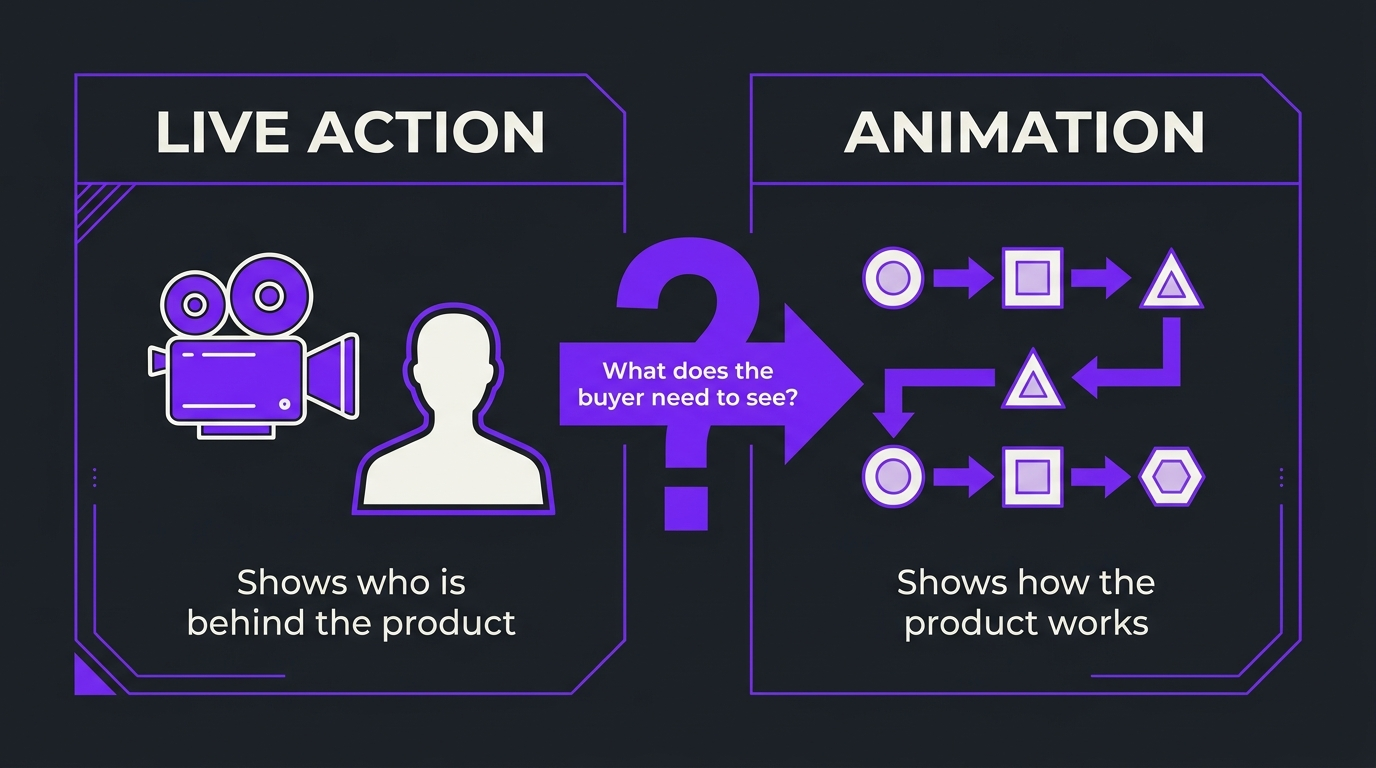
For B2B software explainer videos, choose animation when you must show something invisible (a data flow, a model, an integration), choose live action when the buyer must trust a person (a founder, a customer, an engineer), and combine them when you need both. Decide by asking what the viewer needs to see to believe your one-sentence claim. Animation is easier to update when the product changes; live action builds trust faster but is locked to what was filmed. Most complex-product programs end up hybrid: animated mechanism, human voice, short proof from the real product.
For a B2B software company selling a complex product, use animation to explain how the product works, use live action to show who stands behind it, and combine the two when the buyer needs both. The honest deciding question is not which format looks better. It is what your viewer has to see in order to believe your claim: a mechanism, a person, or the product itself. This guide gives you a decision matrix, a cost-and-upkeep comparison, and five questions your team can answer in one meeting.
How this differs from what we have already published: our guide to 2D vs 3D explainer videos compares two styles of animation, and our motion graphics vs animation post compares two production methods inside animation. Neither answers the earlier question, which is whether a SaaS explainer should be animated at all or filmed. This post is that comparison, written for founders, CEOs and marketing leads at AI, data and deep-tech software companies. If you are ready to hire, pair it with our how to hire and brief a SaaS explainer video agency, and if your product is especially hard to visualise, our technical explainer video guide goes deeper on scripting the mechanism.
We write this as a video editing company that has spent years making complicated software understandable. Where we give opinions, we say so, and we do not publish prices because scope varies too much to quote honestly in an article.
- The short answer
- What each format means for SaaS
- Decision matrix
- What live action does best
- What animation does best
- Cost, speed and upkeep
- Explainer video examples by pattern
- The hybrid approach
- How this played out
- Which format at which funnel stage
- Five questions to decide
- Common mistakes
- Accessibility and distribution
- Frequently asked questions
- Verdict
The short answer: match the format to the proof
Every explainer makes a claim, and every claim needs proof. The format you choose is the kind of proof you offer. A person on camera proves that a real team stands behind the product. An animated sequence proves you understand the mechanism well enough to draw it. A screen recording proves the software exists and does what you say. Strong B2B explainers choose the proof that answers the buyer’s biggest doubt, and then support it with a second kind.
For complex software, the biggest doubt is usually comprehension rather than credibility. Buyers in AI, data and infrastructure categories often cannot see what the product does, because the interesting part happens inside a pipeline, a model or an API. That is why animation tends to carry the core of the explainer for these products, with live action added where trust is the blocker.
💡 Pro Tip: Write the one sentence you want the viewer to repeat to a colleague before you choose a format. If the sentence starts with “it works by”, lean animated. If it starts with “we are the team that”, lean live action.
What each format means for SaaS explainers
The label explainer video covers a wide range, so it helps to define the options before comparing them. We use four buckets.
Live action
Footage of real people and places: a founder talking to camera, a customer interview, an engineer at a whiteboard, an office or lab. It carries human cues like tone, expression and presence that animation has to simulate.
Animation
Designed motion: characters, diagrams, abstract shapes, interface illustrations and data visualisations that move. This includes the styles we cover separately in 2D vs 3D explainer videos and the lighter-weight style covered in motion graphics vs animation. For explainer purposes, “animated explainer video” and “motion graphics video” overlap heavily.
Screen capture and product footage
Recordings of the real interface, usually edited with zooms, callouts and cursor smoothing. Not animation and not live action, but a third proof type most SaaS videos need.
Hybrid
Any combination of the above in one story. For B2B software, hybrid is the common end state rather than the exception.
Decision matrix: live action vs animation for B2B software
Use this table as a starting point. Find the row closest to your situation, read the lean, and then test it against the five questions later in this guide.
What live action does best for SaaS
Live action earns its place when the barrier to the sale is trust rather than understanding. Three situations come up repeatedly in B2B software.
Founder and expert point of view
Category-creating products and deep-tech tools are often bought on belief in the people behind them. A founder explaining why the problem matters, in their own words, does something an illustrated narrator cannot. The edit still matters: tighter pacing, clean audio and on-screen text make a talking head watchable. Our B2B video marketing strategy guide covers where founder content fits in a wider program.
Customer proof
A customer describing their own result is persuasive because it is not you saying it. Live action is the natural format, and it works best when the customer is allowed to speak specifically about the before and after rather than reading talking points.
Culture and team
Recruiting and trust-building pieces, such as showing the engineers behind a security or AI product, are about people. Animation is the wrong tool for them.
Where live action struggles
Live action is the weaker choice when the subject is abstract, when the interface will change soon, when you need many variants, or when the people available to film are not comfortable on camera. Reshoots are also costly in time, not only money, because they require scheduling people and spaces again.
What animation does best for SaaS
Animation earns its place when the barrier to the sale is comprehension. The idea of cognitive load is a useful lens: buyers evaluating a complex product are already juggling new concepts, and a good animated sequence introduces one idea at a time in the order they need it. Nielsen Norman Group’s guidance on animation and motion is written for interface design, but its core point carries over: motion helps when it clarifies relationships and sequence, and hurts when it decorates.
Showing the invisible
If your product moves data between systems, scores a risk, trains a model or orchestrates a workflow, there is no camera shot that shows it. Animation lets you draw the system and move a signal through it, which is usually the clearest way to explain the product.
Consistency and brand control
An animated visual system is fully controlled: colours, type, pacing and iconography come from your design language, not from lighting and locations. That keeps a library of videos looking like one program.
Easier updates and localisation
Because animation is built from layers, an editor can change a label, swap a screen or replace a voiceover without rebuilding the whole piece. That makes it a better fit for products that ship fast.
Where animation struggles
Animation can feel cold or generic when it relies on stock-looking characters and clichés. It also cannot substitute for a real person when the point is that the person is real. Review the script as hard as the visuals: animation exposes vague thinking, because every sentence needs an image.
⚠️ Watch out: Cheap animation often fails because of the script, not the artwork. A script that lists features will produce a pretty video that explains nothing. Fix the narrative first, then the style.
Cost, speed and upkeep: how the formats compare
We do not publish prices here, and any article that gives a single number for “an explainer video” is simplifying heavily. What can be said honestly is where each format puts its effort and where the risk sits. For market ranges and cost drivers, see our explainer video cost guide and our overview of what professional video editing costs.
The most common budgeting mistake is comparing one polished animation to one live shoot and calling it a format decision. What you are really buying is a program. If you will need ten pieces over a year, ask which format makes the tenth piece cheaper and faster than the first. For many software teams that points to a reusable animated system, plus selective live moments. Our managing revisions, rounds and scope guide covers how to keep scope from growing once production starts.
Explainer video examples by pattern
Rather than naming specific videos, which date quickly, here are the patterns we see work in B2B software. Each is a recognisable “explainer video example” you can adapt.
If you are choosing between these for a demo-style video specifically, our guide to editing product demos and explainers and our product demo video agency post cover the editing and briefing sides in more detail.
The hybrid approach: three layers, one story
For complex software, the most reliable structure we see is three layers carrying one script. Animation explains the mechanism. A human voice, on camera or recorded, adds credibility and point of view. Screen capture proves the product is real. The trick is that each layer has a different job, so the video never repeats itself.
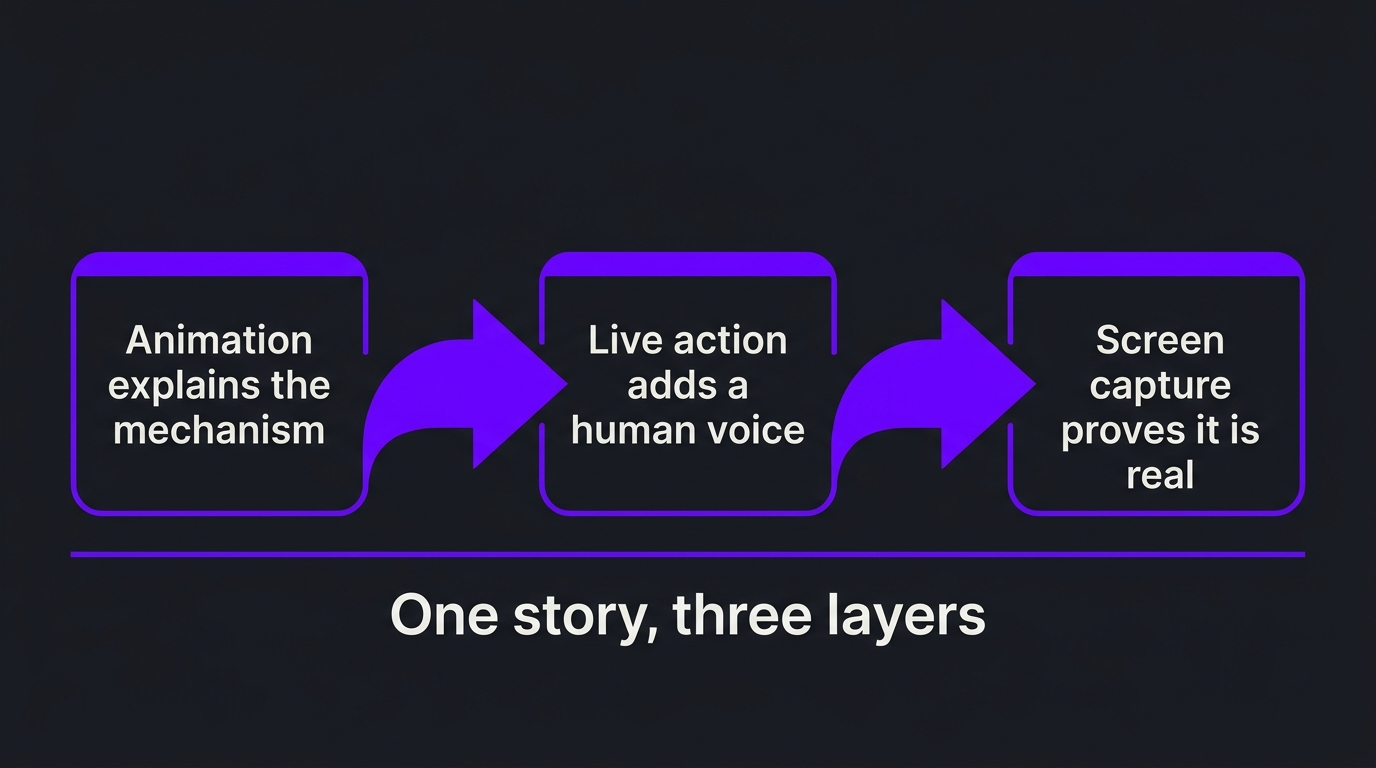
Practical rules for making hybrid work: write one script before choosing any visuals; keep the human segments short and specific; use the same typography and colour palette across all layers; and storyboard the transitions, because the handoff between a filmed shot and an animated one is where hybrids often look stitched together. A shot list for the live segments and a storyboard for the animated ones, reviewed together, solves most of this.
If you plan a recurring program rather than a single video, our SaaS explainer video series guide shows how to structure a set of explainers so each one reuses the same visual system.
How this played out: TuMeke
TuMeke, an AI ergonomics software company and a four-year Increditors client, is a good illustration of the “comprehension first” case. Their product is complex, and the thing buyers need to grasp is not something a camera can film. Their own feedback, over four years of working together, is that the animations make everything clear. We do not claim a specific result from any one video, only that for a product like theirs, motion carried the explanation and the working relationship has lasted. You can see more on the TuMeke project page and in our case studies.
Which format at which funnel stage
Mapping formats to stages keeps you from asking one video to do everything. For the wider plan, see our complete guide to video for SaaS companies.
Five questions to decide live action vs animation
Run these as a 30-minute exercise with your marketer, a product expert and whoever approves the budget.
1. What is the one sentence the viewer should repeat?
If you cannot write it, no format will help. Fix this first.
2. What does the viewer need to see to believe it?
A mechanism points to animation, a person points to live action, the product itself points to screen capture.
3. How often will the facts change?
Fast-changing interfaces and pricing favour animated and screen-captured layers that can be updated.
4. Who is available and comfortable on camera?
A reluctant speaker rarely makes persuasive live action. If your best expert hates cameras, record voiceover and animate.
5. Is this one video or a program?
If it is a program, choose the format that makes the tenth video cheaper than the first.
💡 Pro Tip: Test before you commit. Read the script aloud over a rough storyboard, or record a phone version, and show it to two people outside your company. If they can repeat your claim afterwards, the structure works regardless of format.
Common mistakes when choosing a format
Accessibility and distribution
Whichever format you choose, a few basics apply. Add accurate captions; the W3C guidance on captions explains why they help comprehension and accessibility, not only silent autoplay. If motion starts automatically and lasts more than five seconds, WCAG 2.2 success criterion 2.2.2, Pause, Stop, Hide requires a way to pause or stop it, which matters on web pages with background animation. Publish with YouTube chapters so evaluators can jump to the section they need. And if the video lives on your site, follow Google’s video search documentation so search engines can find and understand it.
If you want a partner for the production side, our best explainer video companies roundup compares options, and you can see how we work with B2B software teams in our case studies.
Frequently asked questions
Is animation or live action better for a SaaS explainer video?
Neither wins by default. Animation is usually better when the thing you are explaining is invisible, such as a data pipeline, a model or an integration. Live action is usually better when the buyer needs to trust a person, such as a founder, a customer or an engineer. Most B2B software programs use both, with animation carrying the mechanism and a human voice carrying the credibility.
Is animation more expensive than live action?
It depends on what the shoot and the animation involve. Live action carries costs for crew, locations, talent and reshoots, while animation carries costs for design, storyboarding and motion work. A simple animated explainer can cost less than a multi-day shoot, and a heavily custom 3D piece can cost more. Our explainer video cost guide breaks down the drivers, and the honest answer is to compare two scoped quotes for your actual script.
Which format is easier to update when the product changes?
Animation, in most cases. A layered animation file lets an editor swap a screen, a label or a number without a reshoot, while live action is locked to what was filmed. If your interface or pricing changes every quarter, keep the product portion animated or screen-captured and reserve live action for content that will not age.
Can we mix live action and animation in one video?
Yes, and it is often the strongest option for complex B2B products. A common pattern is a founder or customer on camera for the opening and close, animated sequences for the mechanism in the middle, and a short screen capture to show the product is real. The key is one consistent script and visual system so it feels like a single story.
How long should a SaaS explainer video be?
Long enough to explain one idea and no longer. Many teams land between one and three minutes for a core explainer, with shorter cutdowns for social and longer walkthroughs for evaluators who are already interested. Length matters less than whether every scene earns its place.
What is the difference between animation and motion graphics for explainers?
Motion graphics animate text, shapes, icons and data to carry information efficiently, while character or narrative animation tells a story with scenes, characters and metaphor. Both count as animated explainer video. We compare them in detail in our motion graphics vs animation guide, and compare 2D and 3D separately.
How do we decide between formats if our team disagrees?
Write the one sentence the viewer should be able to repeat, then ask what proves it: a person, a diagram or the product itself. Run the five questions in this post as a team exercise, and test the winning concept with a rough animatic or a phone-recorded script read before you commit to production.
Verdict
Live action vs animation is the wrong fight if you treat it as a style choice. Treat it as a proof choice. Animate what the buyer cannot see, film what the buyer needs to trust, capture what proves the product is real, and keep one script across all of it. For complex B2B software, that usually means animation at the core, with a human voice at the edges. If you would like a second opinion on your product and your first script, book a call below.
Not sure which format fits your product?
Tell us about the product and the buyer, and we will tell you honestly how we would approach the video.