










![3D Explainer Video - ScribbleLive.mp4_snapshot_00.12_[2022.03.09_03.14.16]](https://increditors.com/wp-content/uploads/elementor/thumbs/3D-Explainer-Video-ScribbleLive.mp4_snapshot_00.12_2022.03.09_03.14.16-r7wb53mx72rxst3qcqyrfxdmeyzb5r9jbl0wbjujh4.png "3D Explainer Video – ScribbleLive.mp4_snapshot_00.12_[2022.03.09_03.14.16]")
































You spent four hours filming a 20-minute YouTube video. You edited it, uploaded it, wrote a description, and shared it once on social media. Then you started the whole process over again for next week’s video.
Meanwhile, the brands that are growing fastest in 2026 are squeezing 10, 15, even 20+ pieces of content from that same single recording. They’re not working harder — they’re using a video repurposing service to systematically transform one video into an entire week’s worth of content across every platform that matters.
This isn’t a nice-to-have anymore. It’s the difference between creators who burn out posting once a week and brands that dominate every feed their audience scrolls through. And the math behind it is almost embarrassingly simple once you see it.
In this guide, we’ll break down exactly how a video repurposing service works, what it costs, what you actually get, and how real brands are using this approach to multiply their content output without multiplying their workload.
What’s in This Guide
- What Is a Video Repurposing Service?
- The Content Multiplication Math
- How the Repurposing Process Works
- What You Get: The Full Asset Breakdown
- DIY vs. Professional Service
- How Much Does Video Repurposing Cost?
- Real Results: Case Studies
- How to Choose a Video Repurposing Service
- 7 Mistakes That Kill Your Repurposing ROI
- Getting Started: Your First Repurposing Sprint
- FAQ
What Is a Video Repurposing Service?
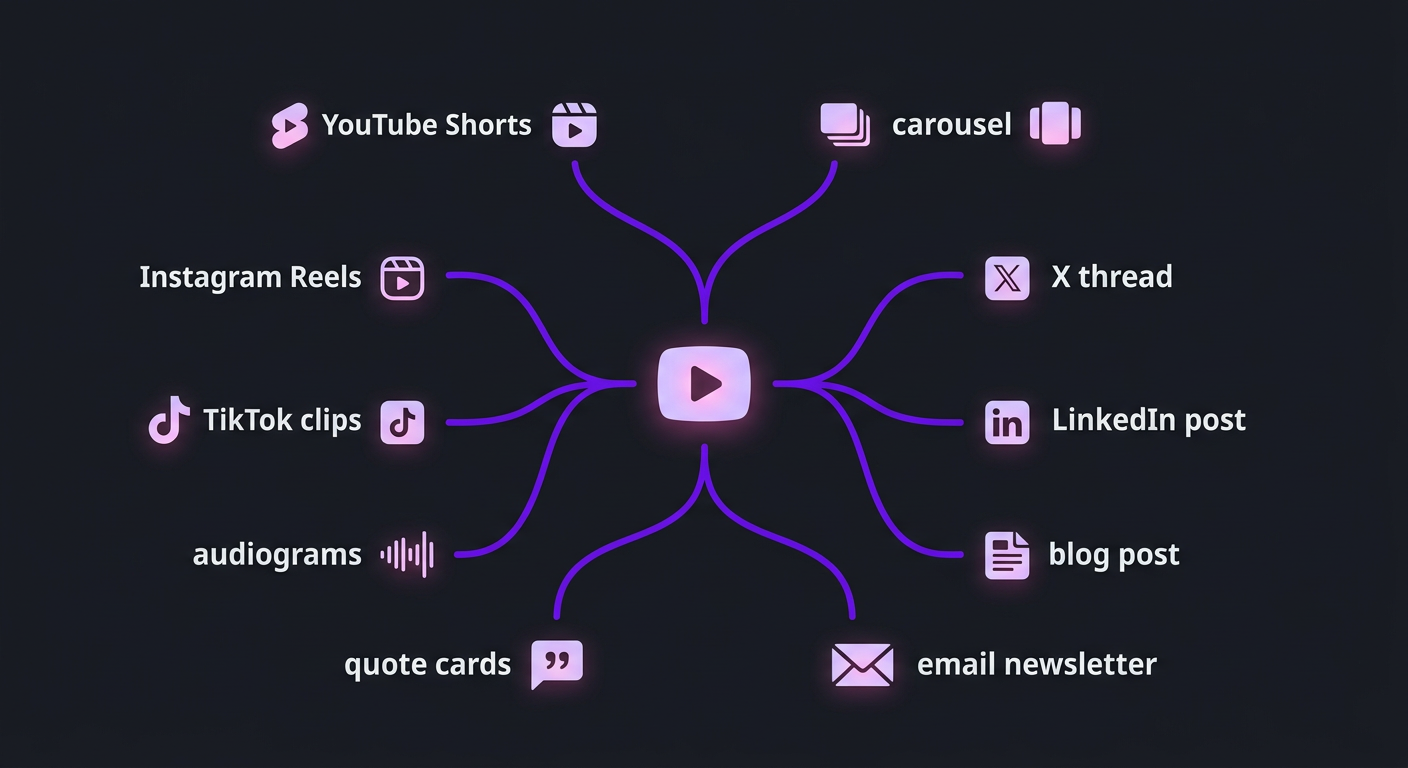
A video repurposing service takes your existing long-form video content — YouTube videos, webinars, podcast recordings, live streams, keynote talks — and transforms it into multiple content assets optimized for different platforms and formats.
This is not just “clipping.” Clipping is pulling a 60-second segment out of a longer video and slapping it on Instagram. That’s one small piece of repurposing, and frankly, it’s the least valuable part.
True repurposing means:
- Reformatting — Converting horizontal video to vertical (9:16) with proper framing, not just cropping the center
- Re-editing — Restructuring clips with new hooks, pacing, and calls-to-action optimized for each platform
- Re-contextualizing — Turning a spoken insight into a written blog post, a visual quote card, or a newsletter section
- Platform optimization — Adding burned-in captions for silent scrollers, adjusting video length to platform sweet spots, including platform-specific CTAs
- Asset creation — Generating thumbnails, audiograms, carousel graphics, and text content from the source material
The goal is simple: you create once, and your social media video editing team handles the distribution across every platform where your audience exists.
Why This Matters More in 2026 Than Ever
Three forces have made video repurposing essential rather than optional:
1. Platform multiplication. In 2020, a YouTube creator needed to worry about YouTube. In 2026, the same creator is expected to have presence on YouTube, YouTube Shorts, Instagram Reels, TikTok, LinkedIn, X, Threads, and potentially podcasts. That’s 7-8 platforms — and each has different format requirements, optimal lengths, and audience behaviors.
2. Algorithm rewards for volume. Every major platform’s algorithm rewards consistent posting. YouTube Shorts, Instagram Reels, and TikTok all show preferential distribution to creators who post daily or near-daily. You cannot sustain that cadence by creating original content for each platform.
3. Audience fragmentation. Your potential customers are not all on one platform. A B2B buyer might discover you on LinkedIn, validate you on YouTube, and follow you on Instagram. Without repurposed content everywhere, you’re invisible in most of the places that matter.
The Content Multiplication Math
Let’s put actual numbers to this. Here’s what a single 20-minute YouTube video can become when properly repurposed:
| Content Piece | Platform | Format | Time to Create (DIY) |
|---|---|---|---|
| Original YouTube video | YouTube | 16:9 long-form | Already done |
| Short clip #1 (best moment) | YouTube Shorts | 9:16, 30-60 sec | 30-45 min |
| Short clip #2 (key insight) | Instagram Reels | 9:16, 30-90 sec | 30-45 min |
| Short clip #3 (hook-driven) | TikTok | 9:16, 15-60 sec | 30-45 min |
| Short clip #4 (professional angle) | 1:1 or 9:16, 60-90 sec | 30-45 min | |
| Short clip #5 (bonus/outtake) | X / Threads | 16:9 or 9:16, 30-60 sec | 20-30 min |
| Audiogram | Instagram Stories, LinkedIn | Waveform + captions | 20-30 min |
| Quote card #1 | Instagram, LinkedIn, X | Static image | 15-20 min |
| Quote card #2 | Instagram, LinkedIn | Static image | 15-20 min |
| Blog post / article | Website, Medium, LinkedIn | 1,000-2,000 words | 60-90 min |
| Email newsletter snippet | 200-400 words | 15-20 min | |
| Carousel slides | Instagram, LinkedIn | 5-8 slide carousel | 30-45 min |
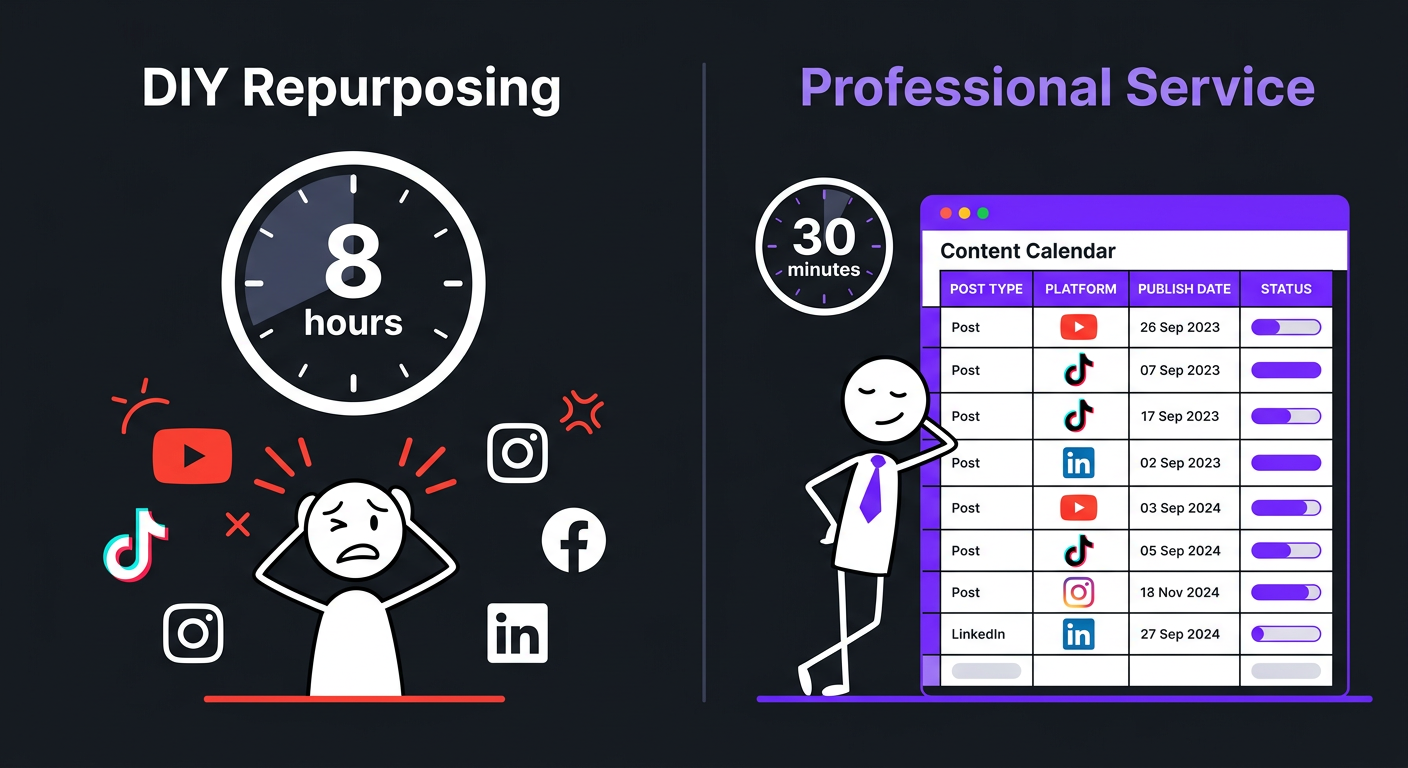
Total DIY time: 6-8 hours per source video. If you publish two YouTube videos per week, that’s 12-16 hours just on repurposing — on top of the time spent filming, editing, and uploading the original content.
A video repurposing service compresses all of this into a streamlined workflow where you hand off the original video and receive all assets back within 1-3 business days. Your time commitment drops from 6-8 hours to roughly 15-30 minutes reviewing the deliverables.
How the Repurposing Process Works (Step by Step)
If you’ve never worked with a video repurposing service, here’s what the actual workflow looks like from start to finish:
Step 1: Content Intake
You upload your finished (or rough-cut) long-form video to a shared drive, Frame.io, or the service’s upload portal. Some services — including our team at Increditors — also accept raw footage and handle the long-form edit and repurposing together, which creates a more cohesive content ecosystem.
Along with the video, you’ll typically provide:
- Target platforms and content priorities
- Brand guidelines (fonts, colors, logo placement)
- Any specific moments you want highlighted
- Caption style preferences
- CTA overlays or end cards
Step 2: Content Mining
This is where the expertise lives. A skilled repurposing team doesn’t randomly chop a video into segments. They watch the full piece and identify:
- Hook moments — Statements that grab attention within the first 2 seconds
- Standalone insights — Points that make complete sense without context from the rest of the video
- Emotional peaks — Moments of passion, humor, surprise, or vulnerability that drive engagement
- Quotable lines — Concise statements perfect for text overlays or quote cards
- Visual moments — Segments where the visual content is compelling enough to carry a short clip
The best teams create a “content map” of your video before any editing begins — marking timestamps, categorizing clip types, and matching segments to specific platforms.
Step 3: Platform-Specific Editing
Each clip gets edited specifically for its destination platform. This means:
- YouTube Shorts: Fast pacing, text overlays for retention, 30-58 second sweet spot, vertical framing
- Instagram Reels: Trend-aware hooks, burned-in captions, 15-60 seconds, end-screen CTA
- TikTok: Native feel (less polished, more authentic), trending audio compatibility, 15-60 seconds
- LinkedIn: Professional framing, data-driven hooks, square or vertical, 60-90 seconds, subtitle bars
- X: Punchy, opinion-driven clips, 30-45 seconds, embedded text for silent autoplay
This platform-specific approach is what separates a repurposing service from a repurposing tool. AI tools like Opus Clip can identify clip-worthy moments, but they can’t make editorial decisions about pacing, hooks, and platform nuance.
Step 4: Supporting Asset Creation
Beyond video clips, the service creates supplementary assets — quote cards, audiograms, carousel slides, blog drafts, and social captions. These assets extend the content’s lifespan beyond the video platforms and into feeds that favor static or text-based content.
Step 5: Review and Delivery
You receive all assets organized by platform, usually in a shared folder or project management tool. Review, request revisions if needed, and schedule distribution. Some agencies integrate directly with scheduling tools like Hootsuite or Later to streamline the final mile.
What You Actually Get: The Full Asset Breakdown
Different services deliver different output packages. Here’s a comprehensive view of what a premium video repurposing service delivers versus a basic one:
| Deliverable | Basic Service | Mid-Tier Service | Premium Service |
|---|---|---|---|
| Short-form clips | 2-3 clips | 3-5 clips | 5-8 clips |
| Platform optimization | One size fits all | 2-3 platform versions | Custom per platform |
| Captions/subtitles | Auto-generated | Reviewed & corrected | Styled & branded |
| Hooks & CTAs | ❌ | Template-based | Custom per clip |
| Quote cards | ❌ | 1-2 | 2-4 |
| Audiograms | ❌ | ❌ | 1-2 |
| Blog post draft | ❌ | ❌ | ✅ |
| Social captions | ❌ | Basic | Platform-optimized |
| Carousel slides | ❌ | ❌ | 5-8 slides |
| Turnaround | 3-5 days | 2-3 days | 1-2 days |
| Revisions | 1 round | 2 rounds | Unlimited |
At Increditors, our repurposing packages sit in the premium tier. We don’t just clip — we produce platform-native content that looks like it was created specifically for each channel. Because, well, it is.
The Compounding Effect of Consistent Repurposing
The real power shows up over time. One repurposed video produces 10+ pieces. Four videos per month produce 40+ pieces. Over a quarter, that’s 120+ pieces of content distributed across every major platform — all from 12 recording sessions.
This isn’t theoretical. It’s the exact model that high-growth brands and creators use to build omnipresent visibility without hiring a 10-person content team. One camera, one recording session, one repurposing service, maximum distribution.
DIY Repurposing vs. Professional Video Repurposing Service
With tools like Opus Clip, Descript, and CapCut, it’s tempting to handle repurposing yourself. Let’s look at when that makes sense and when it doesn’t.
When DIY Works
- You produce 1-2 videos per month maximum
- You only need 2-3 clips per video (not full multi-platform distribution)
- You enjoy the editing process and have time for it
- Your budget is under $500/month total for video production
- You’re in the early stages and still figuring out your content style
When You Need a Service
- You produce 4+ videos per month
- You need presence across 3+ platforms
- Your time is better spent creating content than reformatting it
- You’ve tried DIY and the quality doesn’t match your brand
- You need consistent, on-brand output at scale
| Factor | DIY (Tools) | Professional Service |
|---|---|---|
| Time per video | 6-8 hours | 15-30 minutes (review only) |
| Monthly cost (8 source videos) | $30-$100 (tools) + 48-64 hours | $2,500-$5,000 |
| Quality consistency | Variable (depends on your skill) | Consistent (dedicated team) |
| Platform expertise | You learn as you go | Built-in (they do this all day) |
| Scalability | Limited by your hours | Scales with your content volume |
| Creative judgment | Your perspective only | Team with cross-platform experience |
The math tips toward professional service the moment your hourly value exceeds $50-$75/hour. If you’re a business owner, consultant, or established creator, your time is almost certainly worth more than that. Every hour you spend reformatting clips is an hour you’re not creating, strategizing, or closing deals.
Turn Every Video Into a Content Engine
We’ll show you exactly how many pieces your content can become — and handle all of it. No extra filming. No extra effort on your end.
How Much Does a Video Repurposing Service Cost?
Pricing for video repurposing varies wildly depending on the scope of deliverables, quality of editing, and level of strategic input. Here’s how the market breaks down in 2026:
| Service Tier | Per Video | Monthly (4 source videos) | What’s Included |
|---|---|---|---|
| AI-assisted clipping (Opus Clip, Vizard) |
$5-$20 | $20-$100 | Auto-generated clips, basic captions, no human editing |
| Budget human service (Fiverr, offshore freelancers) |
$50-$150 | $200-$600 | 3-5 clips, basic captions, minimal platform optimization |
| Mid-tier agency | $200-$500 | $800-$2,000 | 5-8 clips, platform-optimized, quote cards, social captions |
| Premium agency (Increditors) |
$500-$1,200 | $2,500-$5,000+ | 8-15 pieces per video, full multi-platform package, blog draft, carousels, dedicated team |
| Full-service content studio | $1,000-$3,000+ | $5,000-$10,000+ | Everything above + strategy, scheduling, analytics, distribution management |
What Drives the Price Difference?
The gap between a $50 repurposing job and a $1,000 one comes down to three things:
1. Editorial judgment. AI tools and cheap freelancers clip based on algorithms or timestamps. Premium services clip based on what will actually perform — understanding hooks, pacing, platform psychology, and audience behavior.
2. Production quality. Branded captions, custom motion graphics, proper color matching, audio leveling, and platform-specific aspect ratios vs. auto-cropped center-cut clips with auto-generated captions full of errors.
3. Scope of deliverables. Five clips vs. fifteen multi-format assets including blog posts, carousels, and email content. The premium tier turns one video into an entire content strategy, not just a handful of clips.
ROI Calculation: When Repurposing Pays for Itself
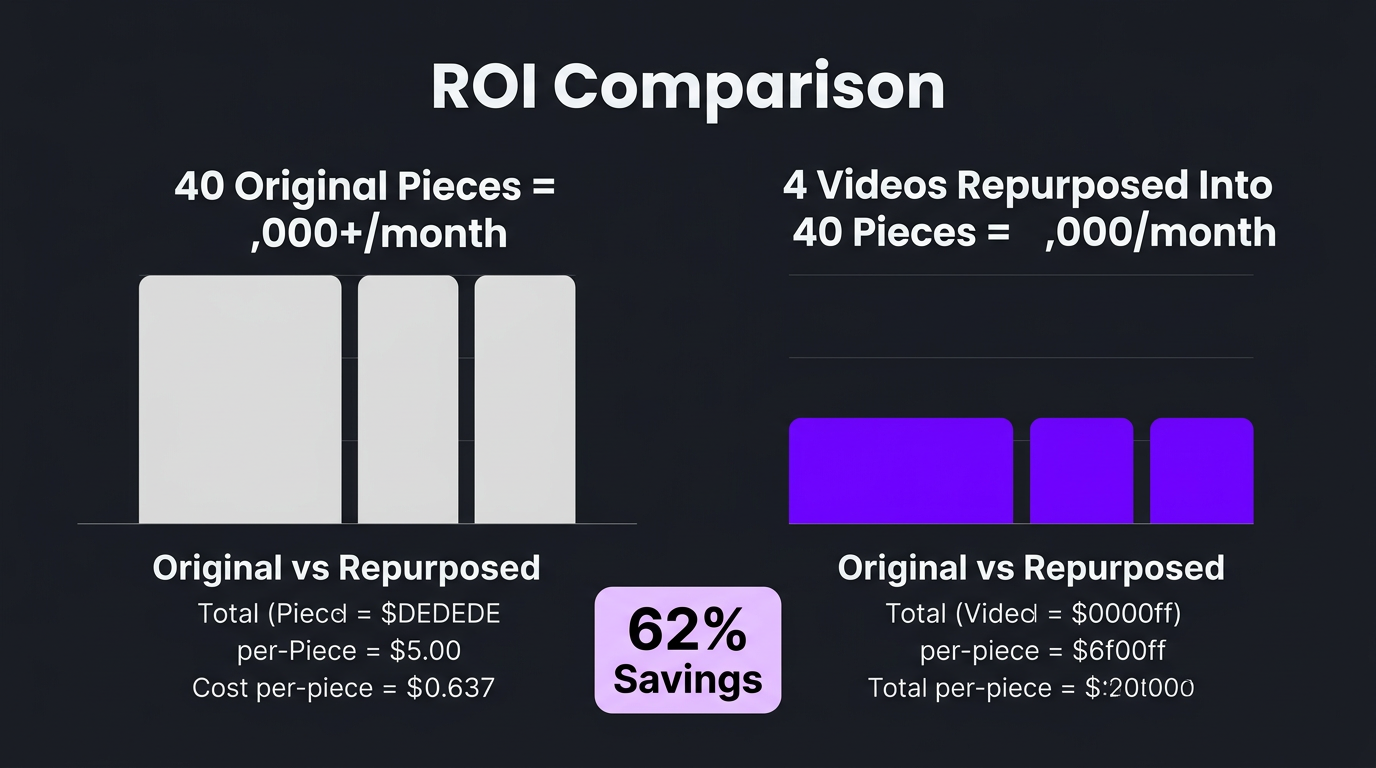
If you’re spending $3,000/month on a repurposing service that produces 40+ content pieces from four source videos, your cost per piece is $75. Compare that to creating 40 original pieces of content from scratch — at even $200 per piece, that’s $8,000/month. The repurposing service delivers 62% cost savings while maintaining content quality and brand consistency.
For businesses where content drives leads, the math gets even more compelling. One viral short-form clip that drives 50 website visitors with a 2% conversion rate produces one lead. If your average deal value is $5,000, a single successful clip pays for two months of the service.
Real Results: Brands Using Video Repurposing
Theory is nice. Results are better. Here’s how two very different organizations leveraged video repurposing to transform their content strategy.
eSafety: Government Content Made Accessible
When eSafety came to our team, they faced a challenge common in the public sector: they had a wealth of important, educational video content, but it was trapped in long-form formats that only reached a fraction of their potential audience. Safety education videos that took significant resources to produce were getting modest view counts because the format didn’t match how people actually consume content in 2025-2026.
Our approach was systematic repurposing. Each educational video became a library of short-form content — vertical clips with burned-in captions for Instagram and TikTok, professional-format segments for LinkedIn, and accessible audiograms for podcast platforms. We didn’t just chop the videos; we re-structured the messaging for each platform’s audience. A 15-minute safety briefing became a series of punchy, actionable clips that people actually watched, shared, and engaged with.
The result was a dramatic expansion in reach. Content that previously reached thousands was now reaching tens of thousands across multiple platforms — all from the same source recordings. No additional filming budget. No additional production time. Just smarter post-production.
For any organization producing enterprise-level video content, this case demonstrates why repurposing isn’t optional — it’s the difference between content that sits on YouTube with modest views and content that actually fulfills its purpose across every channel your audience uses.
Emerge / Dan Fagello: Scaling Personal Brand Content
Dan Fagello and the Emerge team represent the other end of the spectrum — a personal brand and media company that understood the value of content volume but didn’t have the bandwidth to create from scratch for every platform.
Dan was already producing high-quality long-form content — interviews, educational videos, and thought leadership pieces. The problem wasn’t creation, it was distribution. Each video was posted on YouTube and shared once or twice on social media, then essentially shelved while the team moved on to producing the next piece.
When we implemented a full repurposing workflow, the transformation was immediate. Every video Dan and the Emerge team produced was systematically broken down into a content package: multiple short-form clips optimized for different platforms, quote graphics for static feeds, and written content for LinkedIn and newsletters. The team went from posting a few times a week to having a steady daily presence across all major platforms.
The impact went beyond vanity metrics. By consistently showing up across platforms, Dan’s brand visibility compounded. Prospective clients and partners were encountering his content everywhere — YouTube, Instagram, LinkedIn, TikTok. That omnipresence translated directly into inbound opportunities. The content flywheel was spinning, powered by the same number of recording sessions but multiplied through professional repurposing.
What made this work was the quality of the repurposed content. Each clip was edited to feel native to its platform — not like a lazy re-upload of a YouTube segment. The short-form clips had custom hooks, branded captions, and pacing designed for each platform’s scroll behavior. That’s the difference between repurposing that works and repurposing that feels like an afterthought.
How to Choose a Video Repurposing Service
Not all services are equal. Here’s what to evaluate:
1. Do They Understand Platforms, Not Just Editing?
The number one red flag: a service that delivers all clips in the same format regardless of platform. A YouTube Short and a LinkedIn video have fundamentally different audiences, pacing expectations, and engagement patterns. Your service needs to understand these differences and edit accordingly.
Ask for examples of the same source video repurposed for different platforms. If all the clips look identical with just a different aspect ratio, keep looking.
2. What’s Their Content Mining Process?
Do they just use AI to auto-detect “highlights,” or does a human editor watch your content and make strategic decisions about what to clip and how? AI-assisted clip detection is fine as a starting point, but human editorial judgment should drive the final selections.
3. Quality of Captions and Graphics
Captions are the single most impactful element of short-form video. Over 80% of social media video is watched without sound. If your service delivers auto-generated captions with errors, awkward word breaks, and no styling, you’re losing viewers before they even hear your message.
Premium services deliver branded, styled captions — proper fonts, colors matching your brand, word-by-word animation, and human proofreading.
4. Scope of Deliverables Beyond Video
The best repurposing services go beyond clips. They deliver blog post drafts, social captions, carousel designs, email snippets, and quote cards. This turns one recording into a truly comprehensive content package.
5. Integration With Your Existing Workflow
How do you submit content? How do you receive deliverables? Is there a project management dashboard? Can they integrate with your scheduling tools? The smoother the handoff, the more likely you’ll actually use the service consistently — and consistency is where the ROI lives.
6. Turnaround Time
If you publish YouTube videos on Tuesday and want repurposed content going live Wednesday through Monday, your service needs to deliver within 24-48 hours. Anything longer than 3 days creates scheduling gaps that reduce the compounding effect of consistent posting.
Evaluation Checklist
| Criteria | Must-Have | Nice-to-Have |
|---|---|---|
| Human editorial selection | ✅ | |
| Platform-specific editing | ✅ | |
| Branded captions | ✅ | |
| 5+ clips per source video | ✅ | |
| 48-hour turnaround | ✅ | |
| Quote cards / static assets | ✅ | |
| Blog post drafts | ✅ | |
| Social caption writing | ✅ | |
| Scheduling integration | ✅ | |
| Analytics/performance tracking | ✅ |
7 Mistakes That Kill Your Repurposing ROI
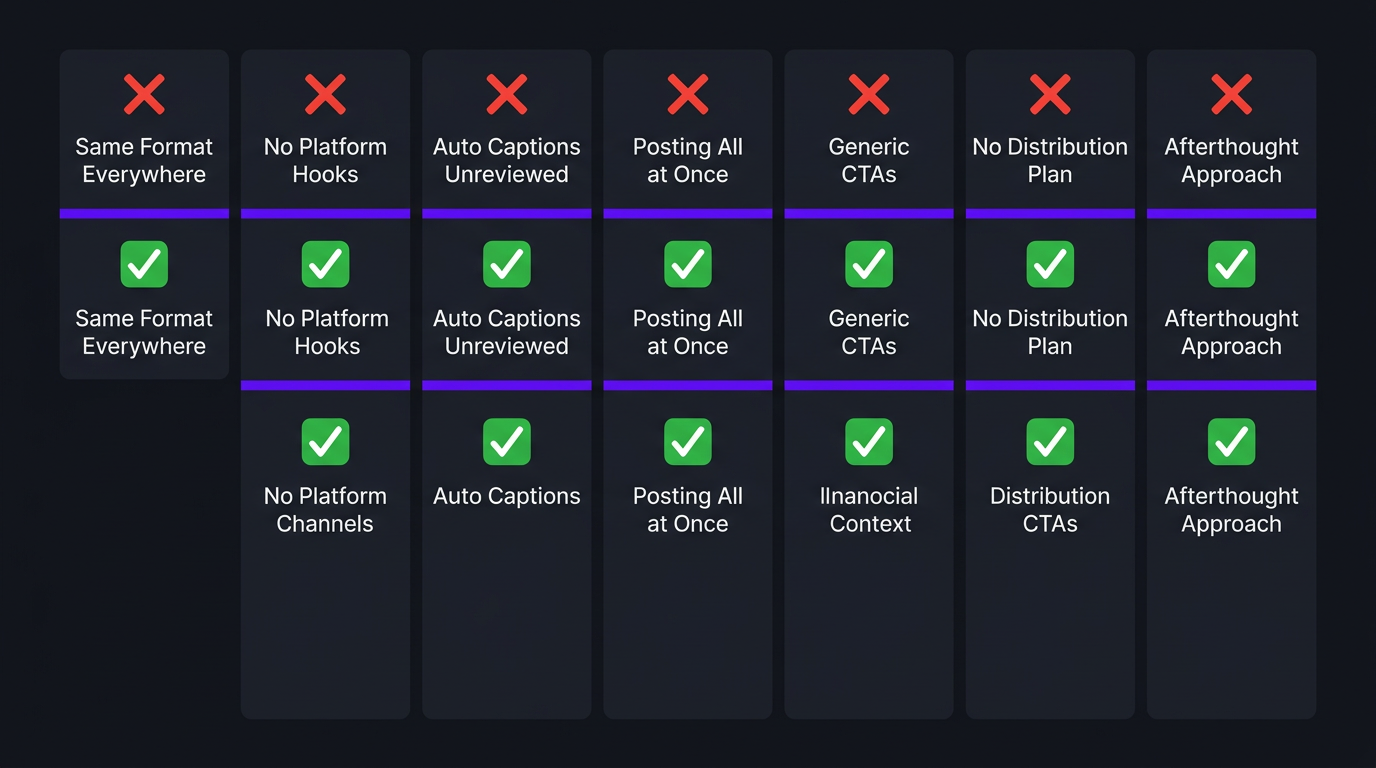
Even with a great service, you can undermine your own results. Avoid these common pitfalls:
1. Repurposing Every Video the Same Way
Not every video has the same repurposing potential. A high-energy interview might yield 8 great clips. A detailed tutorial might only yield 3, but they’ll be highly valuable to a specific audience. Your service should adjust output based on the source material, not churn out the same number of clips regardless of content quality.
2. Ignoring Platform-Specific Hooks
The first 1-2 seconds of a short-form video determine whether someone watches or scrolls. If your repurposed clips start the same way the original video does (slow intro, throat clearing, “Hey guys”), you’re dead on arrival. Every clip needs a hook that’s optimized for scroll-stopping on its target platform.
3. Using Auto-Captions Without Review
Auto-generated captions are wrong 5-15% of the time. That includes your name, your product name, industry jargon, and any word that isn’t common English. Every caption needs human review — and ideally, human styling. Branded captions are not just about accuracy; they’re a visual identity element.
4. Posting Everything at Once
If you get 10 clips back from a single video and post them all in one day, you’ve wasted the long-tail value of repurposing. The whole point is to spread content across days or weeks, maintaining consistent presence without constant creation. Build a content calendar that distributes repurposed assets strategically.
5. Not Adapting CTAs per Platform
“Link in bio” works on Instagram. On LinkedIn, you can drop a direct link. On YouTube Shorts, you drive people to the full video. On X, you might link to a thread or newsletter. Each platform needs its own CTA strategy. Generic “check out the link” doesn’t cut it.
6. Repurposing Without a Distribution Strategy
Having 40 pieces of content per month is useless if they sit in a Google Drive folder. Before investing in a repurposing service, ensure you have a distribution plan — whether that’s a social media manager, a scheduling tool, or a social media content team that handles distribution end-to-end.
7. Treating Repurposing as an Afterthought
The best results come from planning for repurposing before you film. If you know your 20-minute video will be broken into short-form clips, you can structure your talking points as self-contained segments. You can pause between topics for clean edit points. You can deliver punchy one-liners that become perfect clip hooks. Planning for repurposing upstream makes the downstream output dramatically better.
Getting Started: Your First Repurposing Sprint
If you’re convinced that repurposing makes sense but aren’t sure where to begin, here’s a practical 30-day plan:
Week 1: Audit Your Existing Content
Look at your last 10-20 videos. Which ones performed best? Which topics resonated? Which had the most “clip-worthy” moments? Start with your highest-performing content — it’s already validated by your audience.
Week 2: Start With 2-3 Videos
Don’t try to repurpose your entire back catalog at once. Pick 2-3 of your best recent videos and send them to your chosen service (or try it yourself with tools). The goal is to establish a workflow and see what the output looks like.
Week 3: Distribute and Measure
Post the repurposed content across your target platforms. Track impressions, engagement, and any follower/subscriber growth. Pay attention to which platform and clip types perform best — this data shapes your ongoing strategy.
Week 4: Refine and Scale
Based on week 3 results, refine your clip selection criteria, caption style, and platform priorities. Then begin repurposing every new video you produce going forward. The flywheel is now spinning.
The “Evergreen Sprint” — Bonus Strategy
Here’s a move most creators miss: your back catalog is a goldmine. Videos from 6-12 months ago that performed well can be repurposed into short-form content today, reaching an entirely new audience that never saw the original. We call this an “evergreen sprint” — spending one month systematically repurposing your top 10-20 all-time videos. It’s like getting 10-20 new videos’ worth of content without filming a single thing.
This is especially powerful for YouTube creators with substantial back catalogs. If you have 100+ videos and have never repurposed them, you’re sitting on potentially 1,000+ pieces of untapped content.
Working With Increditors on Repurposing
Our social media and repurposing packages are designed for creators and brands producing 4+ videos per month who want maximum content output with minimum additional effort. We handle the full pipeline — from watching your long-form content and identifying the best moments, to delivering platform-optimized clips, quote cards, and supporting text content.
What makes our approach different: we often handle the long-form edit and the repurposing together. When the same team edits your YouTube video and creates the short-form derivatives, the quality and brand consistency is seamless. There’s no handoff between an editing team and a clipping team — it’s one cohesive production workflow.
For startups and growing brands, this combined approach is the most cost-effective path to omnipresent content distribution. For enterprise clients, we scale the model with dedicated teams that can handle 20+ source videos per month.
Frequently Asked Questions
A video repurposing service takes a single long-form video — such as a YouTube video, webinar, or podcast — and transforms it into multiple content pieces across platforms. This typically includes short-form clips for Instagram Reels, TikTok, and YouTube Shorts, as well as audiograms, quote cards, blog posts, and newsletter snippets. The best services optimize each piece for its destination platform rather than delivering generic clips.
From a single 15-30 minute video, a skilled repurposing team can produce 8-15+ pieces of content: 3-5 short-form vertical clips, 1-2 audiograms, 2-3 quote cards, a blog post or article, social media captions, and email newsletter content. High-volume teams regularly extract 20+ assets from a single recording session. The exact number depends on the source content’s density and clip-worthiness.
Video repurposing costs range from $200-$500 per video for basic clip extraction to $1,000-$3,000+ per video for full multi-platform content packages. Monthly retainers with agencies typically run $2,500-$7,000 depending on volume and the number of output formats included. AI-only tools cost as little as $20-$100/month but lack human editorial judgment. Check our pricing page for current rates.
If you’re producing fewer than 2 videos per month, DIY tools like Opus Clip or Descript can work. Beyond that volume, the time investment becomes unsustainable — repurposing one 20-minute video into 10+ pieces takes 6-10 hours. A dedicated service handles this in 1-2 business days while you focus on creating the next piece of content. The breakeven point is usually around $50-$75/hour in time value.
The most impactful platforms for repurposed video content in 2026 are YouTube Shorts, Instagram Reels, TikTok, LinkedIn (native video), and X. The best strategy distributes content where your audience already exists rather than trying to be everywhere at once. B2B brands should prioritize LinkedIn and YouTube; B2C brands often see the most traction on Instagram, TikTok, and YouTube Shorts.
Video clipping is extracting short segments from a longer video — it’s one component of repurposing. True video repurposing involves reformatting, re-editing, adding platform-specific elements (captions, hooks, CTAs), adjusting aspect ratios, and sometimes creating entirely new content formats like audiograms, carousels, and blog posts from the source material. Clipping is step one; repurposing is the full transformation.
Ready to Multiply Your Content Output?
Send us one video. We’ll show you exactly what 10+ pieces of repurposed content looks like for your brand. No commitment — just a preview of what’s possible.
Pricing and output estimates in this article reflect 2026 market conditions. Actual deliverables and costs vary by content volume, complexity, and service tier. For current Increditors repurposing packages, visit our pricing page or schedule a call.