










![3D Explainer Video - ScribbleLive.mp4_snapshot_00.12_[2022.03.09_03.14.16]](https://increditors.com/wp-content/uploads/elementor/thumbs/3D-Explainer-Video-ScribbleLive.mp4_snapshot_00.12_2022.03.09_03.14.16-r7wb53mx72rxst3qcqyrfxdmeyzb5r9jbl0wbjujh4.png "3D Explainer Video – ScribbleLive.mp4_snapshot_00.12_[2022.03.09_03.14.16]")
































Most video editors never look at a single analytics dashboard. They receive footage, make it look good, export, deliver. Next project.
And most creators accept this as normal. But here’s the problem: editing without analytics is like driving with your eyes closed. You might stay on the road for a while, but you’re not making intentional turns. You’re guessing.
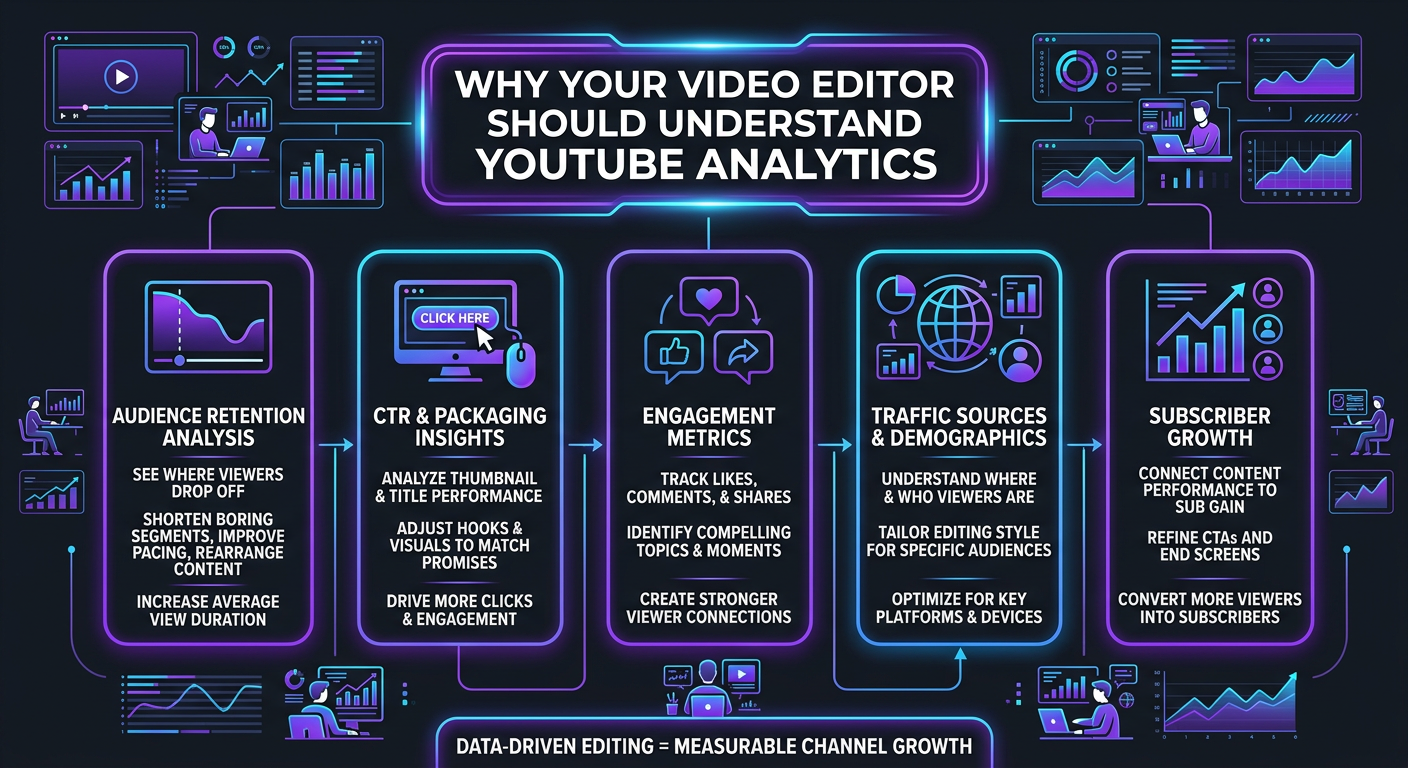
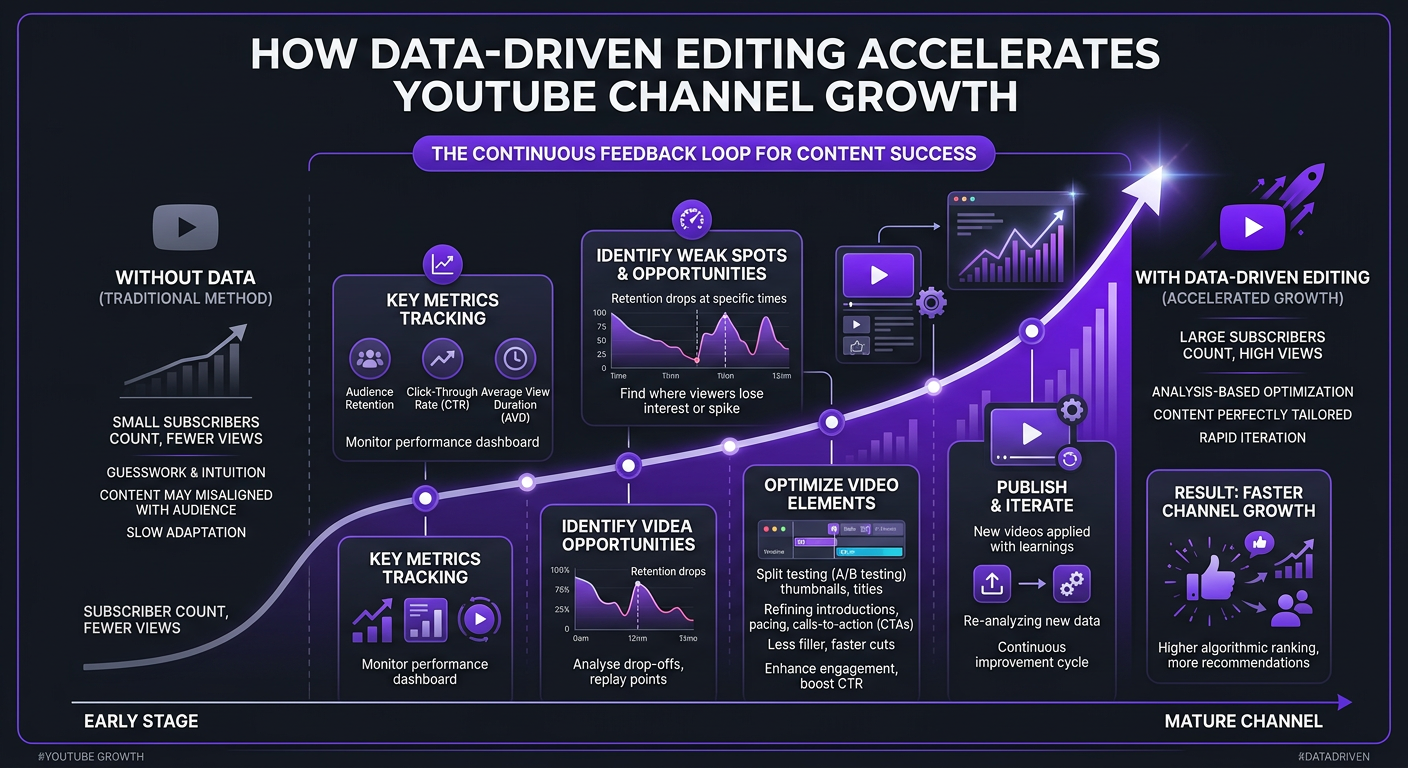
The editors who consistently produce videos that perform — not just videos that look good — are the ones reading retention curves, studying click-through rates, and adjusting their editing decisions based on data. This isn’t a nice-to-have. For any creator or business treating YouTube as a growth channel, it’s the difference between content that compounds and content that flatlines.
We’ve seen this firsthand at Increditors. When our editing teams started integrating analytics reviews into their workflow, the results across client channels were dramatic. Let’s break down exactly why this matters and how it works.
What’s in This Guide
- The Problem With “Blind” Editing
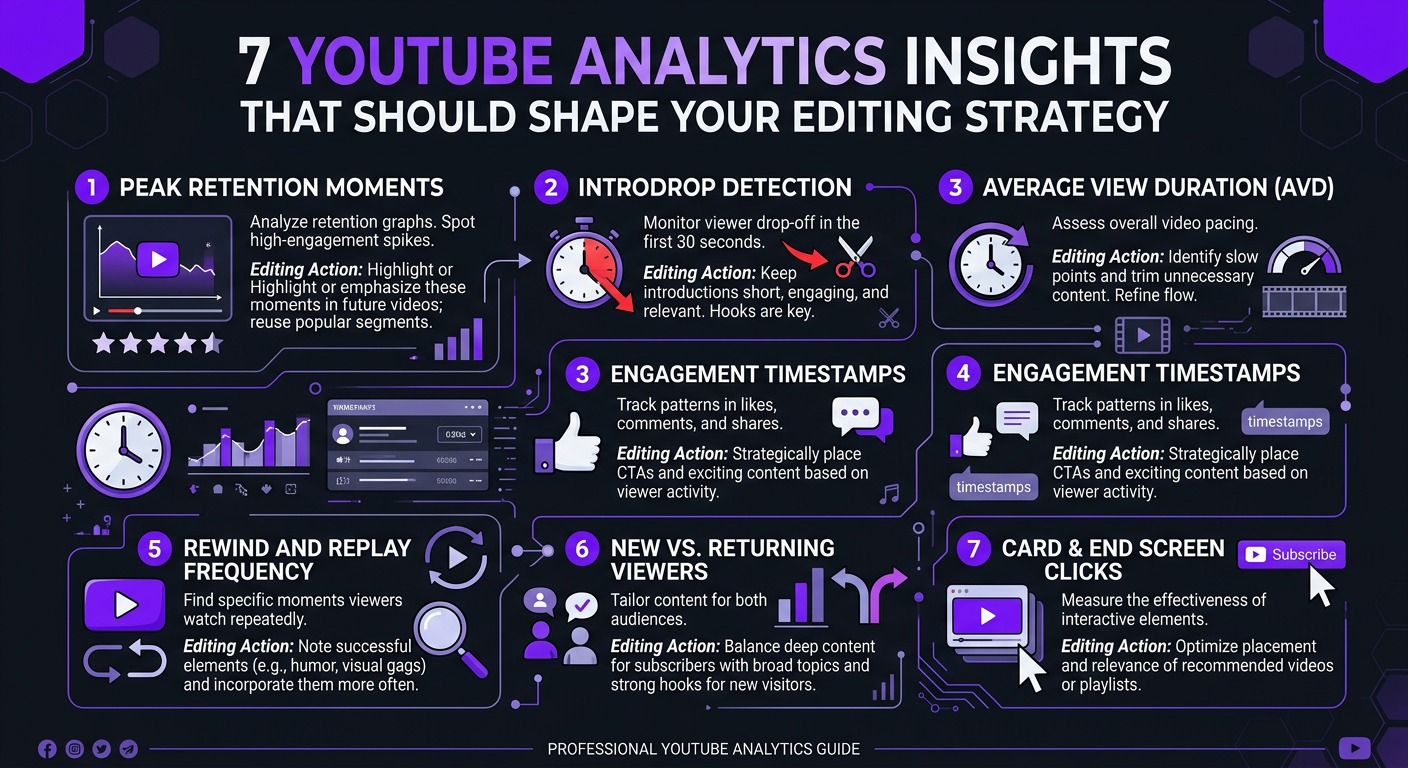
- The 7 YouTube Metrics Every Editor Should Track
- How Retention Data Transforms Editing Decisions
- The Analytics-Driven Editing Workflow
- Real Results: Data-Driven Editing in Action
- Technical Editor vs Strategic Editor
- How to Give Your Editor Analytics Access
- What an Editing Performance Report Should Look Like
- How to Hire an Analytics-Aware Editor
- FAQ
The Problem With “Blind” Editing
Traditional video editing is a craft. Editors learn pacing, color theory, sound design, transitions — the technical and artistic fundamentals. These matter. But they’re insufficient for YouTube.
YouTube isn’t cinema. It’s not broadcast TV. It’s an algorithmic platform where viewer behavior data determines distribution. A beautifully edited video that loses 60% of viewers in the first 30 seconds gets buried. A less “polished” video that holds attention for 8 minutes gets recommended to millions.
When your editor doesn’t look at analytics, several things go wrong:
- Repeated mistakes: If viewers consistently drop off during your intro sequence, but nobody checks the data, your editor keeps building the same intro structure video after video
- Missed opportunities: Retention spikes (re-watches) indicate moments that resonate — ideal for creating short-form clips. Without analytics, those moments go unnoticed
- Generic pacing: Every video gets the same editing rhythm instead of pacing calibrated to what your specific audience responds to
- No iteration: Great YouTube channels improve systematically. Without data feedback loops, improvement is accidental
Think about it this way: would you hire a marketing team that never looks at campaign performance data? That just creates ads based on intuition alone? Of course not. But that’s exactly what most creator-editor relationships look like.
The 7 YouTube Metrics Every Video Editor Should Track
Your editor doesn’t need to become a data scientist. But they need to understand — and regularly review — these seven metrics:
| Metric | What It Tells the Editor | How It Changes Editing |
|---|---|---|
| Audience Retention Curve | Second-by-second where viewers stay or leave | Identifies weak segments, validates hook effectiveness, reveals optimal video length |
| Average View Duration (AVD) | How long viewers watch on average | Benchmarks overall pacing — if AVD is low relative to length, the video is too slow or too long |
| Click-Through Rate (CTR) | How compelling the thumbnail and title are | Editors who create thumbnails can test styles; all editors can ensure video openings match the thumbnail promise |
| Re-watches | Segments viewers replay | Highlights high-value moments for emphasis, clips, and chapter markers |
| Audience Retention by Content Type | How this video compares to channel average | Reveals which editing styles outperform — talking head vs B-roll heavy, fast cuts vs longer takes |
| Traffic Sources | Where viewers find the video | Browse/suggested = algorithm push (optimize for retention); Search = intent-based (optimize for clarity and structure) |
| End Screen CTR | Whether viewers click recommended videos at the end | Informs end card timing and placement — too late and viewers have left, too early and it interrupts |
The Metric That Matters Most: Audience Retention
If your editor only looks at one metric, it should be the audience retention curve. This is the single most powerful feedback tool for editing decisions.
A retention curve tells you exactly where your editing succeeded and where it failed. That dip at 2:30? Maybe that’s where the editor kept a 40-second talking head segment without a single visual change. The spike at 5:15? That’s where they added an unexpected animation that re-hooked attention.
Over time, patterns emerge. Your editor learns: “On this channel, retention drops whenever we go more than 20 seconds without a visual pattern interrupt.” Or: “Viewer retention is 12% higher in videos where we use split-screen for comparisons instead of sequential cuts.”
That’s the kind of insight no editing textbook teaches. It comes from studying your audience’s behavior on your channel.
How Retention Data Transforms Editing Decisions
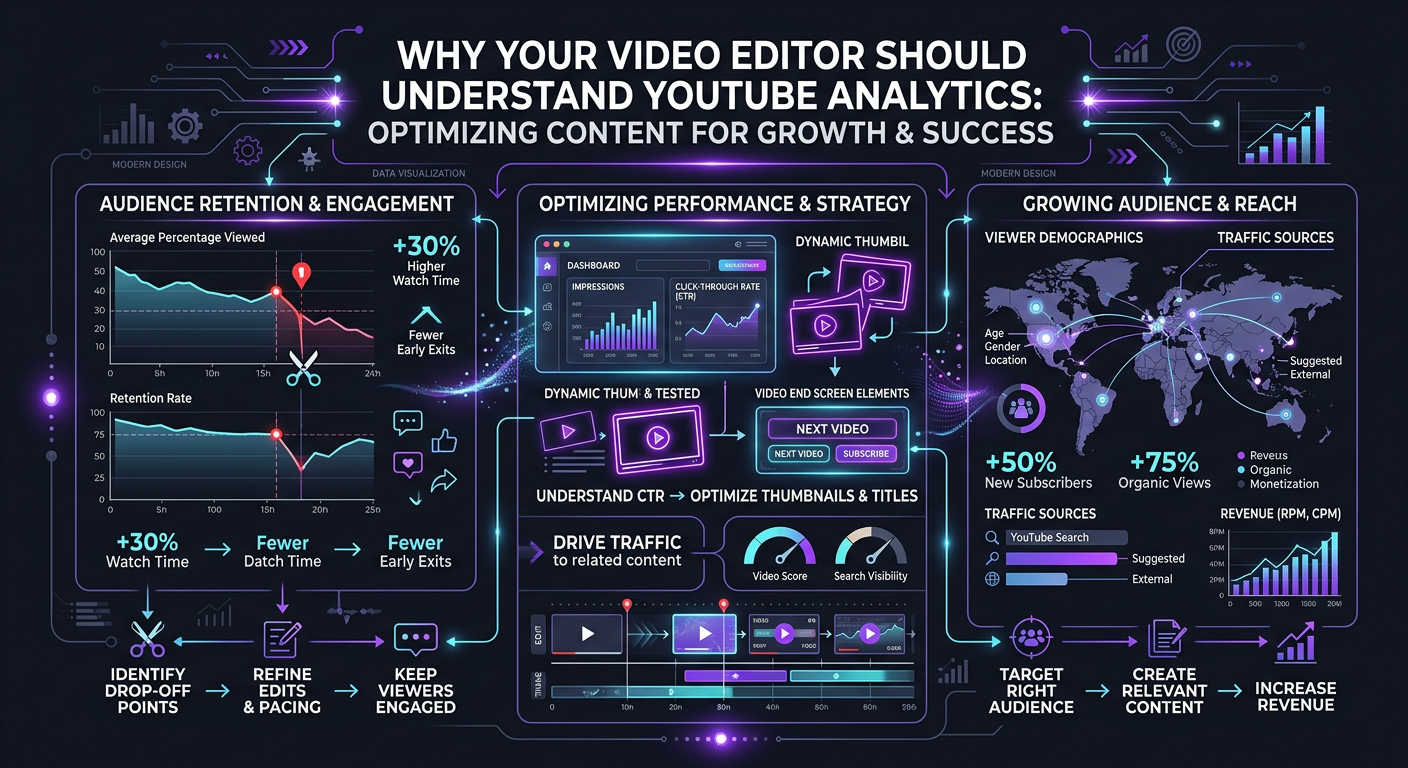
Let’s get specific. Here are the most common retention problems and the editing solutions that data reveals:
Problem 1: The First-30-Second Cliff
YouTube’s average retention drop in the first 30 seconds is brutal — 20-40% of viewers leave before hitting the half-minute mark. For most channels, the intro sequence is the single biggest editing lever.
Data-driven editors learn to:
- Cut intros under 8 seconds (or eliminate them entirely)
- Front-load a visual “proof of value” — a clip of the best moment coming later in the video
- Match the first frame to the thumbnail (reducing “bait mismatch” bounces)
- Use audio hooks (dramatic music swells, sound effects) within the first 3 seconds
Problem 2: The Mid-Video Sag
Most videos experience a gradual retention decline in the middle third. This is where content often becomes explanatory or detailed — necessary but not inherently engaging. Editors who see this pattern respond with:
- Visual density increases — more B-roll, more on-screen text, more cuts per minute
- Pattern interrupts every 30-45 seconds (camera angle changes, zooms, graphics)
- Strategic placement of the most interesting content segments
- Mini-hooks (“But here’s where it gets interesting…” paired with a visual shift)
Problem 3: The Premature Exit
When viewers leave before the end, it usually means the editor didn’t pace the final third correctly. Either the content peaked too early, or the ending dragged. Data-informed fixes include:
- Moving the strongest content closer to the end (open loops earlier)
- Tightening the final 20% — faster cuts, less repetition
- Adding end-screen elements at the right retention threshold (usually when 40-50% of viewers remain)
- Using “bonus content” framing for the final section
| Retention Problem | What the Data Shows | Editing Fix | Expected Impact |
|---|---|---|---|
| First-30-second cliff | 30%+ drop before 0:30 | Shorter intro, cold open, thumbnail match | 10-20% retention lift in first minute |
| Mid-video sag | Steeper decline in middle third | Pattern interrupts, visual density, mini-hooks | 5-15% improvement in average view duration |
| Premature exit | Sharp drop in final 25% | Tighter ending, open loops, strategic pacing | 8-12% more viewers reaching end screen |
| Flat retention (no spikes) | Gradual linear decline | Add surprise moments, humor, unexpected visuals | Increased re-watches and engagement |
| Spike-then-crash | Interest peaks then viewers mass-exit | Sustain momentum after payoff, add new hooks | 15-25% reduction in post-peak drop-off |
The Analytics-Driven Editing Workflow
So what does this look like in practice? Here’s the workflow we use at Increditors for clients who want data-driven editing:
Step 1: Pre-Edit Analytics Review (15 minutes)
Before touching new footage, the editor reviews the retention curves and metrics of the last 3-5 published videos. They’re looking for patterns:
- Where did retention hold well? What editing choices were used in those segments?
- Where did viewers leave? What was happening visually and audibly at those moments?
- Did any specific format or pacing style outperform?
- What was the average retention percentage, and is it trending up or down?
This 15-minute review shapes every editing decision that follows. It’s the difference between starting from scratch and starting from knowledge.
Step 2: Strategic Cut Structure
Based on analytics insights, the editor creates a rough cut structure before doing detail work. This includes:
- Hook design (based on what’s worked historically)
- Segment ordering (front-loading high-retention content types)
- Pattern interrupt placement (every 30-60 seconds in high-drop zones)
- CTA and end-screen timing (based on where viewers typically exit)
Step 3: Edit with Intent
Every cut, every transition, every graphic has a reason. Not just “this looks cool” but “this keeps viewers watching based on what I know about this audience.” The technical craft doesn’t go away — it gets amplified by purpose.
Step 4: Post-Publish Review (The Feedback Loop)
48-72 hours after a video goes live, the editor reviews its performance. They note what worked, what didn’t, and update their mental model for the next edit. This is the loop that drives continuous improvement.
Most freelance editors skip every one of these steps. Not because they’re bad editors — because nobody asked them to do it, and the per-video pricing model doesn’t incentivize spending time on analytics. This is one of the structural advantages of working with an agency that builds analytics into the process.
Want Editors Who Actually Study Your Analytics?
Our teams integrate YouTube Studio data into every editing decision. The result: videos that don’t just look great — they perform.
Real Results: Data-Driven Editing in Action
Theory is nice. Numbers are better. Here’s what happens when editors actually use analytics:
Case Study: eSafety
eSafety, an organization producing educational video content around online safety, came to us with a specific problem: their videos were getting views from search but retention was poor. Viewers found the content through keywords but weren’t watching past the first two minutes.
When our editors analyzed the retention curves, the pattern was clear. Every video opened with a lengthy contextual introduction — important information, but not what search-driven viewers were looking for. They wanted answers fast.
The editing fixes were straightforward once the data pointed to the problem:
- Cold opens that immediately addressed the search query
- Context moved to the second segment (after viewers were hooked)
- On-screen text reinforcing key points for skimming viewers
- Shorter segments with clear chapter breaks
Average view duration improved by 35% within the first month of implementing these changes. The content didn’t change — only the editing approach did.
Case Study: Trade with Pat
Trade with Pat, a finance and trading education channel, had the opposite challenge. Their audience watched long — the content was inherently engaging for their niche. But retention dropped sharply at specific moments that the creator couldn’t identify from watching the videos himself.
Our editors mapped every retention dip to the editing timeline and found three consistent patterns:
- Retention dropped whenever the screen showed a static chart for more than 15 seconds
- Viewers left during “housekeeping” segments (subscribe reminders, disclaimers)
- Re-watches spiked during live trade analysis moments — the highest-value content that was being buried in the middle of videos
The editing adjustments included animated chart builds instead of static screenshots, moving housekeeping elements to end cards, and restructuring videos to put the most valuable analysis segments earlier. These changes compounded over time, improving average retention by over 20%.
Case Study: Blue Zones Health
Blue Zones Health, a wellness brand, used analytics-informed editing to solve a thumbnail-to-content mismatch problem. Their CTR was strong (8-10%), meaning thumbnails were compelling. But first-30-second retention was weak — viewers were clicking, then immediately leaving.
The data showed that viewers expected something different from what the video delivered in its opening seconds. The fix was editorial: our editors ensured the first 5 seconds visually matched the thumbnail’s promise, with the exact scene or subject from the thumbnail appearing immediately. First-30-second retention improved by 18% — which cascaded into better overall performance as the algorithm recognized higher-quality traffic signals.
Technical Editor vs Strategic Editor: What You’re Really Paying For
This distinction is the most misunderstood concept in the video editing services market.
| Dimension | Technical Editor | Strategic (Analytics-Aware) Editor |
|---|---|---|
| Primary goal | Make the video look/sound professional | Make the video perform on the platform |
| Decision framework | “Does this look good?” | “Does this keep viewers watching?” |
| Pacing | Based on editing instinct and genre conventions | Based on channel-specific retention data |
| Hook design | Generic best practices | Customized to what works on this specific channel |
| Improvement over time | Gradual, based on general experience | Systematic, driven by data feedback loops |
| Deliverable | Finished video | Finished video + performance insights |
| Typical pricing | $150–$400/video | $350–$800/video (or retainer) |
| ROI potential | Cost center | Growth investment |
A technical editor is a vendor. A strategic editor is a partner. The price difference is 2-3x, but the value difference is 10x for channels where YouTube drives revenue.
This is precisely why Increditors’ model includes analytics integration by default. We don’t charge extra for editors to look at your data — it’s built into how we work because it makes everything else we do more effective.
When a Technical Editor Is Enough
To be fair, not every project needs data-driven editing:
- One-off projects — corporate videos, event recaps, internal training
- Non-platform content — videos hosted on your website, sent via email, or used in sales decks
- Hobby channels — if YouTube isn’t a business channel, pure craft editing is fine
But the moment YouTube (or any algorithmic platform) is a growth channel for your business or personal brand, analytics literacy in your editor stops being optional.
How to Give Your Editor Analytics Access (Without Sharing Your Account)
A common concern: “I don’t want to give my editor access to my entire YouTube account.” You don’t have to.
Option 1: YouTube Studio View-Only Access
YouTube lets you add users to your channel with limited permissions. The “Viewer (Limited)” role gives access to analytics without the ability to upload, edit, or delete anything. Here’s how:
- Go to YouTube Studio → Settings → Permissions
- Click “Invite” and enter your editor’s email
- Set role to “Viewer (Limited)”
- They can now see analytics but can’t modify anything
Option 2: Screenshot/Screen Recording Shares
For editors you don’t want to add to your account, share retention curves via screenshots or Loom recordings after each video. Less ideal but workable for freelance relationships.
Option 3: Monthly Analytics Briefs
Create a simple document every 2-4 weeks summarizing: top-performing videos, retention patterns, average metrics. Send it to your editor as context. This works well when working with editing teams for content creators who handle multiple channels — they get structured data without needing account access.
| Access Method | Effort Level | Data Quality | Security | Best For |
|---|---|---|---|---|
| Studio view-only | Low (one-time setup) | Full analytics access | High (no edit permissions) | Agency partnerships, dedicated editors |
| Screenshot shares | Medium (per video) | Specific but limited | Very high | Freelance editors, trial periods |
| Monthly briefs | Medium-high (monthly) | Summarized trends | Very high | Teams handling multiple channels |
| Full team access (agency) | Low (agency manages) | Complete real-time data | Contractual protection | Serious growth channels |
What an Editing Performance Report Should Look Like
If your editor or editing agency isn’t providing performance feedback, you’re missing half the value. Here’s what a good monthly editing performance report includes:
Metrics Summary
- Average retention rate across all videos edited that month
- Retention trend vs. previous month
- Average view duration trend
- Best and worst performing video (with analysis of why)
Editing Observations
- What editing approaches correlated with higher retention
- Common drop-off patterns and proposed fixes
- A/B comparisons (if different editing styles were tested)
Recommendations for Next Month
- Specific editing changes to test
- Content structure suggestions based on data
- Opportunities for repurposing high-retention segments into shorts and Reels
This kind of reporting turns your editing relationship from transactional (“here’s your video”) to strategic (“here’s your video, here’s how it’s performing, and here’s how we’re improving next month”).
At Increditors, our enterprise clients receive monthly performance reviews that include all of the above plus benchmark comparisons against similar channels in their niche. It’s one of the most valued parts of our service — and it costs nothing extra because the data is already there. Someone just has to look at it.
How to Hire an Analytics-Aware Editor (Interview Questions That Work)
Whether you’re hiring a freelancer or evaluating agencies, these questions separate editors who understand analytics from those who just claim to:
Questions to Ask
- “Walk me through how you’d use a retention curve to improve a video.” — A good answer includes specific examples: “I’d look at where the biggest drops happen, correlate them with the editing timeline, and test different approaches in those segments.”
- “What’s the difference between a video with good retention and good CTR?” — Tests platform understanding. Both matter differently: CTR gets clicks, retention keeps viewers watching and triggers algorithmic promotion.
- “Can you show me a before/after example where analytics changed your editing approach?” — If they can’t provide a concrete example, they haven’t actually done this.
- “How would you structure the first 30 seconds differently for a search-driven video vs. a browse/suggested video?” — Search viewers want answers fast. Browse viewers need hooks. This tests nuanced platform knowledge.
- “What metrics would you want access to, and how often would you review them?” — The answer should at minimum include retention curves and AVD, reviewed per-video or bi-weekly.
Red Flags
- “I just focus on making the video look great” — Technical-only mindset
- “I don’t really need analytics, I know what works” — Ego over data
- “I’ve never had access to a client’s analytics” — No experience with data-driven editing
- “I’ll look at analytics if you want me to” — It’s not built into their process
Green Flags
- Proactively asks for analytics access during the onboarding conversation
- Can reference specific metrics improvements from past clients
- Discusses pacing in terms of “retention” rather than just “feel”
- Mentions A/B testing different editing approaches
The Agency Advantage for Analytics-Driven Editing
Individual freelancers can be analytics-aware, but agencies have a structural advantage: they see data across dozens of channels simultaneously. When an Increditors editor works on your channel, they bring insights from every other channel they’ve edited — patterns that hold across niches, trends in what YouTube’s algorithm rewards, and editing techniques that consistently improve retention.
A freelancer working on 3-5 channels has a limited data set. An agency team working across 50+ channels has a massive one. That cross-pollination of insights is genuinely valuable and difficult to replicate outside an agency structure.
This is the same principle that makes our startup video editing packages so effective — startup founders get the benefit of editing lessons learned from established channels, applied to their growing content from day one.
Frequently Asked Questions
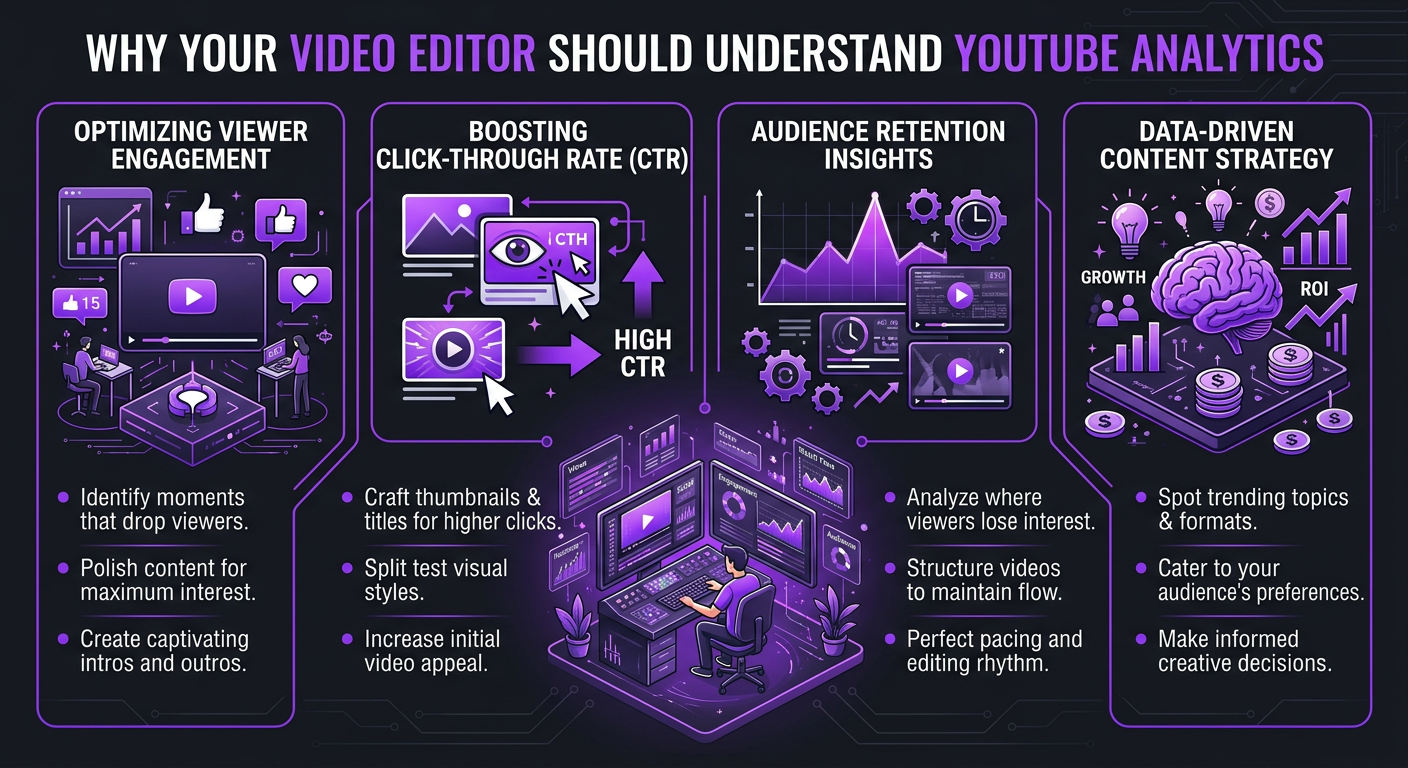
An editor who reads analytics can identify where viewers drop off, which hooks work best, and how pacing affects retention. This turns editing from a creative-only task into a data-informed growth lever that directly improves views, watch time, and subscriber conversion. Without analytics, your editor is guessing — with them, every editing decision has evidence behind it.
The most important metrics for editors are the audience retention curve (second-by-second viewer behavior), average view duration (overall pacing benchmark), click-through rate (thumbnail/hook alignment), re-watches (high-value segments to emphasize), and traffic source analysis (tailoring edits for search vs. browse viewers). These five metrics cover 90% of what an editor needs to make data-driven decisions.
Retention curves show exactly where viewers leave and where they stay engaged. Editors correlate drop-off points with specific editing choices — long static shots, slow intros, missing visual variety — and systematically fix those patterns. Channels that use retention data for editing typically see 15-40% improvement in average view duration within 8-12 weeks of implementation.
Yes, securely. YouTube Studio allows you to add users with view-only permissions — they can see all analytics data but can’t upload, edit, or delete any content. Most professional agencies like Increditors request this access during onboarding. You can also share data via screenshots or monthly briefs if you prefer limited access.
A technical editor focuses on craft: clean cuts, good color, proper audio. A data-driven editor does all of that plus uses analytics to optimize pacing, hook placement, segment length, and visual density for platform performance. The technical editor asks “does this look good?” while the strategic editor asks “does this keep people watching?” Both skills matter — but combined, they produce dramatically better results.
Ask for specifics. An editor genuinely using analytics can tell you: “Retention on your last 5 videos drops 18% at the 2-minute mark, so I restructured the intro to deliver the hook faster.” If they speak only in generalities (“I try to keep things engaging”), they’re not meaningfully using data. Request a monthly editing performance report that references specific metrics and trends.
Get Editors Who Think in Data, Not Just Cuts
Our editing teams integrate YouTube analytics into every project. Better data → better edits → better growth. Let’s talk about your channel.
This article reflects Increditors’ approach to analytics-integrated video editing, developed through work with 50+ YouTube channels across multiple niches. For current service details, visit our pricing page or schedule a consultation.