










![3D Explainer Video - ScribbleLive.mp4_snapshot_00.12_[2022.03.09_03.14.16]](https://increditors.com/wp-content/uploads/elementor/thumbs/3D-Explainer-Video-ScribbleLive.mp4_snapshot_00.12_2022.03.09_03.14.16-r7wb53mx72rxst3qcqyrfxdmeyzb5r9jbl0wbjujh4.png "3D Explainer Video – ScribbleLive.mp4_snapshot_00.12_[2022.03.09_03.14.16]")
































Every month, a new AI editing tool launches with the promise: “Never pay for a video editor again.” Descript, Runway, CapCut’s AI features, OpusClip, Adobe’s Sensei — the list grows constantly. And the demos look impressive.
So here’s the question every creator and brand is asking: can AI actually replace a human video editor?
We run a video editing agency with dozens of human editors, so we have obvious bias. We’ll be upfront about that. But we also use AI tools internally — our editors use them daily. So we’re not anti-AI; we’re anti-hype. We know exactly what these tools can do, what they can’t, and where the line between useful automation and quality compromise actually sits.
This article is the honest breakdown. No “AI will replace everything” panic. No “AI is useless” dismissal. Just the reality of what works in 2026 for different types of video content.
What’s in This Guide
- The AI Video Editing Landscape in 2026
- What AI Can Actually Do Well
- What AI Still Can’t Do
- Head-to-Head: AI vs Human on Real Tasks
- The Real Cost Comparison
- The Hybrid Model: AI-Assisted Human Editing
- Real Examples: AI Wins, AI Fails, and Hybrid Successes
- Decision Framework: Which Approach Is Right for You?
- Where This Is Heading (2026–2028)
- FAQ
The AI Video Editing Landscape in 2026
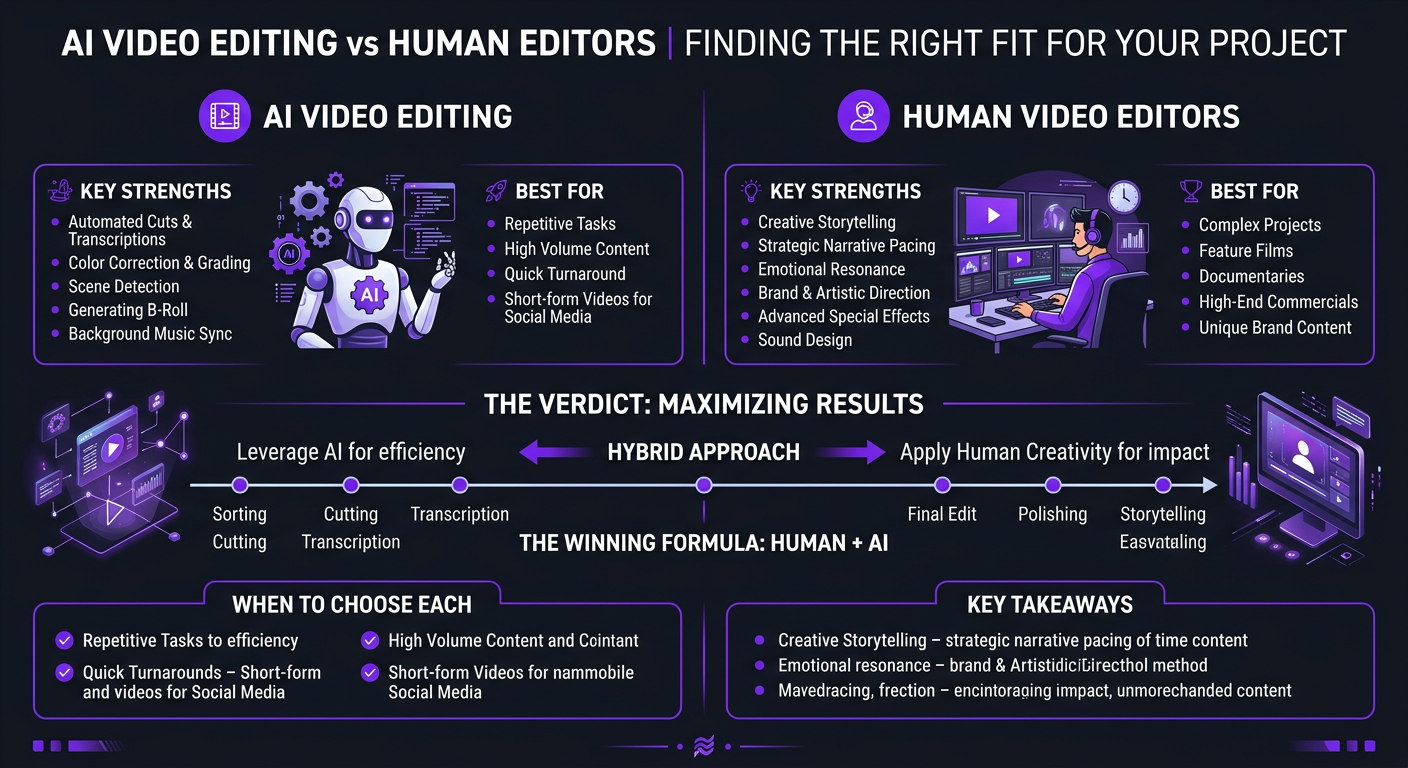
AI video editing has evolved rapidly since 2023, but the progress has been uneven. Some capabilities have improved dramatically. Others remain stubbornly mediocre. Here’s where things stand:
The Major AI Editing Tools
| Tool | Best At | Price (2026) | Limitations |
|---|---|---|---|
| Descript | Transcript-based editing, filler word removal, overdub | $24–$40/mo | Limited creative control, templates feel generic |
| Runway | AI effects, green screen, generative video, inpainting | $12–$76/mo | Not a full editing suite, effects can look artificial |
| CapCut (AI features) | Auto-captions, templates, short-form optimization | Free–$14/mo | Template-heavy, limited control, homogeneous output |
| OpusClip | Long-form to shorts conversion, clip extraction | $19–$49/mo | Clip selection is hit-or-miss, no creative judgment |
| Adobe Premiere (Sensei AI) | Auto color, speech enhancement, scene detection | $23/mo (CC subscription) | AI features are assistive only, still requires skilled editor |
| Veed.io | Auto subtitles, eye contact correction, noise removal | $18–$30/mo | Web-based limitations, output quality ceiling |
Notice a pattern? Every tool excels at one or two specific tasks. None provides end-to-end editing that matches what a professional human editor delivers. The market has converged on AI as a feature within editing workflows, not a replacement for them.
The Hype vs Reality Gap
AI marketing is aggressive. “Edit videos in minutes!” “One-click professional results!” The demos always show best-case scenarios — clean footage, simple formats, straightforward content. Real-world editing involves messy footage, brand-specific requirements, strategic pacing decisions, and creative problem-solving that these tools consistently fumble.
A useful analogy: AI editing tools in 2026 are like spell-check was for writing in 2005. Incredibly useful for catching errors and speeding up routine tasks. Completely incapable of writing a good article. The editor who uses AI tools effectively is like the writer who uses spell-check — faster and more accurate, but the human is still doing the actual creative work.
What AI Can Actually Do Well (Be Honest: It’s a Lot)
We’re not going to pretend AI editing tools are useless. Our own editors use them. Here’s where AI genuinely saves time and improves output:
1. Auto-Captioning and Subtitles
This is AI’s biggest win. Tools like Descript and CapCut generate accurate captions in seconds that used to take hours manually. Accuracy is 95%+ for clear English speech, and improving for other languages. Human editors still review and style them, but the heavy lifting is done.
2. Silence and Filler Word Removal
Descript’s “remove ums and ahs” feature genuinely works. It cuts editing time for podcast and talking-head content by 20-30 minutes per video. It’s not perfect — it occasionally removes intentional pauses — but it’s a solid starting point.
3. Basic Color Matching
Adobe’s AI color matching can balance multi-camera footage to consistent exposure and white balance in seconds. It won’t give you a cinematic look, but it handles the tedious technical correction that every editor has to do before creative grading.
4. Noise Reduction and Audio Cleanup
AI-powered noise reduction (Adobe Podcast, iZotope RX) has reached a level where background hiss, room echo, and ambient noise can be removed without noticeable artifacts. This is genuinely transformative for creators recording in non-studio environments.
5. Rough Cuts from Transcripts
Descript’s text-based editing — where you edit the video by editing the transcript — is brilliant for first passes on interview and podcast content. Delete a paragraph of text, and the corresponding video is removed. It’s not the final cut, but it gets you 60% of the way there in minutes.
6. Platform Resizing and Reformatting
AI can intelligently crop and reframe horizontal video for vertical platforms (and vice versa), tracking the speaker’s face and reframing dynamically. For creators who need to publish across YouTube, Reels, Shorts, and TikTok simultaneously, this saves hours of manual reformatting.
What AI Still Can’t Do (And Why It Matters)
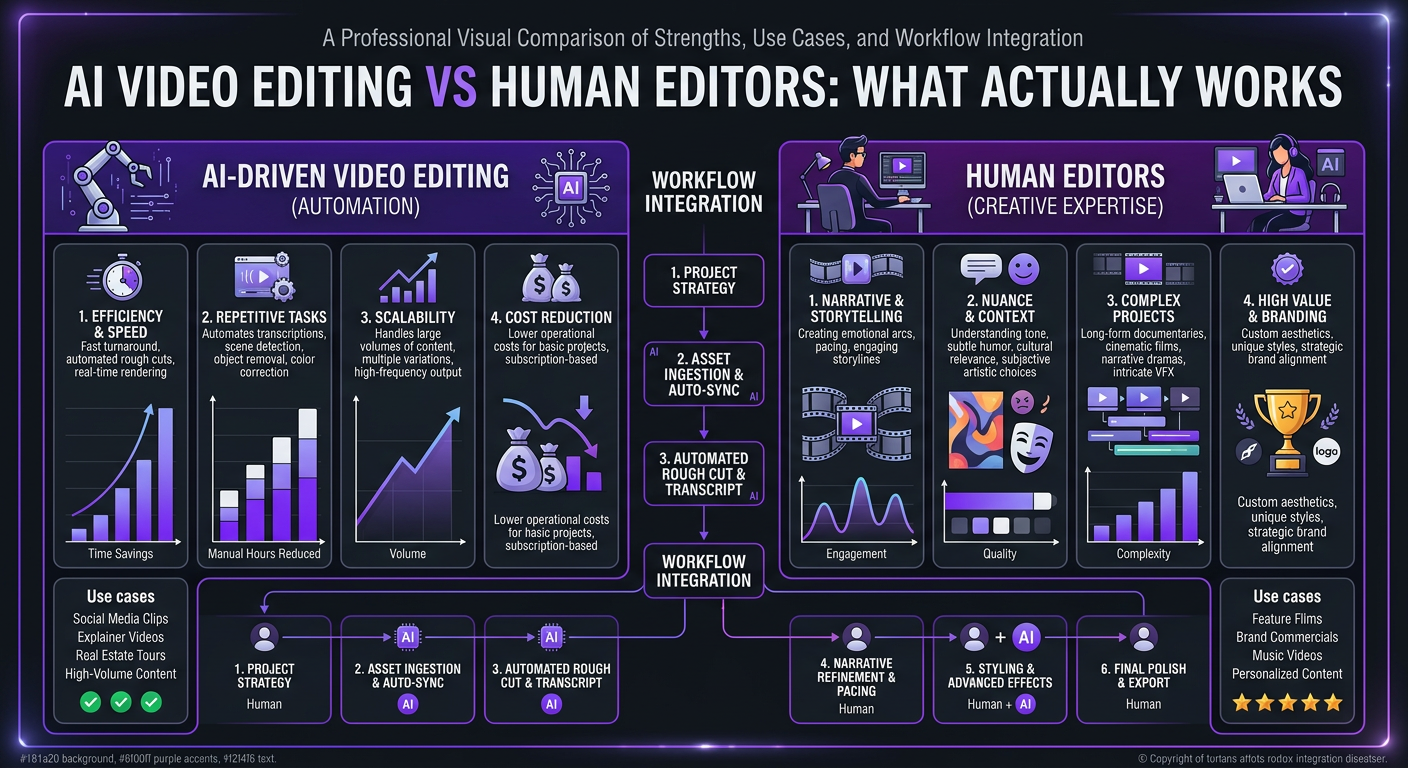
Here’s where the “AI will replace editors” narrative falls apart. These limitations aren’t minor inconveniences — they’re fundamental gaps that determine whether your content succeeds or fails on platform.
1. Creative Storytelling and Pacing
Pacing is the invisible art of editing. When to linger on a shot. When to cut fast. When to let silence do the work. When to hit the viewer with a visual barrage. These decisions are context-dependent, audience-specific, and emotionally driven. AI has no model for “this moment should breathe” or “speed up here because the audience’s attention is drifting.”
Every great YouTube video has a pacing fingerprint — a rhythm that matches both the content and the audience. A Mr Beast video has completely different pacing than a Kurzgesagt video, which has completely different pacing than a Marques Brownlee video. AI defaults to generic pacing templates. Human editors craft specific rhythms.
2. Brand Voice and Consistency
If you’ve built a channel with a specific visual identity — consistent lower thirds, a signature color grade, specific transition styles, particular music choices — AI tools can’t maintain that consistency across videos. They don’t understand “this is how our channel feels.” They understand “apply filter X.”
When we edit for Ink Magnet, a content brand with a very specific visual aesthetic, every video needs to feel like it belongs in the same universe. The color palette, the typography choices, the pacing of text animations — these are brand decisions that compound over time. An AI tool would produce technically acceptable videos that feel disconnected from the brand. Our editors produce videos that feel like chapters of the same story.
3. Audience Retention Optimization
This is the big one for YouTube. As we’ve discussed in our guide to why editors should understand YouTube analytics, retention optimization requires understanding your specific audience’s behavior patterns and editing accordingly. AI tools don’t read retention curves. They can’t correlate a 15% drop at the 2-minute mark with the 40 seconds of static talking-head footage that caused it. They can’t learn from your channel’s data over time.
4. Emotional Intelligence in Editing
A skilled editor watches footage and feels the moments — the genuine laugh that should be extended, the awkward pause that needs trimming, the emotional beat that deserves a music swell. AI detects audio levels and visual patterns. It doesn’t detect meaning.
For content creators whose personality is their brand — and that’s most creators — this emotional editing intelligence is what separates forgettable content from content that builds genuine audience connection.
5. Complex Motion Graphics and VFX
While Runway and similar tools can generate impressive AI effects, they can’t create the custom motion graphics, data visualizations, animated explainers, and professional VFX that elevate educational and brand content. AI-generated effects also have a recognizable aesthetic — viewers increasingly spot “AI-looking” visuals, and they signal low effort.
6. Problem-Solving and Adaptation
Real editing involves constant problem-solving. The audio from the main camera has a buzz. The B-roll doesn’t match the script. The interview subject went off-topic for 3 minutes. The client wants the tone changed from serious to conversational in revision. Human editors adapt. AI tools break.
| Capability | AI (2026) | Human Editor | AI + Human |
|---|---|---|---|
| Auto-captioning | ✅ 95% accurate | ✅ 99% accurate | ✅ 99% accurate, 10x faster |
| Silence/filler removal | ✅ Good | ✅ Better (preserves intent) | ✅ Fast + intentional |
| Color correction | ✅ Basic matching | ✅ Creative grading | ✅ Fast correction + creative grade |
| Narrative pacing | ❌ Generic | ✅ Channel-specific | ✅ Human-driven |
| Brand consistency | ❌ No understanding | ✅ Learns over time | ✅ Human-driven |
| Retention optimization | ❌ No capability | ✅ Data-informed | ✅ Human-driven |
| Motion graphics | ⚠️ Templates only | ✅ Custom design | ✅ AI-accelerated, human-designed |
| Problem-solving | ❌ Fails on edge cases | ✅ Adaptive | ✅ Human-driven |
| Overall output quality | 5/10 | 8/10 | 9/10 |
Head-to-Head: AI vs Human on Real Editing Tasks
Let’s stop talking abstractly and look at specific scenarios.
Task 1: Edit a 15-Minute YouTube Talking-Head Video
| Factor | AI-Only (Descript) | Human Editor |
|---|---|---|
| Time to complete | 30 minutes | 3-4 hours |
| Cost | ~$2 (subscription prorated) | $200-$400 |
| Silence removal | Automated, good | Manual, better |
| B-roll integration | None | Contextual, engaging |
| Pacing & hooks | Mechanical, even | Strategic, varied |
| Graphics/lower thirds | Template-based | Custom, brand-matched |
| Retention optimization | None | Data-informed |
| Expected avg retention | 25-35% | 40-55% |
The AI version is 100x cheaper and done in a fraction of the time. It’s also likely to get half the retention. For an internal company update video, the AI version might be perfectly fine. For a YouTube channel where every percentage point of retention impacts algorithmic distribution, the human version wins by a mile.
Task 2: Create 10 Short-Form Clips from a Podcast
| Factor | AI-Only (OpusClip) | Human Editor |
|---|---|---|
| Time to complete | 15 minutes | 4-6 hours |
| Clip selection accuracy | 4/10 clips are good | 8/10 clips are good |
| Hook quality | Starts at transcript highlights | Crafted for platform-specific engagement |
| Caption styling | Template, trending styles | Brand-consistent, custom |
| Reframing (9:16) | Automated face tracking | Intentional composition |
| Platform optimization | Generic | Tailored for Reels/Shorts/TikTok |
This is actually a scenario where AI provides genuine value — as a first pass. The best workflow: let OpusClip generate 20 clip suggestions, then have a human editor select the best 10, refine the hooks, add branded captions, and optimize for each platform. Total time: 2 hours instead of 6. Quality: nearly as good as fully manual. This is the hybrid model in action.
Get AI-Powered Speed With Human-Level Quality
Our editors use the best AI tools to work faster — while keeping the creative decisions, brand consistency, and retention optimization that only humans deliver.
The Real Cost Comparison: It’s Not What You Think
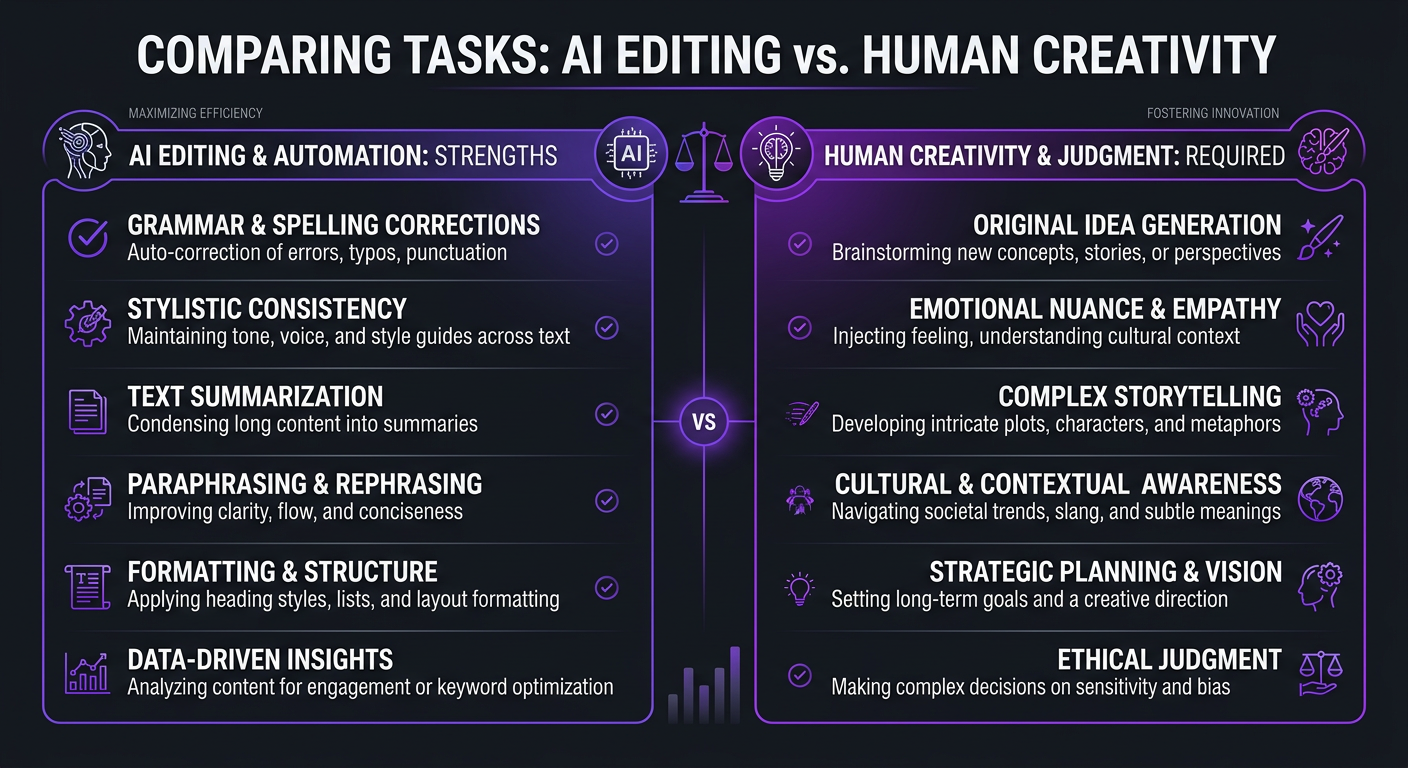
The surface-level math is obvious: AI tools cost $20-$100/month. Human editors cost $500-$5,000+/month. AI wins. Case closed.
Except it’s not that simple. Let’s account for the hidden costs:
| Cost Factor | AI-Only | Human Editor | AI + Human (Hybrid) |
|---|---|---|---|
| Tool/Service cost | $50–$150/mo | $2,000–$5,000/mo | $2,000–$5,000/mo (tools included) |
| Your time reviewing/fixing | 5-10 hrs/mo | 1-2 hrs/mo | 1-2 hrs/mo |
| Your time value (at $100/hr) | $500–$1,000/mo | $100–$200/mo | $100–$200/mo |
| Lost revenue from lower quality | $500–$3,000/mo* | $0 | $0 |
| Brand inconsistency cost | Hard to quantify | $0 | $0 |
| True monthly cost | $1,050–$4,150/mo | $2,100–$5,200/mo | $2,100–$5,200/mo |
*Lost revenue estimate based on 25-40% lower retention → fewer views → less ad revenue/sponsorship income for monetized channels.
For monetized channels doing 100K+ monthly views, the gap between AI-only and human editing in revenue impact alone can exceed the entire editing budget. The “cheap” option becomes the expensive one when you account for opportunity cost.
For small channels under 10K views/month, or for internal/non-public video content, AI-only editing often makes perfect financial sense. The quality gap exists, but the revenue impact is minimal.
The Hybrid Model: AI-Assisted Human Editing
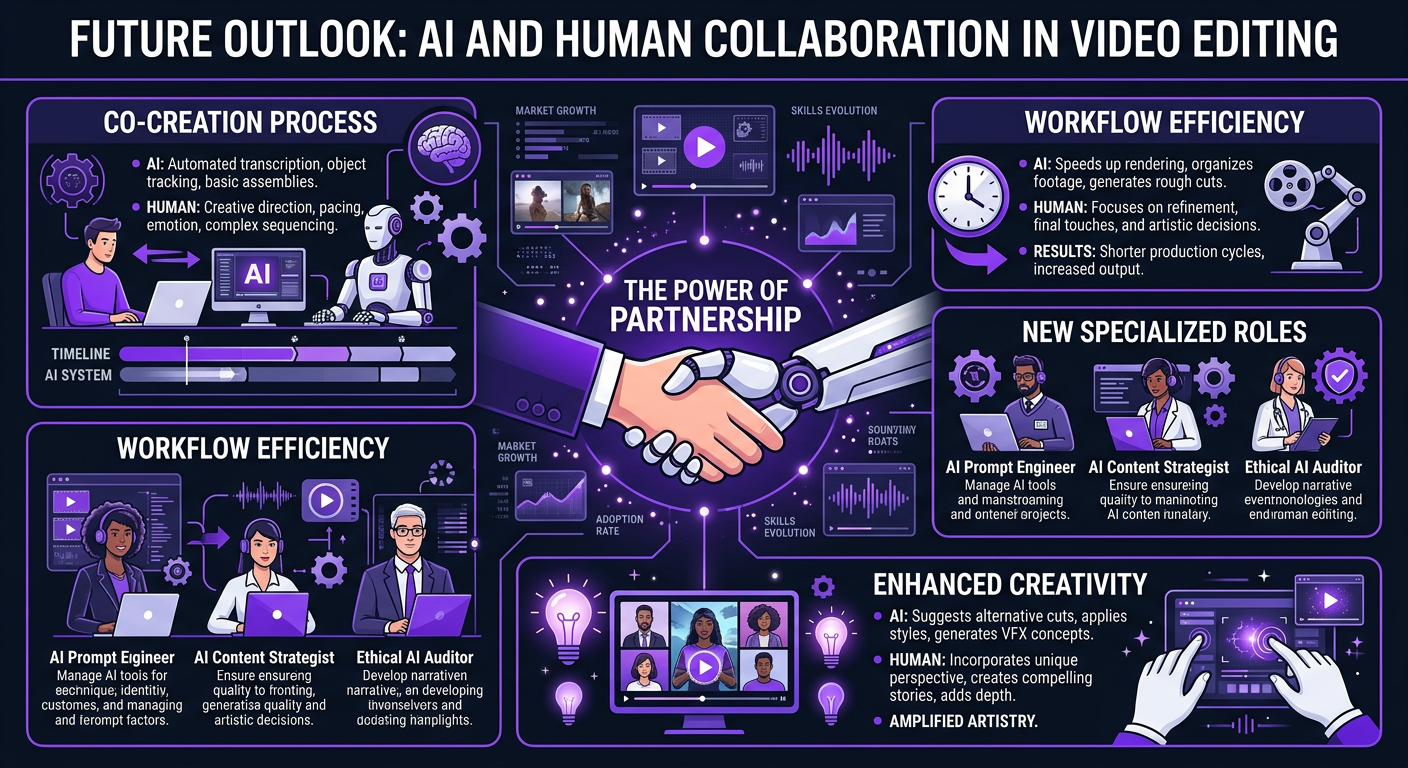
This is where the industry is actually heading, and it’s how we work at Increditors. The question isn’t “AI or human?” It’s “which parts of the editing workflow benefit from AI, and which require human judgment?”
What Our Editors Use AI For
- Transcription and captioning: AI generates, human reviews and styles
- Rough assembly: AI removes silences and creates a basic timeline, human refines
- Audio cleanup: AI-powered noise reduction and leveling
- Color matching: AI balances multi-camera footage, human applies creative grade
- Clip suggestions: AI identifies potential shorts clips from long-form, human selects and crafts
- Stock footage search: AI-powered search to find relevant B-roll faster
What Our Editors Do Themselves
- Creative pacing and storytelling — the heart of the edit
- Hook design and retention optimization — based on channel analytics
- Brand-specific styling — consistent look across all content
- Custom motion graphics — VFX and animations that differentiate
- Music selection and sound design — emotional architecture
- Quality control and revision management — ensuring nothing ships below standard
- Strategic decisions — what to cut, what to emphasize, how to structure
The Efficiency Gain
By integrating AI tools into our workflow, our editors are approximately 25-35% faster than they were two years ago — without any reduction in output quality. In fact, quality has improved because editors spend less time on mechanical tasks and more time on creative decisions.
This efficiency gain gets passed to clients through faster turnaround times and the ability to handle higher volumes at the same quality tier. A content creator package that might have included 8 videos/month two years ago can now include 10-12 at the same price point.
Real Examples: AI Wins, AI Fails, and Hybrid Successes
AI Win: Internal Training Videos at Scale
A SaaS company needed 50 product training videos edited — screen recordings with voiceover, all following the same template. AI tools (Descript for transcript-based editing, automated screen zoom-ins) handled 80% of the work. Human editors did quality passes and brand styling. Total cost was 40% less than fully manual editing, and the template-heavy nature of the content meant AI’s limitations didn’t matter.
For this type of content — repetitive, template-based, not performance-dependent — AI is a clear win.
AI Fail: Riley Coleman’s YouTube Channel
Riley Coleman experimented with AI editing tools before coming to Increditors. The tools produced technically clean cuts — no dead air, decent transitions, auto-captions. But his retention numbers actually dropped. Why?
The AI removed pauses that were comedic beats. It created even pacing that eliminated the dynamic rhythm his audience loved. It added transitions at regular intervals rather than at emotionally appropriate moments. The videos were “edited” but soulless.
When our team took over, they studied his audience’s behavior patterns, identified his natural comedic timing, and built an editing style that amplified his personality rather than homogenizing it. His views recovered and then grew beyond where they’d been. The editing wasn’t just cuts and effects — it was understanding who Riley is and what his audience wants.
Hybrid Success: VYVE Wellness Content System
VYVE Wellness needed high-volume content: weekly long-form YouTube videos plus daily short-form clips for Instagram and TikTok. Pure human editing at that volume would have been cost-prohibitive. Pure AI wouldn’t have maintained their wellness brand’s premium aesthetic.
The hybrid solution: AI tools handle initial rough cuts, captioning, and platform reformatting. Human editors handle creative pacing, color grading to match their warm brand palette, custom wellness-themed graphics, and retention optimization. The result was 30+ pieces of content per month at a price point that made sense, with quality that maintained their brand standard.
Decision Framework: Which Approach Is Right for You?
Use this framework to determine the right editing approach for your specific situation:
| Your Situation | Recommended Approach | Why |
|---|---|---|
| Hobby creator, <1K subscribers | AI-only (Descript, CapCut) | Low stakes, learn fundamentals, save money |
| Growing creator, 1K-50K subscribers | Budget human editor + AI tools | Quality starts mattering, but budget is limited |
| Established creator, 50K+ subscribers | Professional agency (AI-assisted) | Revenue at stake, retention optimization critical |
| Business using video for leads | Professional agency (AI-assisted) | Brand consistency and conversion quality matter |
| Internal/training videos | AI-heavy with human QC | Template-based, not performance-sensitive |
| High-volume social media (20+ clips/month) | Hybrid: AI first pass + human refinement | Volume demands AI efficiency, quality demands human touch |
| Agency/production house needing white-label editing | Dedicated editing team | Multiple client brands require human brand intelligence |
Three Questions to Ask Yourself
- “Does this content need to perform on an algorithm?” — If yes, human editing (AI-assisted) wins. Algorithms reward retention, and retention requires strategic editing that AI can’t do.
- “Does brand consistency matter?” — If yes, human editing wins. AI tools can’t learn and maintain your brand’s visual voice across dozens of videos.
- “Am I optimizing for cost or for growth?” — If pure cost, AI handles more. If growth, invest in human editing where it matters and use AI to make human editors more efficient.
Most professional creators and businesses land in the “hybrid” zone — and that’s exactly what modern YouTube editing services provide. Not editors who ignore AI tools, and not AI tools pretending to be editors. The combination.
Where This Is Heading (2026–2028)
AI editing tools will get better. Fast. Here’s what we expect over the next 24 months:
What Will Improve
- Generative B-roll: AI-generated supplementary footage will become usable (not just novelty). This will reduce stock footage costs.
- Style transfer: AI will learn a channel’s “look” from past videos and apply it more consistently to new edits. Not perfect, but good enough for short-form.
- Automated A/B testing: AI will generate multiple versions of hooks, thumbnails, and endings for algorithmic testing.
- Real-time editing suggestions: While editors work, AI will suggest cuts, transitions, and graphics based on content analysis.
What Won’t Change
- Creative storytelling will remain human. AI can suggest; it can’t feel. Emotional editing requires understanding human emotion, and we’re nowhere near that.
- Brand intelligence will remain human. Understanding what makes a brand feel like a brand — across evolving content, changing trends, and audience development — requires contextual understanding AI lacks.
- Strategic editing will remain human. Deciding what a video needs to say, how to structure the argument, where to place the emotional climax — these are authorship decisions, not production decisions.
The Likely Future
By 2028, we expect AI to handle roughly 40-50% of the editing workflow (up from 20-30% today) for quality-sensitive content. But the remaining 50-60% — the creative, strategic, emotionally intelligent part — will still be definitively human. The editors who thrive will be those who integrate AI seamlessly, not those who resist it.
At Increditors, we’re investing heavily in AI tool integration. Our editors are trained on every major AI editing tool, and we evaluate new ones monthly. The goal isn’t to replace our editors — it’s to give them superpowers. Faster output, consistent quality, and more time for the creative work that actually moves the needle on client growth.
For our startup clients, this means getting agency-level editing at price points that would have been impossible three years ago. AI doesn’t replace the value — it amplifies it.
Frequently Asked Questions
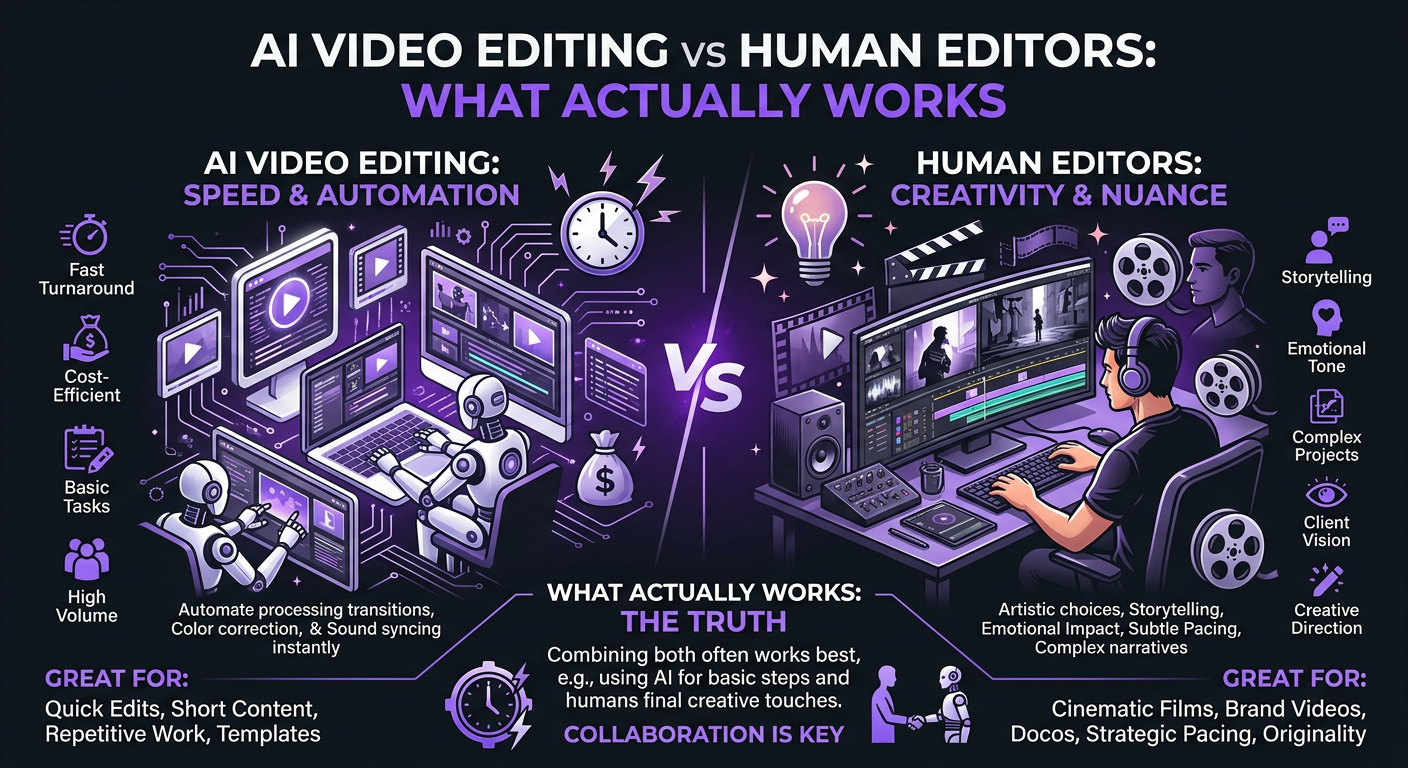
Not for quality-sensitive content. AI excels at specific tasks — captioning, noise removal, rough cuts, color matching — but can’t handle creative storytelling, brand consistency, retention optimization, or emotional editing decisions. The best results in 2026 come from human editors using AI tools to work faster, not from AI working alone. For internal or template-based videos, AI-only editing can be sufficient.
Current AI tools can auto-generate captions (95%+ accuracy), remove silences and filler words, perform basic color matching, generate rough cuts from transcripts, resize videos for different platforms, remove backgrounds, and clean up audio. They cannot reliably handle creative pacing, brand-specific editing, complex motion graphics, or strategic decisions that optimize for platform performance.
On paper, yes — AI tools cost $20-$100/month vs. $500-$5,000+/month for human editors. But the true cost includes your time reviewing and fixing AI output (5-10 hours/month), plus lost revenue from lower retention rates on monetized content. For channels where video drives revenue, AI-only editing often costs more in lost performance than it saves in editing fees. See our pricing page for transparent human editing costs.
AI-assisted editing is the hybrid approach where human editors use AI tools to accelerate routine tasks — auto-transcription, noise reduction, rough assembly, platform reformatting — while maintaining full creative control over pacing, storytelling, brand consistency, and retention optimization. This approach is 25-35% faster than purely manual editing while maintaining or exceeding human-only quality levels.
It depends on your goals and channel size. For hobby channels under 1K subscribers, AI tools are a great starting point. For growing channels where retention and growth matter, invest in human editors who leverage AI tools — you get speed without sacrificing the strategic editing that drives YouTube performance. Our content creator packages include AI-assisted editing by default.
The leading tools are Descript (transcript-based editing, best for podcasts and talking heads), Runway (AI effects and generative video), CapCut (auto-captions and short-form templates), OpusClip (long-form to shorts conversion), and Adobe Premiere’s Sensei AI features (color matching, speech enhancement). Each excels at specific tasks — none replaces a full editing workflow for quality-sensitive content.
Get the Best of Both Worlds
AI speed. Human creativity. Our editors use cutting-edge AI tools while delivering the strategic, brand-aware editing that builds channels. Let’s find the right setup for your content.
AI tool capabilities described in this article reflect the state of the market as of March 2026. This space evolves rapidly — capabilities that are limited today may improve significantly. For current Increditors service details including our AI-integrated editing workflow, visit our pricing page or schedule a call.