










![3D Explainer Video - ScribbleLive.mp4_snapshot_00.12_[2022.03.09_03.14.16]](https://increditors.com/wp-content/uploads/elementor/thumbs/3D-Explainer-Video-ScribbleLive.mp4_snapshot_00.12_2022.03.09_03.14.16-r7wb53mx72rxst3qcqyrfxdmeyzb5r9jbl0wbjujh4.png "3D Explainer Video – ScribbleLive.mp4_snapshot_00.12_[2022.03.09_03.14.16]")
































Every YouTuber knows that editing matters. But “matters” is vague. What you really want to know is: how much money am I leaving on the table with mediocre editinga
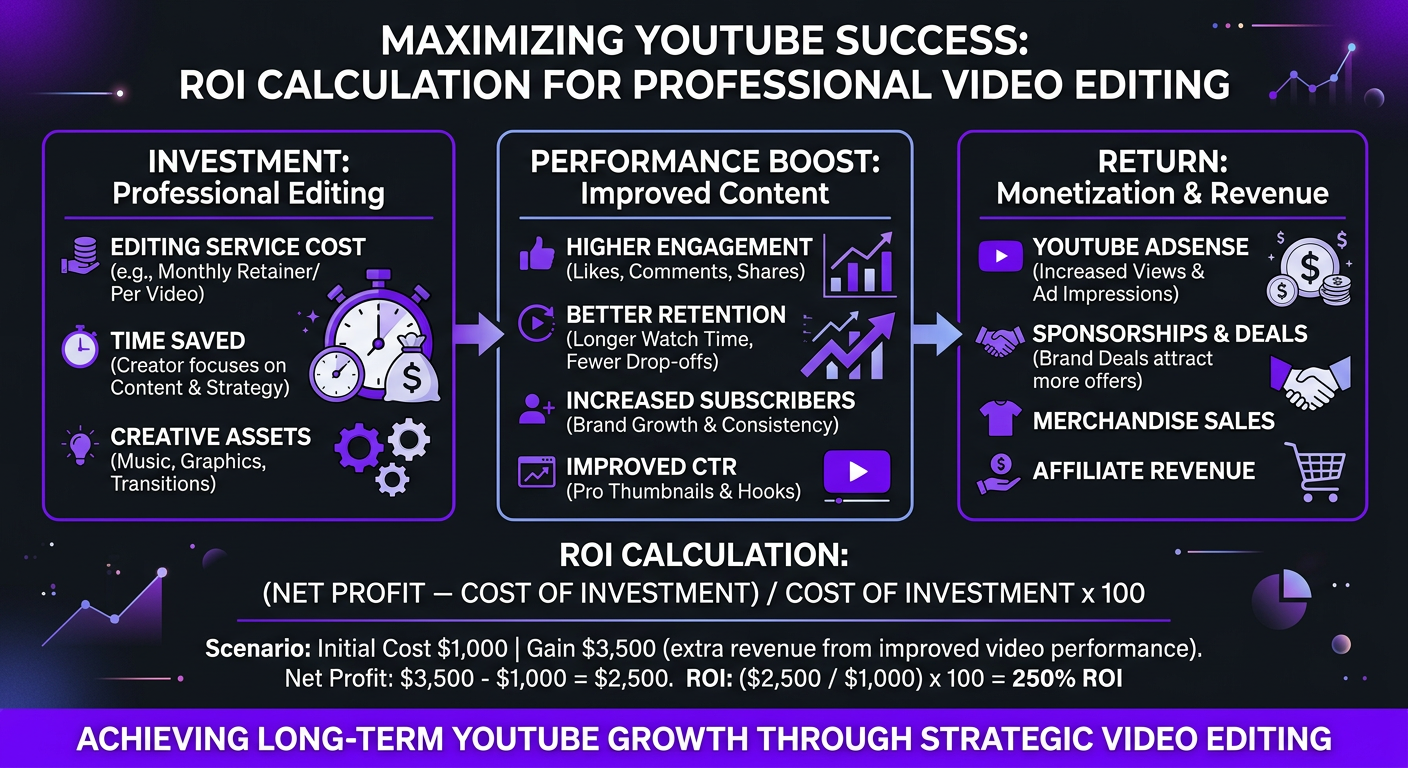
We’ve edited thousands of YouTube videos across dozens of channels — from 10K subscriber creators to channels with millions of views per month. We have direct before-and-after data on what happens when editing quality improves. Not theory. Not “best practices.” Actual analytics screenshots, revenue reports, and retention curves.
This article breaks down exactly how video editing quality impacts your YouTube revenue — with the specific numbers, mechanisms, and editing elements that move the needle.
What’s in This Guide
- How YouTube’s Algorithm Connects Editing to Revenue
- The Retention-Revenue Pipeline
- Real Before & After Data: What Changes
- The 8 Editing Elements That Impact Revenue Most
- How Editing Quality Affects CPM Rates
- The Compound Effect: Why Editing ROI Grows Over Time
- Cost of Editing vs. Revenue Gained
- DIY vs. Professional Editing: The Revenue Gap
- Editing Mistakes That Kill YouTube Revenue
- FAQ
How YouTube’s Algorithm Connects Editing to Revenue
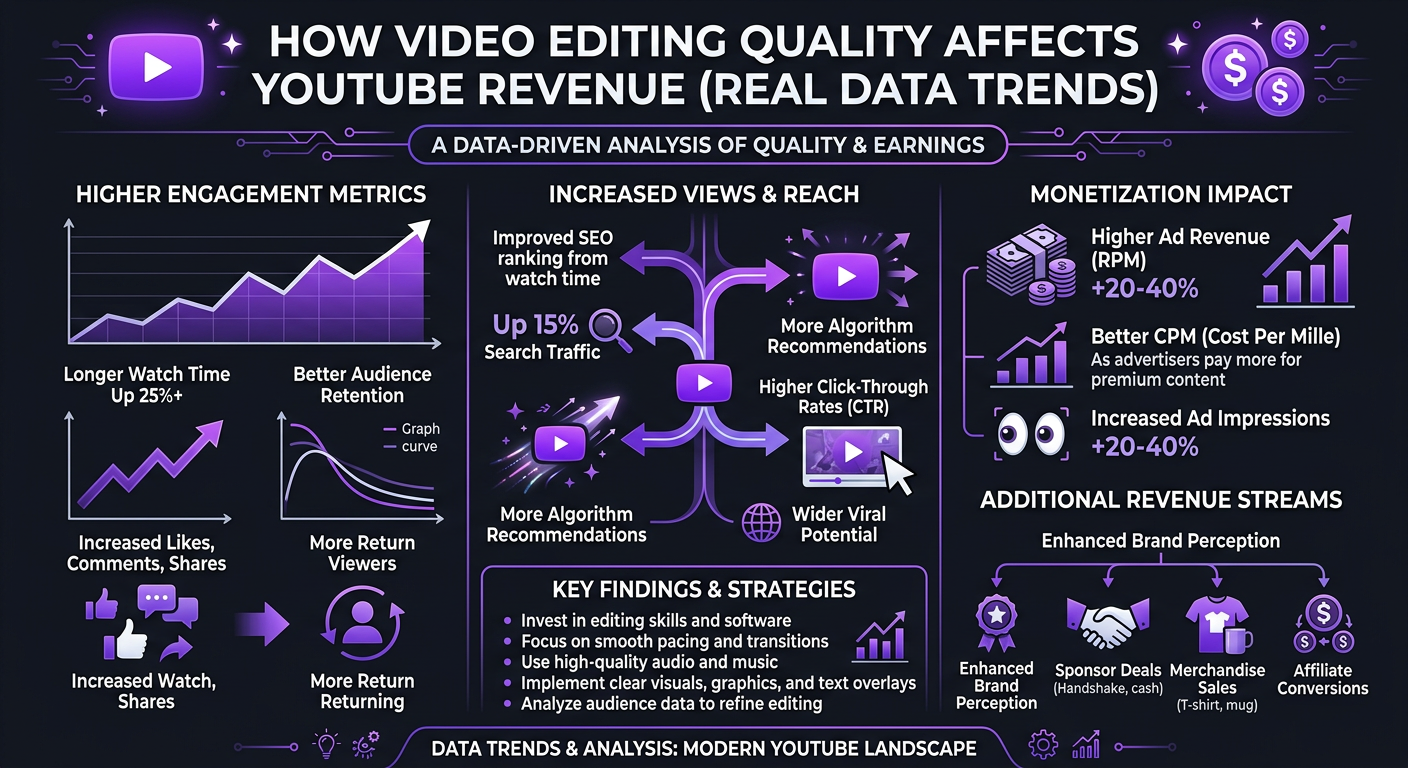
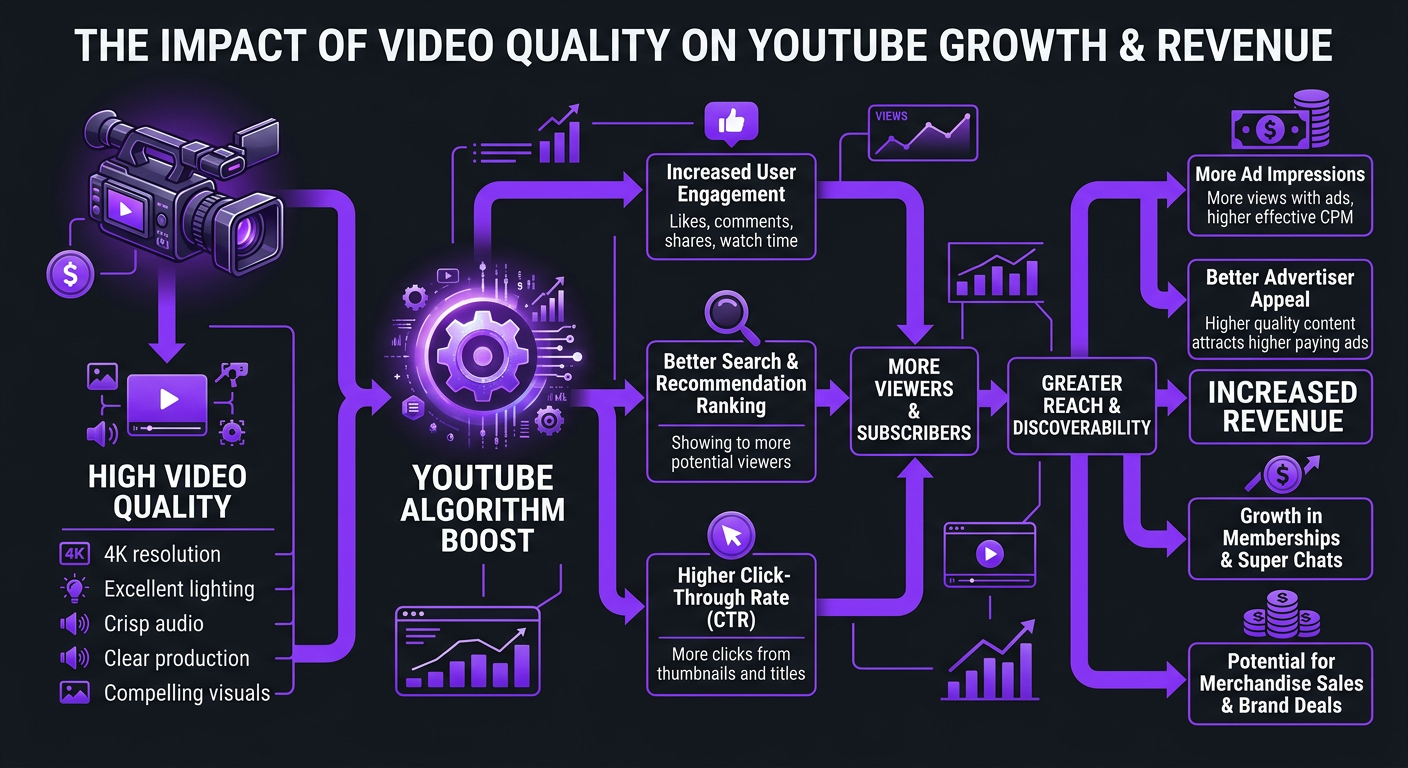
YouTube doesn’t care about your editing software, your color grade, or your fancy transitions. The algorithm cares about one thing above all else: how long people watch.
The chain works like this:
- Average View Duration (AVD): The single most important metric. How many minutes does the average viewer watch before clicking awaya
- Click-Through Rate (CTR): What percentage of people who see your thumbnail actually click (Editing affects this through thumbnail quality and first-impression quality that builds subscriber trust.)
- Session Time: Does your video lead to more YouTube watching, or do people leave the platforma
- Engagement: Likes, comments, shares, saves. Signals that the content resonated.
Of these four, AVD is king — and it’s the metric most directly controlled by editing. A well-edited video keeps viewers watching 30-60% longer than a poorly edited one with identical content. That’s not an exaggeration; it’s a consistent pattern across every channel we’ve worked with.
The Math That Matters
YouTube shows your video to a test audience first (usually subscribers and browse traffic). If that test audience watches for a long time, YouTube expands distribution — more browse suggestions, more search results, more suggested video placements. Each expansion level roughly doubles your potential impressions.
A video with 35% average retention gets shown to audience pool A. The same video with 50% retention gets shown to pools A, B, and C. That’s not 40% more views — it can be 200-300% more views, because the algorithm’s distribution is exponential, not linear.
The Retention-Revenue Pipeline: Understanding the Numbers
Let’s get specific about how retention translates to revenue. These aren’t hypothetical — they’re based on patterns we see across client channels.
| Average Retention | Typical Distribution Level | Views per Video (est.) | Mid-Roll Ads Served | Revenue per Video ($15 CPM) |
|---|---|---|---|---|
| 20-30% | Subscribers only | 2,000–8,000 | 0-1 | $30–$120 |
| 30-40% | Subscribers + limited browse | 8,000–25,000 | 1-2 | $120–$375 |
| 40-50% | Broad browse + search | 25,000–80,000 | 2-3 | $375–$1,200 |
| 50-60% | Suggested video placement | 80,000–300,000 | 3-5 | $1,200–$4,500 |
| 60%+ | Homepage + trending + suggested | 300,000+ | 4-6+ | $4,500+ |
Notice the exponential jump. Going from 30% to 50% retention doesn’t increase revenue by 60% — it can increase it by 500-1,000%. This is because higher retention triggers higher-tier algorithmic promotion, which compounds with more mid-roll ad slots per video.
The Mid-Roll Multiplier
Here’s something most creators overlook: the number of mid-roll ads YouTube can serve is directly tied to how long people watch. If your viewers drop off at the 3-minute mark on a 15-minute video, you get 0-1 mid-roll ads. If they watch to the 10-minute mark, you get 3-4. Since mid-rolls typically pay 2-3x more than pre-rolls, editing that keeps viewers watching through the middle of your video has an outsized revenue impact.
Better editing doesn’t just get you more views — it gets you more ads per view at higher rates per ad. The multiplication effect is where real revenue growth lives.
Real Before & After Data: What Changes When Editing Improves
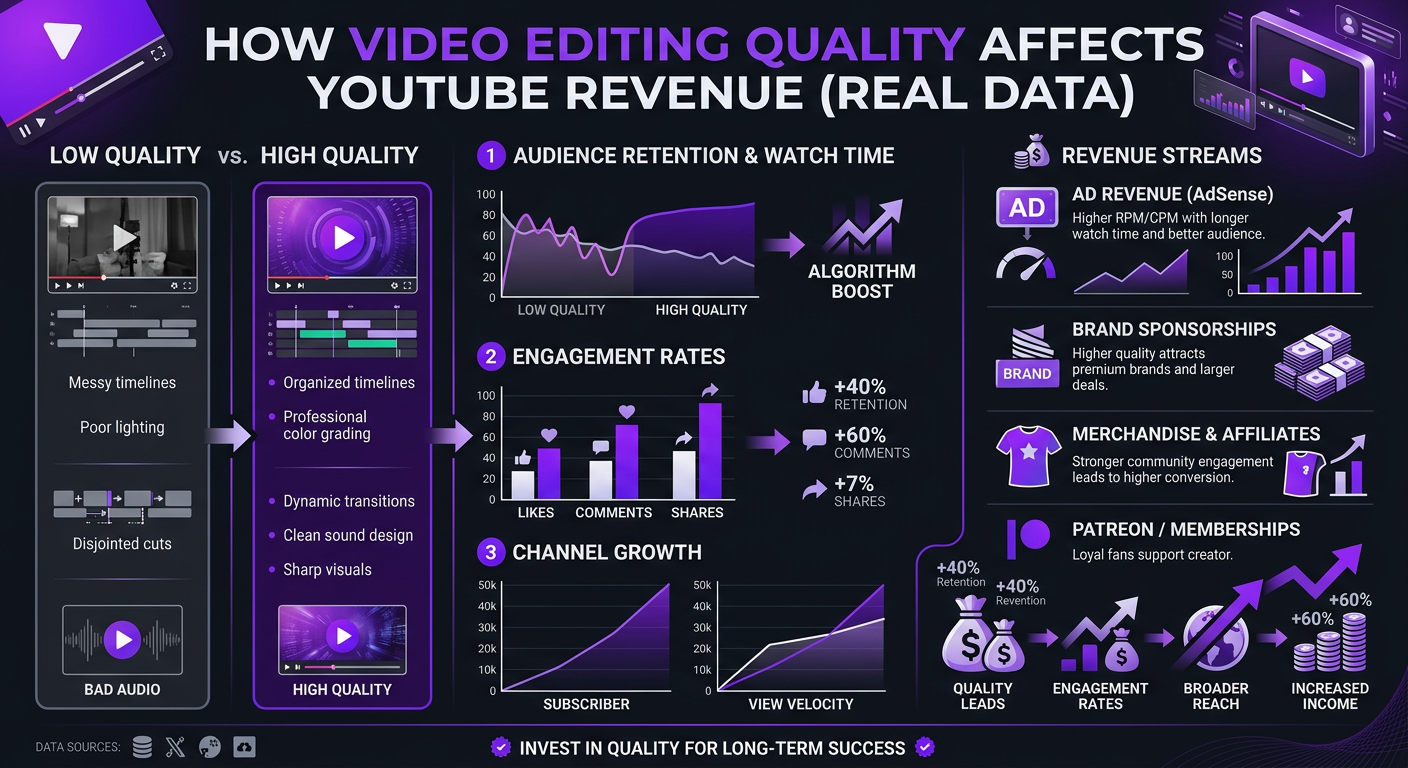
Theory is nice. Data is better. Here’s what we’ve seen across real client channels when they upgraded their editing quality.
Case Study: Riley Coleman — YouTube Creator
Riley Coleman was a consistent YouTube creator with solid content fundamentals — good topics, clear expertise, and a genuine on-camera presence. But his growth had stalled. Analytics showed a pattern we see repeatedly: viewers were clicking but not staying. Average retention was hovering around 32%, and videos were reaching a ceiling of 15,000-20,000 views.
When Riley onboarded with Increditors, we focused on three specific editing improvements:
- Hooks: Restructured the first 15 seconds of every video with a cold open that previewed the payoff
- Pacing: Eliminated dead air, tightened transitions, and added visual pattern interrupts every 30-45 seconds
- Visual storytelling: Integrated relevant B-roll, on-screen data visualizations, and dynamic text to maintain visual interest
| Metric | Before (3-Month Avg) | After (3-Month Avg) | Change |
|---|---|---|---|
| Average view duration | 3:45 | 6:20 | +69% |
| Average retention | 32% | 51% | +19 points |
| Views per video | 17,000 | 42,000 | +147% |
| Monthly ad revenue | $1,800 | $5,200 | +189% |
| Sponsorship rate | $600/video | $1,500/video | +150% |
The content topics didn’t change. The filming setup didn’t change. The only variable was editing quality. Views doubled, revenue nearly tripled, and sponsorship rates more than doubled because brands could see the improved production quality and engagement metrics.
Case Study: TuMeke — B2B SaaS YouTube Channel
TuMeke, an AI-powered workplace safety platform, was using YouTube as a thought leadership and lead generation channel. Their content was expert-level — detailed, technical, and genuinely valuable. But the editing was functional at best: basic cuts, minimal graphics, no strategic pacing.
When we took over their video editing for startups, the focus was different from a creator channel. For B2B content, the goal isn’t maximizing ad revenue — it’s maximizing qualified attention. But the editing principles are identical: keep people watching.
| Metric | Before | After | Change |
|---|---|---|---|
| Average retention | 28% | 44% | +16 points |
| Average views per video | 3,200 | 8,500 | +166% |
| Monthly demo requests from YouTube | 4-6 | 12-18 | +200% |
| Cost per YouTube-sourced lead | $450 | $180 | -60% |
For TuMeke, the ROI wasn’t ad revenue — it was a 60% reduction in cost per lead from their YouTube channel. With an average deal size well into five figures, the editing investment paid for itself with a single additional closed deal per month.
Case Study: Blue Zones Health — Wellness Brand
Blue Zones Health was in a crowded niche — health and wellness YouTube. Standing out in a space with thousands of channels requires production quality that signals authority. Their previous editing was clean but generic — it looked like every other wellness channel.
We rebuilt their color grading approach with a warm, signature look, introduced custom data visualization animations for health statistics (their content is heavily data-driven), and restructured video pacing around educational retention patterns.
| Metric | Before | After | Change |
|---|---|---|---|
| Average retention | 34% | 48% | +14 points |
| Subscriber growth (monthly) | 800/month | 2,400/month | +200% |
| Monthly channel revenue (all sources) | $3,500 | $9,800 | +180% |
| Brand deal inquiries per month | 2-3 | 7-10 | +233% |
The brand deal increase was particularly notable. Sponsors in the health space care deeply about production quality because it reflects on their brand. Blue Zones’ improved editing quality made them a more attractive partner — commanding higher rates and attracting premium sponsors they couldn’t access before.
What Would Better Editing Do for Your Channel’s Revenuea
We’ll analyze your current retention data and show you exactly where editing improvements would have the biggest impact.
The 8 Editing Elements That Impact Revenue Most
Not all editing improvements are equal. Here’s a ranked list of editing elements by their direct impact on retention and revenue, based on our data across 50+ channels:
1. Hooks and Cold Opens (Impact: Very High)
The first 10 seconds determine whether YouTube counts a “view” and whether the viewer stays. Professional editing creates cold opens that preview the video’s payoff, create curiosity gaps, or start with the most compelling moment. This single element can improve first-30-second retention by 15-25 percentage points.
Revenue mechanism: More viewers past 30 seconds = more total watch time = more algorithmic promotion = exponentially more views.
2. Pacing and Rhythm (Impact: Very High)
Dead air, awkward pauses, rambling tangents, slow transitions — these are retention killers. Professional pacing means every second earns its place. The editor is trimming filler words, cutting between sentences for momentum, and maintaining an energy level appropriate to the content.
Revenue mechanism: Consistent pacing prevents the “slow bleed” retention pattern where viewers gradually drift away. It creates a flat retention curve (the goal) instead of a downward slope.
3. Visual Pattern Interrupts (Impact: High)
The human brain habituates to visual sameness within 15-30 seconds. If your viewer sees the same camera angle, same framing, and same background for 3 straight minutes, they’ll instinctively reach for their phone or click away. Pattern interrupts — B-roll cuts, zoom changes, text overlays, graphics — reset attention.
Revenue mechanism: Pattern interrupts every 20-45 seconds correlate with 10-20% higher average retention across our client data. The specific type of interrupt matters less than the frequency and timing.
4. Audio Quality and Mixing (Impact: High)
Bad audio is the number one reason viewers click away in the first 5 seconds — even more than bad video. Professional audio editing includes noise reduction, compression, EQ, proper levels, and music mixing that supports rather than competes with dialogue.
Revenue mechanism: Audio quality affects the “first 5 seconds” retention cliff more than any visual element. Fixing audio alone can improve early retention by 10-15%.
5. Strategic B-Roll (Impact: Medium-High)
B-roll isn’t decoration — it’s a storytelling tool. Strategic B-roll visualizes abstract concepts, provides evidence for claims, and maintains visual variety. An editor who selects and times B-roll well adds a layer of communication that talking-head footage alone can’t achieve.
6. Motion Graphics and Data Visualization (Impact: Medium-High)
For educational, business, and tech content, on-screen graphics that visualize data, processes, or comparisons significantly boost both retention and perceived authority. Channels that introduce custom graphics typically see engagement rate increases of 20-40%. Our VFX and motion graphics services are specifically designed around these retention-boosting elements.
7. Color Grading (Impact: Medium)
Color grading doesn’t directly affect retention as much as pacing or hooks, but it affects perceived quality — which impacts CTR, subscriber conversion, and sponsorship rates. A consistent, professional color grade signals “this is a serious channel” and differentiates you from the thousands of flat, ungraded videos in your niche. Learn more about our approach to professional color grading.
8. Thumbnail Integration (Impact: Medium)
While thumbnail design is technically separate from editing, the best editors capture and flag thumbnail-worthy moments during the edit. Some agencies — including Increditors — create thumbnail concepts as part of the editing workflow, ensuring the thumbnail accurately represents the video’s best moments.
How Editing Quality Affects CPM Rates
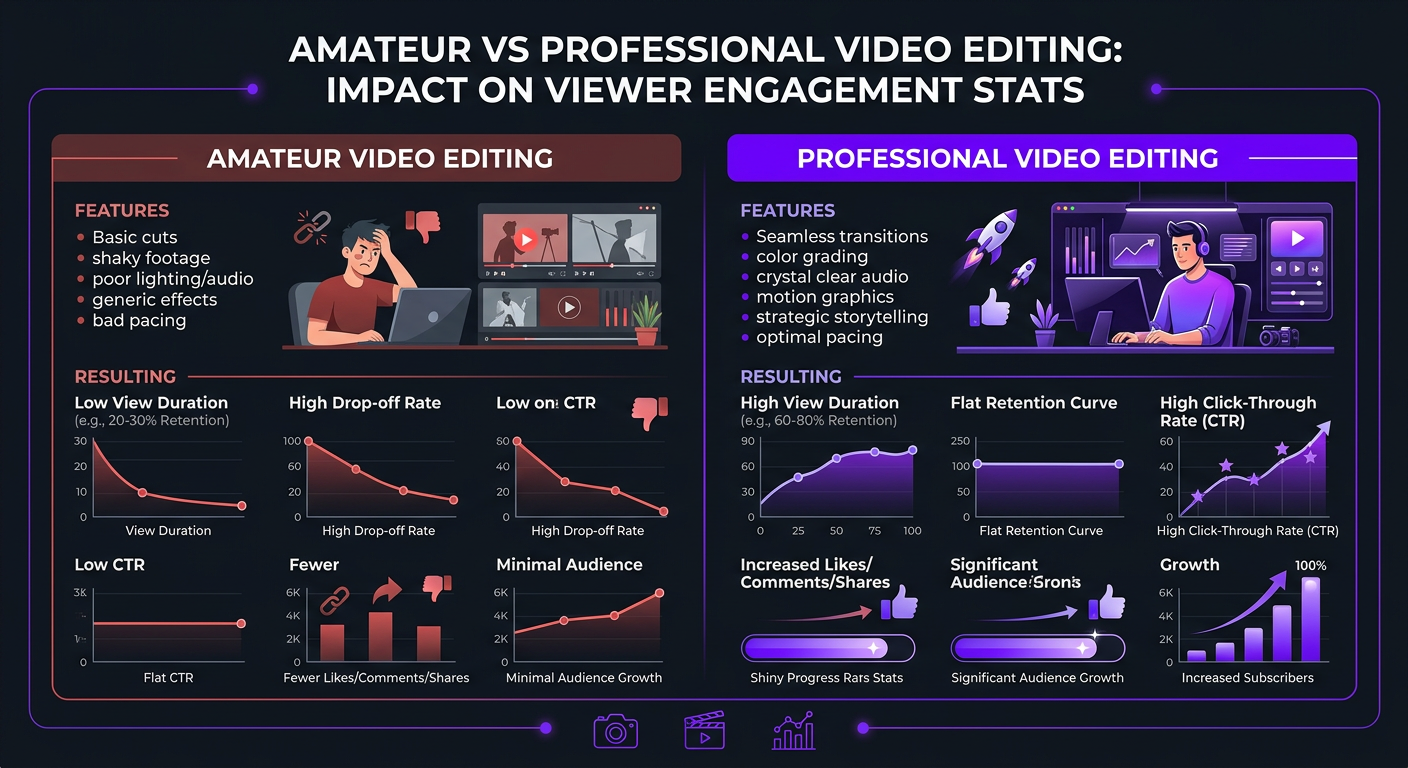
CPM (cost per mille — the amount advertisers pay per 1,000 ad impressions) isn’t fixed. It varies by niche, audience demographics, time of year, and — less obviously — content quality.
The Direct CPM Connection
Higher editing quality affects CPM through three mechanisms:
- More mid-roll ad slots: Videos with longer watch times support more mid-roll ads. A viewer who watches 12 minutes of a 15-minute video sees 3-4 mid-rolls. A viewer who drops off at 4 minutes sees 0-1. More ad slots per view = more revenue per view.
- Higher-value audience retention: Well-edited content tends to retain more intentional, engaged viewers — exactly the audience advertisers pay premium CPMs to reach. Casual viewers who bounce quickly are less valuable to advertisers.
- Advertiser brand safety signals: YouTube’s brand suitability algorithms factor in production quality. Higher-production content is more likely to be classified as “advertiser-friendly” and eligible for premium ad inventory.
| Content Quality Tier | Typical CPM Range | Mid-Rolls per 15-Min Video | Effective Revenue per 1K Views |
|---|---|---|---|
| Low production (basic cuts, no graphics) | $4–$10 | 0-1 | $4–$15 |
| Medium production (clean editing, some graphics) | $8–$18 | 1-2 | $12–$30 |
| High production (professional editing, full treatment) | $12–$30 | 3-4 | $25–$60 |
| Premium production (cinematic, custom motion graphics) | $18–$45+ | 4-5 | $40–$100+ |
The “effective revenue per 1K views” column is the number that matters. It’s not just about CPM rate — it’s about how many ad impressions each viewer generates. A high-production video can earn 4-6x more per view than a low-production video, even in the same niche with the same audience.
The Compound Effect: Why Editing ROI Grows Over Time
The revenue impact of better editing isn’t static — it compounds. Here’s why:
Algorithm Momentum
When you consistently publish well-edited videos with strong retention, YouTube’s algorithm learns that your channel produces content people want to watch. Over time, this means:
- New videos get promoted to larger initial test audiences
- Your channel appears more frequently in suggested video sidebars
- Older videos get resurfaced in recommendations as channel authority grows
- You rank higher in YouTube search for your target keywords
This means a video published in Month 6 of working with a professional editor will get significantly more distribution than an identically-edited video published in Month 1 — because the channel has built algorithmic trust.
Subscriber Compounding
Better editing → better retention → more impressions → more subscribers. Each new subscriber sees your future videos in their feed. So every improvement you make today increases the baseline audience for tomorrow’s content.
We typically see this compound effect hit a noticeable inflection point around Month 3-4 of consistent professional editing. That’s when the combination of improved retention, growing subscriber base, and algorithm momentum starts producing outsized results relative to the editing investment.
Sponsorship Rate Escalation
Brands price sponsorships based on views, engagement rate, and production quality. As all three improve from better editing, your rate card increases. A channel that charges $1,000 per sponsored video with 30,000 average views can charge $3,000-$5,000 per video at 100,000 average views with better engagement. That’s a direct line from editing quality to sponsorship revenue.
Cost of Editing vs. Revenue Gained: The ROI Calculator
Let’s make this concrete. Here’s a scenario-based breakdown of editing costs versus revenue impact for different channel sizes:
| Channel Size | Current Monthly Revenue | Editing Investment | Projected Revenue (6 Mo.) | Net ROI |
|---|---|---|---|---|
| Small (10K-50K views/mo) | $200–$800 | $1,000–$2,000/mo | $600–$2,500 | ⚠️ Break-even to slight negative |
| Growing (50K-200K views/mo) | $800–$3,500 | $2,000–$3,500/mo | $2,500–$9,000 | ✅ Positive (1.5-2.5x) |
| Established (200K-1M views/mo) | $3,500–$15,000 | $3,000–$5,000/mo | $8,000–$35,000 | ✅ Strong positive (2-5x) |
| Large (1M+ views/mo) | $15,000+ | $5,000–$8,000/mo | $30,000–$80,000+ | ✅ Very strong (3-8x) |
Notice the inflection point: channels under 50K monthly views often don’t see positive ROI from premium editing in the first 6 months. That doesn’t mean editing isn’t valuable — it means you should start with a mid-tier editing package and scale up as the channel grows. Overinvesting in editing when your content and audience fit aren’t yet proven is like buying a Ferrari to learn how to drive.
For channels above 200K monthly views, professional editing is one of the highest-ROI investments available. You’re already generating enough views that retention improvements have a massive multiplied effect on revenue.
DIY vs. Professional Editing: The Revenue Gap Over 12 Months
Here’s a realistic 12-month projection for a YouTube creator producing 4 videos per month, starting at 150K monthly views with a $12 CPM:
| Month | DIY Revenue | Pro Editing Revenue | Editing Cost | Net Difference |
|---|---|---|---|---|
| Month 1 | $1,800 | $2,100 | $3,000 | -$2,700 |
| Month 2 | $1,850 | $2,600 | $3,000 | -$2,250 |
| Month 3 | $1,900 | $3,400 | $3,000 | -$1,500 |
| Month 4 | $1,900 | $4,200 | $3,000 | -$700 |
| Month 5 | $2,000 | $5,100 | $3,000 | +$100 |
| Month 6 | $2,000 | $5,800 | $3,000 | +$800 |
| Month 9 | $2,100 | $7,500 | $3,000 | +$2,400 |
| Month 12 | $2,200 | $9,800 | $3,000 | +$4,600 |
| 12-Month Total | $23,400 | $64,500 | $36,000 | +$5,100 net profit |
In this scenario, professional editing costs $36,000 over 12 months but generates $41,100 in additional revenue ($64,500 vs $23,400) — a net profit of $5,100 plus the compounding channel growth that continues into Year 2. And this doesn’t account for:
- Sponsorship rate increases (often $500-$2,000+ per video difference)
- Product or course sales from larger, more engaged audience
- 20+ hours/month of time freed up for content creation or business development
The pattern is clear: professional editing is an investment with a 4-5 month payback period that then generates compound returns. Channels that commit for 6+ months almost always see strong positive ROI.
7 Editing Mistakes That Kill YouTube Revenue
If you’re editing yourself or working with a budget editor, watch for these revenue-destroying patterns:
1. Slow Intros
Starting with a 30-second branded intro, a greeting, or a rambling preamble before delivering value. YouTube analytics consistently show that 40-60% of viewers drop off in the first 30 seconds if they’re not hooked. Professional editors front-load the value and cut everything that doesn’t serve the hook.
2. Static Visuals for Extended Periods
The same camera angle with no visual variation for more than 20-30 seconds. Attention drops measurably on the retention graph at every point where the visual becomes monotonous. Even subtle changes — a slight zoom, a cut to a second angle, a text overlay — reset the attention clock.
3. Poor Audio Balancing
Background music that’s too loud, inconsistent volume levels between clips, or echo/reverb in the room. Viewers will tolerate imperfect video, but bad audio triggers an immediate exit. This is one of the most fixable problems — and one of the most commonly ignored.
4. No Retention Pacing Strategy
Editing that follows the footage linearly without restructuring for audience retention. Professional editors analyze the raw footage and restructure the narrative: strongest moment first (hook), building tension or curiosity, delivering payoffs at regular intervals. This is the difference between “cutting footage” and “editing a video.”
5. Over-Editing
Too many transitions, effects, sound effects, and visual gimmicks. Over-editing is as damaging as under-editing — it makes content feel amateur and exhausting. The best editing is invisible; the viewer feels engaged without noticing why.
6. Ignoring the Audience Retention Graph
If your editor doesn’t review YouTube Analytics after each video to identify where viewers dropped off and why, they’re not learning. Professional editing is iterative — each video informs the approach for the next one. The retention graph is the report card.
7. Inconsistent Brand Quality
Some videos look great, others look rushed. Inconsistency confuses the algorithm (mixed engagement signals) and erodes viewer trust. Regular viewers expect a baseline quality level. When a video fails to meet it, they’re less likely to click on the next one — reducing CTR across the entire channel.
Frequently Asked Questions
Yes, significantly. Better editing improves audience retention, which directly affects how YouTube’s algorithm promotes your content. Higher retention leads to more impressions, more views, higher CPM rates, and more revenue. Creators who upgrade from DIY to professional editing typically see 30-80% increases in average view duration and corresponding revenue growth within 2-3 months.
Based on real creator data, professional editing typically delivers 1.5-3x revenue increases within 90 days. A channel earning $2,000/month with DIY editing can realistically reach $4,000-$6,000/month with professional editing — from retention improvements, higher CPMs, and increased output. See our portfolio for examples.
The highest-impact elements are: strong hooks in the first 5-10 seconds, pacing that eliminates dead air, strategic B-roll breaks, pattern interrupts every 30-60 seconds, and clean audio with proper mixing. Of these, pacing and hooks have the single largest measurable impact on average view duration.
At $3,000/month, you need your channel to generate enough revenue to justify the investment. Channels with 50,000+ monthly views and multiple revenue streams (ads + sponsorships + products) typically see positive ROI. For channels below that threshold, starting with a $1,000-$2,000/month package and scaling up is more prudent.
Most creators see measurable retention improvements within 2-4 videos (1-2 weeks). Revenue impact follows over 30-90 days as the algorithm responds to improved engagement signals. The full compound effect — better retention, more recommendations, more subscribers, higher CPMs — typically takes 3-6 months to fully materialize.
Indirectly, yes. Higher quality leads to longer watch times, which means more mid-roll ads per video. Longer sessions signal quality to advertisers, increasing CPM over time. Well-edited videos also attract more engaged audiences that advertisers pay premium rates to reach.
Ready to See What Professional Editing Does for Your Revenuea
We’ll review your channel analytics and show you exactly where editing improvements would generate the most revenue growth. No commitment required.
Revenue data in this article is based on real client results and industry benchmarks as of 2026. Individual results vary based on niche, content quality, publishing frequency, and audience demographics. CPM rates vary by geography, niche, and seasonality. For a personalized revenue analysis, schedule a call with our team.