










![3D Explainer Video - ScribbleLive.mp4_snapshot_00.12_[2022.03.09_03.14.16]](https://increditors.com/wp-content/uploads/elementor/thumbs/3D-Explainer-Video-ScribbleLive.mp4_snapshot_00.12_2022.03.09_03.14.16-r7wb53mx72rxst3qcqyrfxdmeyzb5r9jbl0wbjujh4.png "3D Explainer Video – ScribbleLive.mp4_snapshot_00.12_[2022.03.09_03.14.16]")
































Fitness and wellness content is one of the fastest-growing verticals on YouTube. But here’s the uncomfortable truth most fitness creators discover around the 10K subscriber mark: your editing is what’s holding your channel back — not your content ideas, not your body, and not the algorithm.
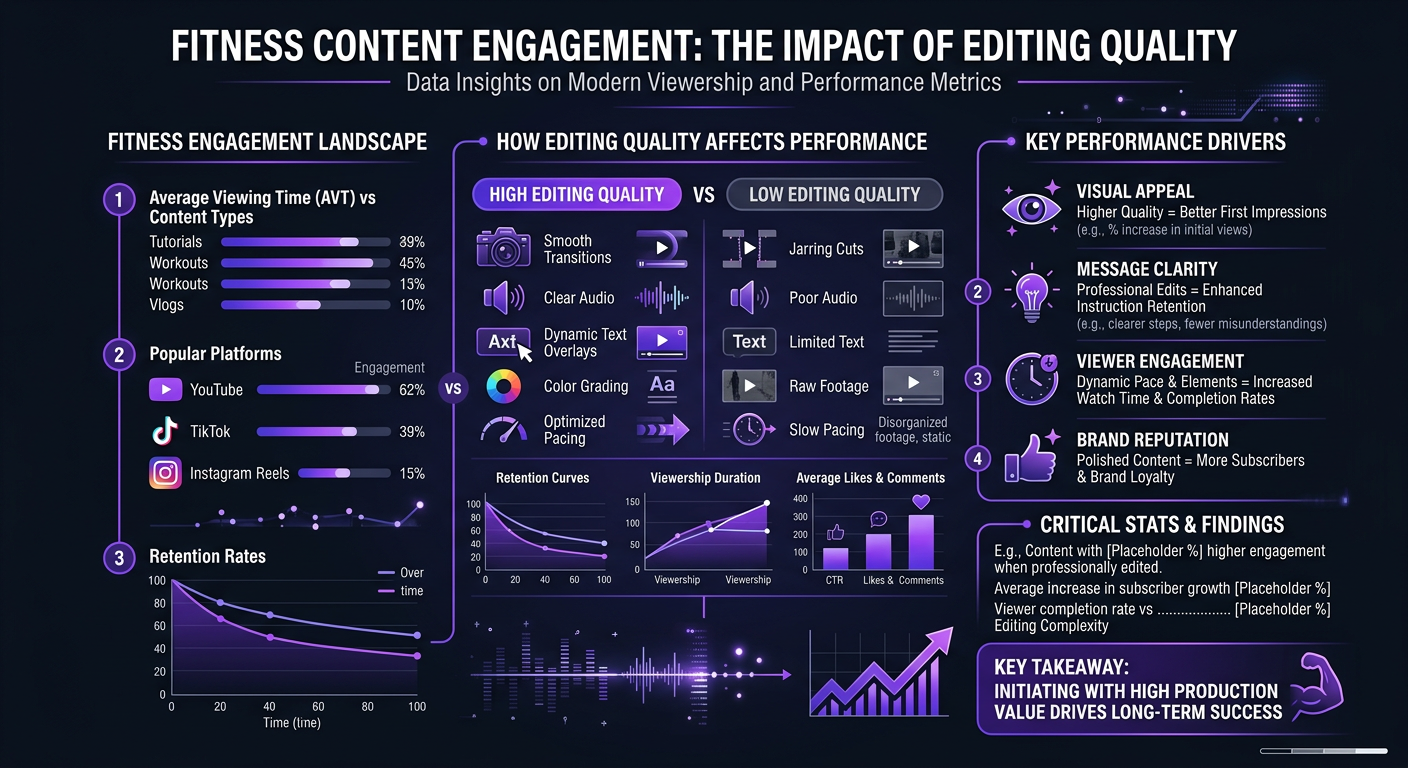
The top fitness YouTubers — think Natacha Océane, Jeff Nippard, Sydney Cummings — all share one thing in common. Their editing is razor-sharp. Fast cuts synced to music, clean exercise demonstrations with on-screen cues, motivational pacing that keeps viewers moving along with the workout. That level of post-production doesn’t happen by accident, and it certainly doesn’t happen in iMovie at midnight after a 6 AM filming session.
Whether you’re a personal trainer building an audience, a wellness brand creating educational content, or a fitness creator ready to scale from 2 videos a week to 5, this guide covers everything you need to know about outsourcing your video editing as a fitness and wellness creator.
What’s in This Guide
- Why Editing Makes or Breaks Fitness Content
- Fitness Video Editing Styles That Drive Retention
- What a Fitness Video Editor Actually Does
- How Much Fitness Video Editing Costs
- DIY vs Outsourcing: When to Make the Switch
- How to Choose the Right Editor or Agency
- The Ideal Editing Workflow for Fitness Creators
- Real Results: Fitness & Wellness Brands We’ve Worked With
- Common Editing Mistakes Fitness Creators Make
- FAQ
Why Editing Makes or Breaks Fitness Content
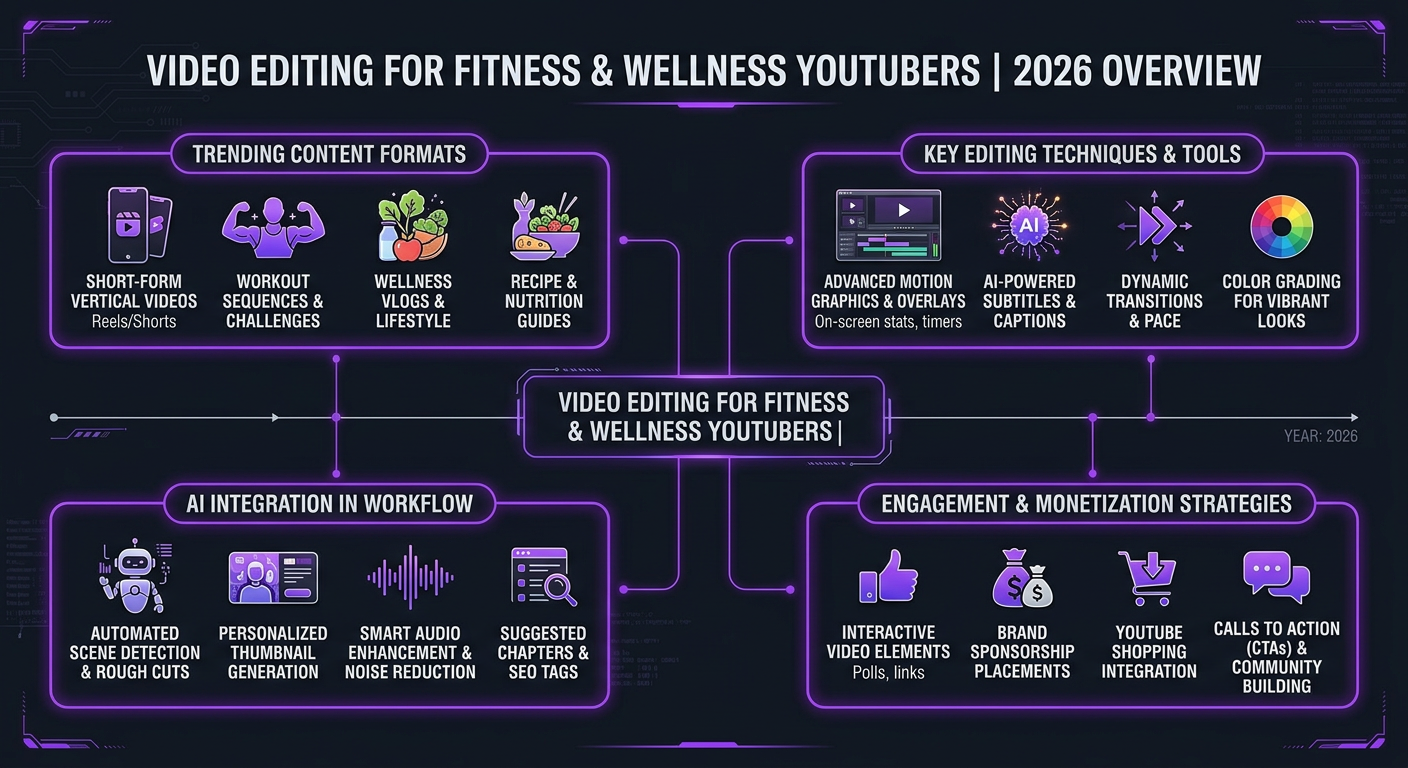
Fitness content has a unique editing challenge that most niches don’t face: your viewer is often following along. They’re not passively watching — they’re doing burpees in their living room while glancing at their phone or TV. This changes everything about how your video needs to be edited.
A poorly paced workout video doesn’t just lose viewers — it loses trust. If the rest timer is too short, the exercise transition too abrupt, or the audio cue unclear, your viewer falls behind. They pause the video. They try to rewind. They get frustrated. And they never come back.
Contrast that with a well-edited fitness video: clear countdown timers on screen, exercise name cards appearing at exactly the right moment, music that builds energy during high-intensity intervals and dips during rest periods, and smooth multi-angle cuts that show proper form without being disorienting.
The Retention Data Behind Good Fitness Editing
YouTube’s algorithm heavily rewards average view duration. For fitness content specifically, the data is stark:
| Editing Quality | Avg Retention (20-min workout) | Avg Views After 30 Days | Subscriber Conversion |
|---|---|---|---|
| Basic/DIY editing | 25-35% | 2,000-8,000 | 0.5-1% |
| Mid-tier editing | 40-50% | 10,000-40,000 | 1.5-2.5% |
| Professional/agency editing | 50-65% | 30,000-150,000+ | 2.5-4% |
The difference between 30% and 55% retention on a 20-minute video is massive. YouTube interprets higher retention as a signal that your content is valuable, and pushes it to more people through Browse and Suggested. That compounding effect is how fitness channels grow from 10K to 100K subscribers in a year.
Fitness Video Editing Styles That Drive Retention
Not all fitness content is the same, and different formats require different editing approaches. Here are the major content types and what works best for each:
1. Follow-Along Workouts
This is the bread and butter of fitness YouTube. Viewers are exercising along with you in real time. The editing priorities are:
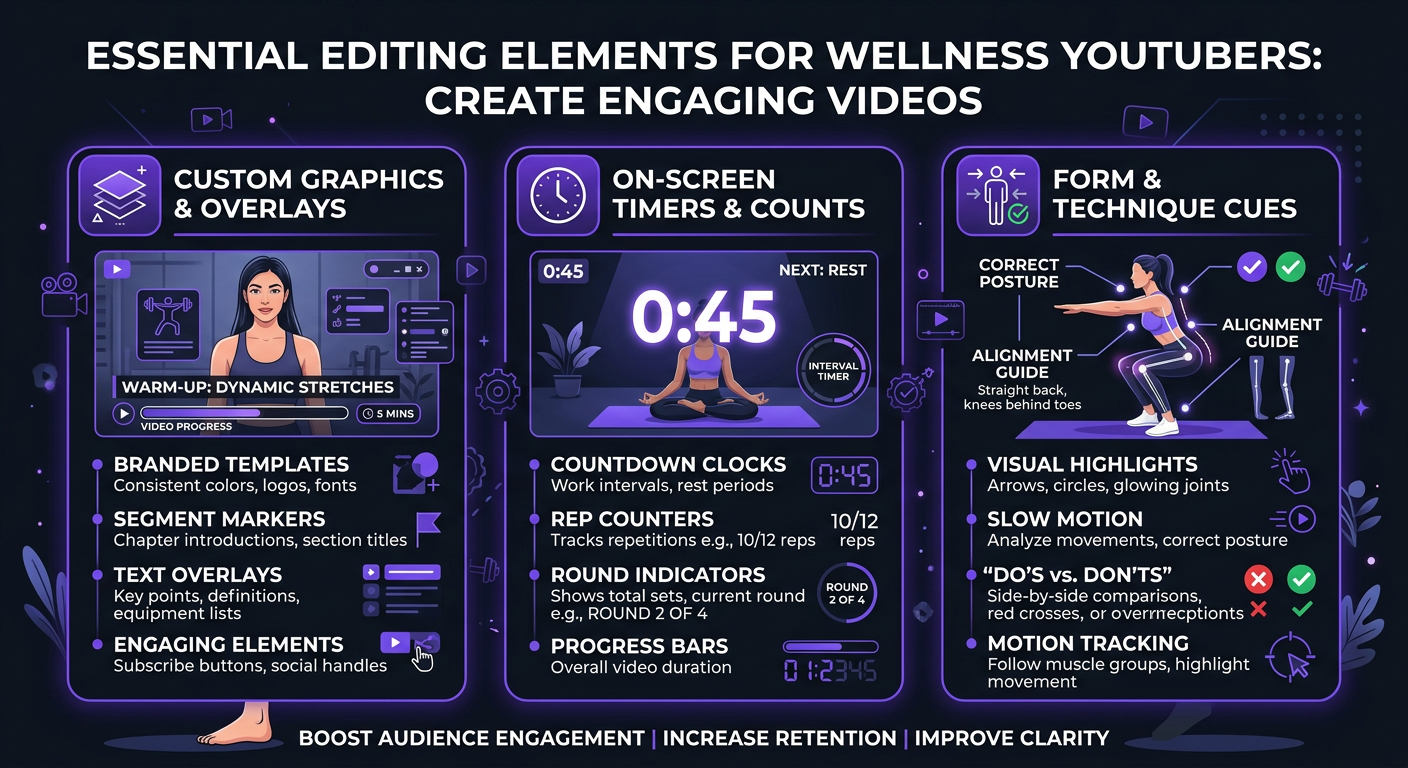
- On-screen timers: Countdown clocks for each exercise and rest period. Non-negotiable for follow-along content.
- Exercise name cards: Clean lower thirds showing exercise names, reps, and sets. Viewers glance at the screen — they don’t read paragraphs.
- Multi-angle cuts: Show form from front, side, and close-up angles without being jarring. Cut on the beat of the music.
- Music-synced transitions: Transition between exercises on musical beats. This creates an unconscious sense of rhythm that keeps viewers moving.
- Progress bar: A subtle progress indicator showing how far through the workout the viewer is. Reduces drop-off in the middle third.
2. Educational/Technique Videos
Think Jeff Nippard or Athlean-X style content. These videos explain the science behind exercises, correct form, or debunk myths. Editing needs include:
- Motion graphics: Animated muscle diagrams, data visualizations for studies, and comparison overlays
- Slow-motion form breakdowns: Key movements shown at 50% speed with on-screen annotations
- B-roll integration: Gym footage, stock clips, and screen recordings woven into talking-head segments
- Chapter markers: Clear visual transitions between sections with on-screen chapter titles
3. Transformation/Vlog Content
Fitness journeys, day-in-the-life content, and transformation reveals. The editing is more cinematic:
- Cinematic color grading: Warm, aspirational tones that make the lifestyle look appealing
- Narrative pacing: Story arcs with rising tension and emotional payoffs
- Music selection: Matching energy levels to the narrative beat
- Before/after comparisons: Side-by-side or wipe transitions for dramatic reveals
4. Short-Form Fitness Content (Reels/Shorts/TikTok)
The fastest-growing format for fitness creators. These need completely different editing:
- Vertical framing: 9:16 aspect ratio with all important elements visible
- Hook in first 1.5 seconds: The most compelling moment or result shown immediately
- Rapid cuts: 0.5-2 second clips, much faster than long-form
- Text overlays: Bold, readable captions since many viewers watch without sound
- Trending audio integration: Timing cuts to trending sounds and music
What a Fitness Video Editor Actually Does (Beyond Cutting Clips)
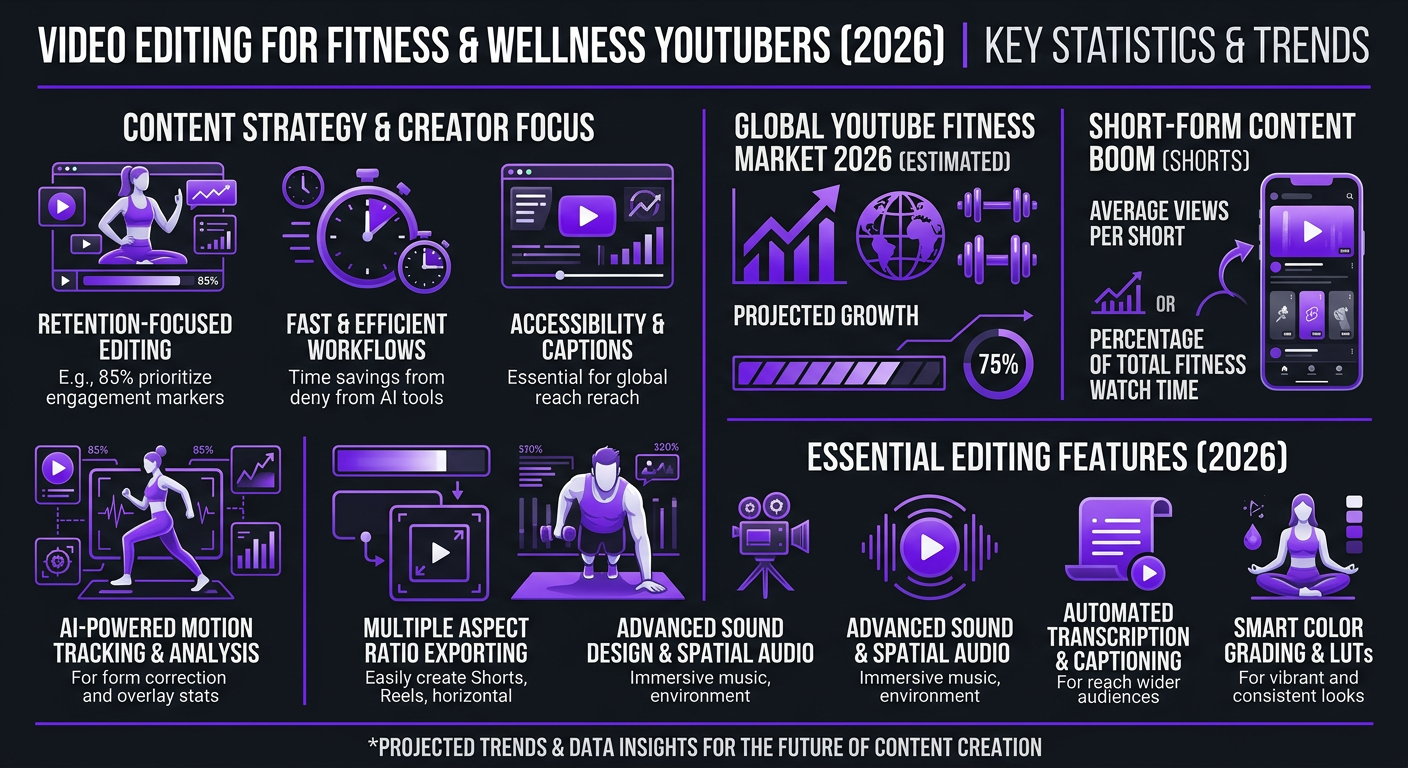
Most fitness creators think of editing as “cutting out the bad parts.” That’s maybe 10% of what a professional fitness editor does. Here’s the full scope:
Pre-Edit Work
- Reviewing all raw footage and selecting the best takes
- Syncing multi-camera angles (if shooting from multiple positions)
- Organizing footage by exercise, segment, or narrative beat
- Selecting music that matches the workout intensity and vibe
Core Editing
- Assembling the timeline with proper exercise order and transitions
- Cutting dead space, mistakes, and low-energy moments
- Pacing the edit for viewer retention (the hardest skill)
- Syncing cuts to music beats
- Adding exercise name cards, timers, and rep counters
- Integrating B-roll and supplementary footage
Post-Production Polish
- Color correction and grading — making skin tones look natural under gym lighting
- Audio mixing — balancing your voice, music, and ambient sound
- Noise reduction — gym environments are noisy
- Motion graphics — lower thirds, progress bars, animated overlays
- Thumbnail frame selection and basic design concepts
Platform Optimization
- Exporting in correct formats for YouTube, Reels, Shorts, TikTok
- Creating multiple cuts from one filming session (long-form + 3-5 shorts)
- Adding chapter markers for YouTube
- Subtitles and captions (increasingly important for accessibility and SEO)
A single 20-minute workout video typically requires 6-10 hours of professional editing when you account for all of these elements. That’s time most fitness creators can’t afford to spend when they should be filming, coaching clients, or building their brand.
How Much Does Fitness Video Editing Cost?
Let’s talk real numbers. Fitness video editing pricing varies based on content type, complexity, and who’s doing the work.
| Content Type | Budget Tier | Professional Tier | Premium/Agency Tier |
|---|---|---|---|
| Follow-along workout (15-30 min) | $100–$200 | $250–$450 | $450–$800 |
| Educational/technique (10-20 min) | $150–$250 | $300–$550 | $500–$1,000 |
| Vlog/transformation (10-15 min) | $100–$200 | $200–$400 | $400–$700 |
| Short-form clip (15-60 sec) | $25–$50 | $50–$125 | $100–$200 |
| Podcast/interview (30-60 min) | $150–$300 | $300–$500 | $450–$750 |
Monthly Retainer Pricing for Fitness Creators
If you’re publishing consistently (which you should be), monthly retainers make more financial sense than per-video pricing:
| Package Level | Monthly Cost | What’s Included | Best For |
|---|---|---|---|
| Starter | $800–$1,500/mo | 4 long-form + 8 shorts, basic graphics | Creators under 25K subs |
| Growth | $1,500–$3,000/mo | 8 long-form + 16 shorts, custom graphics, color grading | Creators 25K–100K subs |
| Scale | $3,000–$5,000/mo | 12+ long-form + 30+ shorts, dedicated team, motion graphics, thumbnails | Creators 100K+ subs, brands |
| Enterprise | $5,000–$8,000/mo | Full-time dedicated editor, PM, unlimited revisions, same-day turnaround | Fitness brands, multi-channel creators |
At Increditors, our fitness creator packages start at the Growth tier because we’ve found that creators publishing fewer than 8 videos per month rarely see the full compounding benefit of professional editing. The sweet spot for growth is 8-12 long-form videos per month supplemented by 20-30 short-form clips — enough volume to let the algorithm work for you while maintaining quality.
Fitness Creator? Let’s Talk About Your Channel
We’ve helped fitness and wellness creators scale from weekly uploads to daily content machines. Tell us your goals and we’ll build a plan.
DIY vs Outsourcing: When to Make the Switch
Every fitness creator starts editing their own videos. And for good reason — when you’re starting out, you need to understand the editing process to develop your creative voice. But there’s a clear inflection point where DIY editing becomes a bottleneck.
Signs It’s Time to Outsource
- You’re publishing less than you want to. If you have content ideas but can’t execute because editing takes too long, you’re losing growth to a production bottleneck.
- Your editing time exceeds your filming time. If you spend 3 hours filming and 8 hours editing, the ratio is broken. Professional editors work 2-3x faster because it’s their full-time craft.
- You’re turning down brand deals or coaching clients. The opportunity cost of editing is real. Every hour editing is an hour not spent on revenue-generating activities.
- Your retention curves are plateauing. If your YouTube analytics show flat or declining average view duration despite good content, the editing is likely the issue.
- You’re burning out. This is the most common one. Fitness creators are already managing workouts, meal prep, filming, and often coaching clients. Adding 15-20 hours of weekly editing is unsustainable.
The Math That Made It Obvious
Let’s say you’re a fitness creator with 50K subscribers. You earn roughly $3,000/month from ads and sponsorships. You currently edit your own videos — spending about 20 hours per week.
| Metric | DIY Editing | Outsourced ($2,500/mo) |
|---|---|---|
| Videos per month | 8 (limited by editing time) | 12-16 (limited only by filming) |
| Shorts per month | 4-8 | 24-32 |
| Hours spent editing | 80 hrs/month | 5 hrs/month (review only) |
| Time freed up | — | 75 hours/month |
| Revenue (month 3+) | $3,000/mo | $4,500–$6,000/mo (more content = more views) |
| Net after editing cost | $3,000 | $2,000–$3,500 + 75 hours freed |
Even in the worst case, you break roughly even on cash while gaining 75 hours per month. In practice, the increased content volume and higher editing quality push revenue well above the editing cost within 2-3 months.
How to Choose the Right Editor or Agency for Fitness Content
Not all editors understand fitness content. Here’s what to look for and what to avoid.
Must-Haves in a Fitness Video Editor
- Portfolio with fitness/sports content. If they’ve never edited a workout video, they won’t understand pacing, timer placement, or music sync. Ask to see 3-5 examples.
- Understanding of YouTube analytics. A good editor should know what a retention curve looks like and where viewers typically drop off in fitness content.
- Motion graphics capability. Timers, rep counters, exercise cards — these aren’t optional in fitness content. Your editor needs to build them, not use generic templates.
- Music licensing knowledge. Fitness videos need high-energy music. Your editor should source from licensed libraries (Epidemic Sound, Artlist) that won’t get your videos copyright-claimed.
- Multi-format experience. You need someone who can create both 20-minute workouts and 30-second Reels from the same footage. These require completely different editing approaches.
Red Flags to Watch For
- Portfolio is all corporate/wedding content with no fitness examples
- Can’t explain their approach to pacing and retention
- Uses free music libraries (copyright risk)
- Doesn’t ask about your brand style, target audience, or channel analytics
- Offers “unlimited revisions” without defining turnaround expectations
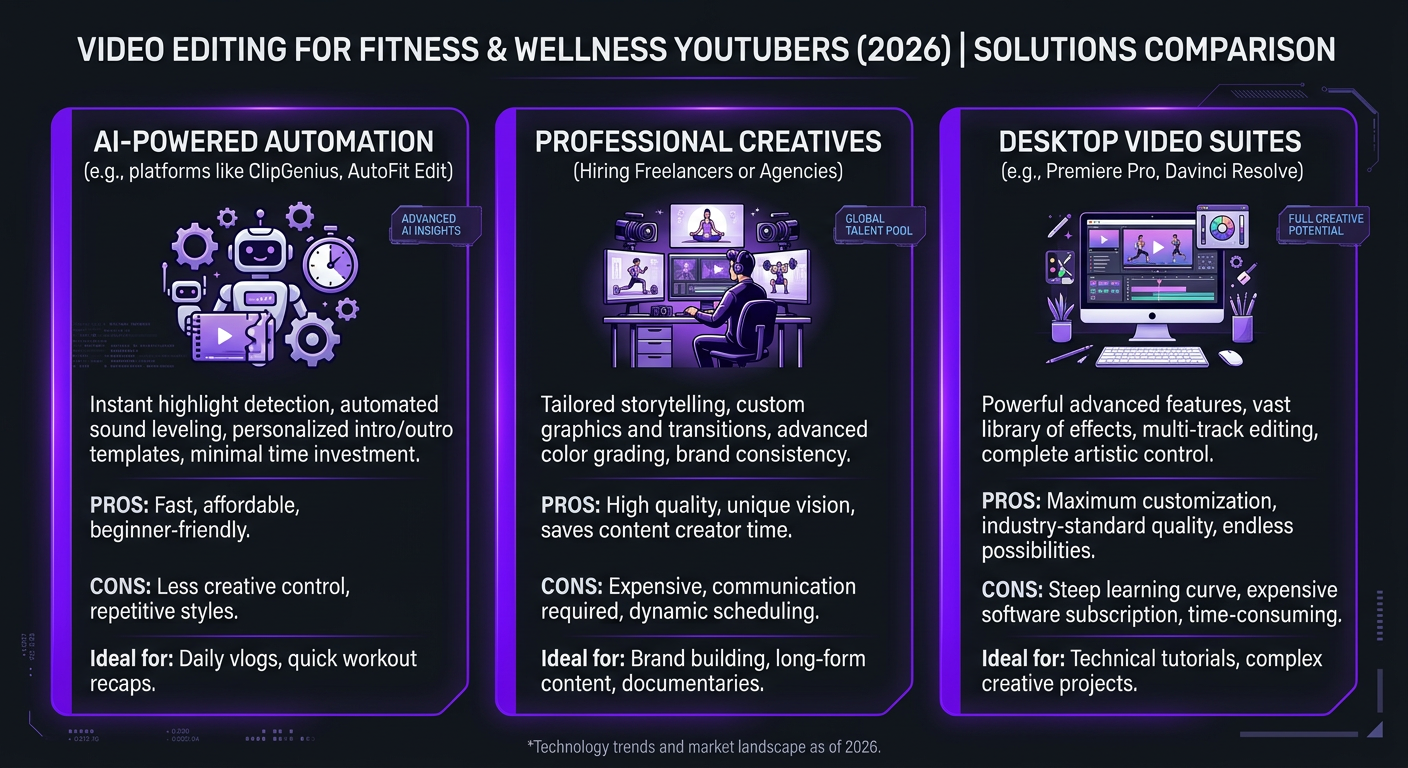
Freelancer vs Agency for Fitness Content
| Factor | Freelancer | Agency (e.g., Increditors) |
|---|---|---|
| Cost | Lower per video | Higher but includes team |
| Consistency | Varies (editor availability) | Dedicated editor + backup |
| Scalability | Limited to one person’s capacity | Can scale from 4 to 40 videos/mo |
| Motion graphics | Often extra cost | Included in package |
| Multi-platform | May not do shorts | Long-form + shorts from one session |
| Reliability | Risk of ghosting/delays | SLA with guaranteed turnaround |
For creators publishing 2+ videos per week, we almost always recommend an agency or dedicated editing team. The reliability and scalability advantages compound over time — and in the fitness niche, consistency is what separates channels that grow from channels that plateau.
The Ideal Editing Workflow for Fitness Creators
Once you’ve found your editor or agency, here’s the workflow that produces the best results with the least friction:
Step 1: Filming Day Prep (Before You Shoot)
Create a simple shot list for each video. For a workout video, this means listing every exercise with the planned order, reps/time, and any specific angles you want. Share this with your editor before filming — it cuts their assembly time in half.
Step 2: Raw Footage Upload (Same Day)
Upload footage the same day you film. Use Frame.io, Google Drive, or Dropbox with folder structure: /YYYY-MM-DD/[Video Title]/. Include your shot list and any voiceover notes.
Step 3: First Cut Review (24-48 Hours)
Your editor delivers a first cut. Watch it once as a viewer (not a critic) and note any pacing, music, or accuracy issues. Use timestamped comments — not vague feedback like “make it more energetic.”
Step 4: Revisions (24 Hours)
One round of revisions should handle 90% of changes. If you need more than 2 rounds consistently, the brief process needs improvement — not the editor.
Step 5: Final Export + Shorts (24 Hours)
Final video delivered in YouTube-optimized format (1080p or 4K). Short-form clips extracted and edited for Reels/Shorts/TikTok simultaneously. Your editor should also provide suggested thumbnail frames.
Total turnaround: 3-5 days from upload to final delivery. With a dedicated team at Increditors, we typically hit 24-48 hour turnaround because your editor is focused exclusively on your content.
Real Results: Fitness & Wellness Brands We’ve Worked With
Blue Zones Health: From Sporadic Uploads to Content Powerhouse
Blue Zones Health, a wellness brand focused on longevity and holistic health, came to us with a familiar problem: they had incredible subject matter expertise but couldn’t maintain a consistent publishing schedule. Their in-house team was producing 2-3 videos per month with inconsistent quality.
We assigned a dedicated editor with health and wellness content experience, built a custom graphics package (branded lower thirds, animated data visualizations for health statistics, and a consistent color palette), and established a workflow that let their team focus entirely on content creation.
Within three months, they were publishing 10+ videos per month across YouTube and social media platforms. Their average view duration increased by 40%, and their subscriber growth rate tripled.
VYVE Wellness: Editing as the Missing Growth Lever
VYVE Wellness had been producing content consistently but wasn’t seeing the engagement metrics they expected. The content was valuable — the editing was the bottleneck. Their videos lacked the energy, pacing, and visual polish that wellness audiences expect from premium brands.
After overhauling their post-production approach with our team, VYVE saw meaningful shifts within the first month. Better retention, more shares, and — critically — more inquiries from potential customers who discovered them through video content. For wellness brands, video quality directly signals product quality in viewers’ minds.
Common Editing Mistakes Fitness Creators Make
1. Music Too Loud Over Instruction
This is the #1 complaint viewers have about fitness videos. The music should enhance energy, not compete with your voice. Professional audio mixing sets voice at -6dB to -3dB and music at -18dB to -12dB during instruction, bringing music up during exercise-only segments.
2. No On-Screen Timers or Exercise Labels
If someone pauses your video and comes back, they need to immediately know what exercise they’re doing and how much time is left. Surprisingly, many creators skip these “basic” elements because they’re time-consuming to add in DIY editing.
3. Inconsistent Pacing
Cutting too fast during instruction (viewers can’t follow) or too slow during transitions (viewers get bored). Professional editors understand that different segments need different pacing — and they’ve internalized that through hundreds of fitness video edits.
4. Poor Gym Lighting Correction
Gym lighting is notoriously bad — mixed color temperatures, harsh overhead fluorescents, and constantly changing natural light. Without proper color correction, your footage looks amateur regardless of camera quality. This is one area where professional editing makes the biggest visible difference.
5. Not Repurposing Content
Every 20-minute workout video contains 3-5 potential short-form clips. Most DIY creators don’t have the time or energy to create these after spending 6+ hours editing the main video. A professional editor or social media editing team extracts these automatically as part of the workflow.
6. Ignoring Accessibility
Captions aren’t optional in 2026. Over 80% of mobile viewers watch with sound off at least some of the time. For fitness content specifically, clear on-screen text instructions make your workouts accessible to deaf and hard-of-hearing viewers — expanding your potential audience significantly.
Frequently Asked Questions
Fitness YouTube video editing typically costs $150–$500 per video for long-form content (10-20 min workout tutorials or vlogs) and $50–$150 per short-form clip. Monthly retainers with dedicated editors range from $1,500 to $5,000 depending on volume and complexity. See our pricing page for current packages.
Fitness content needs fast-paced cuts synced to music, clear exercise demonstration angles, on-screen timers and rep counters, motivational text overlays, and dynamic transitions between exercises. Color grading should emphasize warm, energetic tones. The exact style depends on your content type — follow-along workouts, educational content, and vlogs each have different requirements.
Yes, once you’re publishing 2+ videos per week. Editing a single workout video takes 4-8 hours. Outsourcing frees that time for filming, coaching clients, or building your brand. Most fitness creators who cross 50K subscribers outsource editing because the time savings alone justify the cost.
Professional fitness video editors primarily use Adobe Premiere Pro and DaVinci Resolve. After Effects is used for animated overlays like timers, rep counters, and exercise name cards. Some editors also use Final Cut Pro for fast turnaround on simpler content. The software matters less than the editor’s skill with pacing and fitness-specific elements.
Look for editors with fitness or sports content in their portfolio. They should understand pacing for workout follow-alongs, exercise demonstration angles, and motivational storytelling. Agencies like Increditors assign editors with niche experience so you don’t have to train someone from scratch.
Ready to Level Up Your Fitness Content?
We work with fitness creators, wellness brands, and health companies across YouTube, Instagram, and TikTok. Let’s build an editing workflow that matches your vision.
Pricing data reflects 2026 market rates. Actual costs vary by project scope. For current Increditors fitness editing packages, visit our pricing page or schedule a call.