










![3D Explainer Video - ScribbleLive.mp4_snapshot_00.12_[2022.03.09_03.14.16]](https://increditors.com/wp-content/uploads/elementor/thumbs/3D-Explainer-Video-ScribbleLive.mp4_snapshot_00.12_2022.03.09_03.14.16-r7wb53mx72rxst3qcqyrfxdmeyzb5r9jbl0wbjujh4.png "3D Explainer Video – ScribbleLive.mp4_snapshot_00.12_[2022.03.09_03.14.16]")
































You know testimonials work. Every marketing guide, every conversion optimization expert, every sales trainer says the same thing: social proof sells. But there’s a massive gap between knowing that and actually having testimonial videos that close deals.
Most businesses have testimonial videos that sit on a YouTube channel with 47 views. Stiff interviews, bad lighting, rambling answers, and a logo slapped on the end. They check the “we have testimonials” box — but they don’t move the needle on revenue.
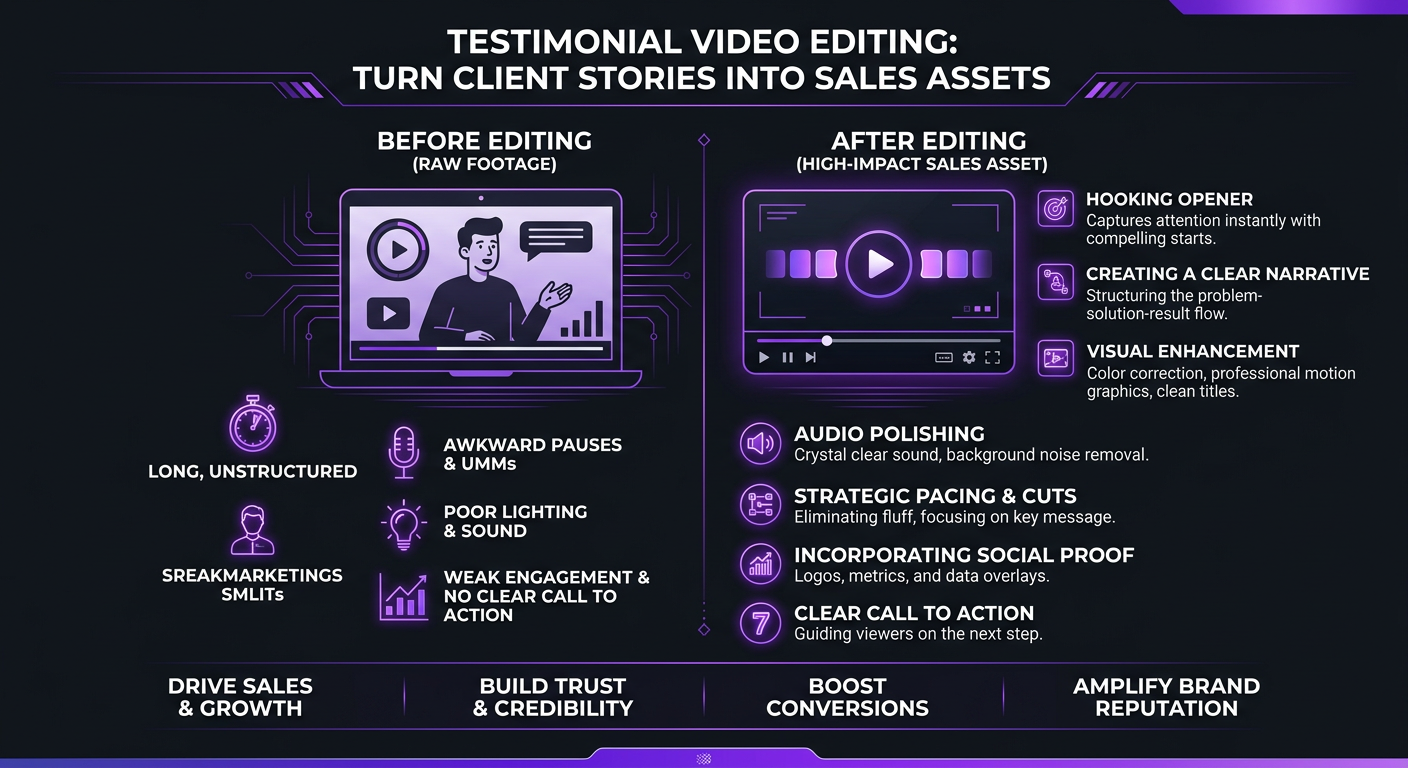
The difference between a testimonial video that gets ignored and one that actually converts a prospect into a customer is entirely in the editing. The raw interview is the ingredient. The edit is the recipe. And most businesses are serving raw ingredients and wondering why nobody’s buying.
Here’s how professional testimonial video editing transforms client stories into sales assets that do real work for your business.
What’s in This Guide
- Why Testimonial Videos Outperform Every Other Social Proof
- Anatomy of a Testimonial Video That Converts
- The Editing Framework: From Raw Interview to Sales Tool
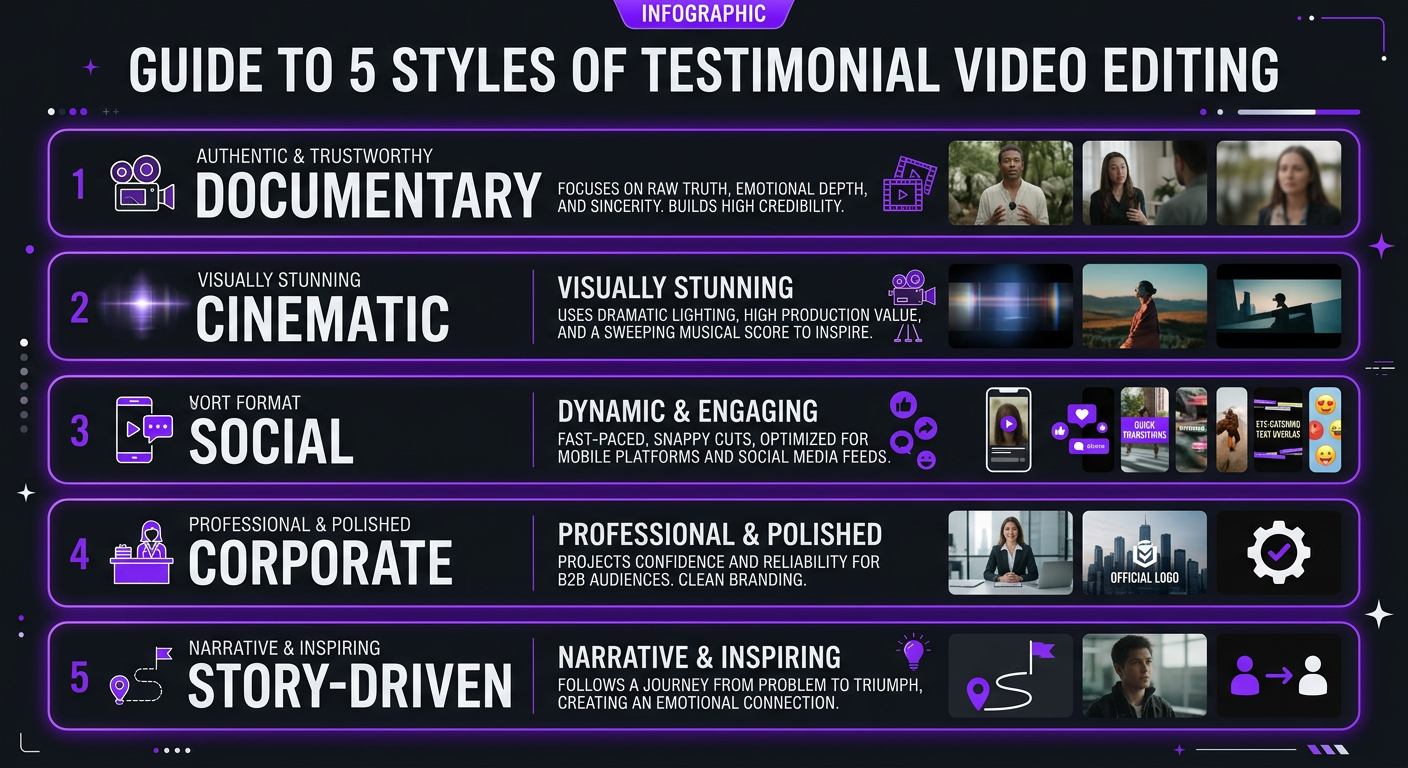
- 5 Types of Testimonial Videos (and When to Use Each)
- Editing Remote & Zoom Testimonials
- Where to Place Testimonial Videos for Maximum Conversions
- Testimonial Video Editing Costs
- 7 Editing Mistakes That Destroy Testimonial Credibility
- Case Studies: Testimonials That Drove Revenue
- FAQ
Why Testimonial Videos Outperform Every Other Social Proof
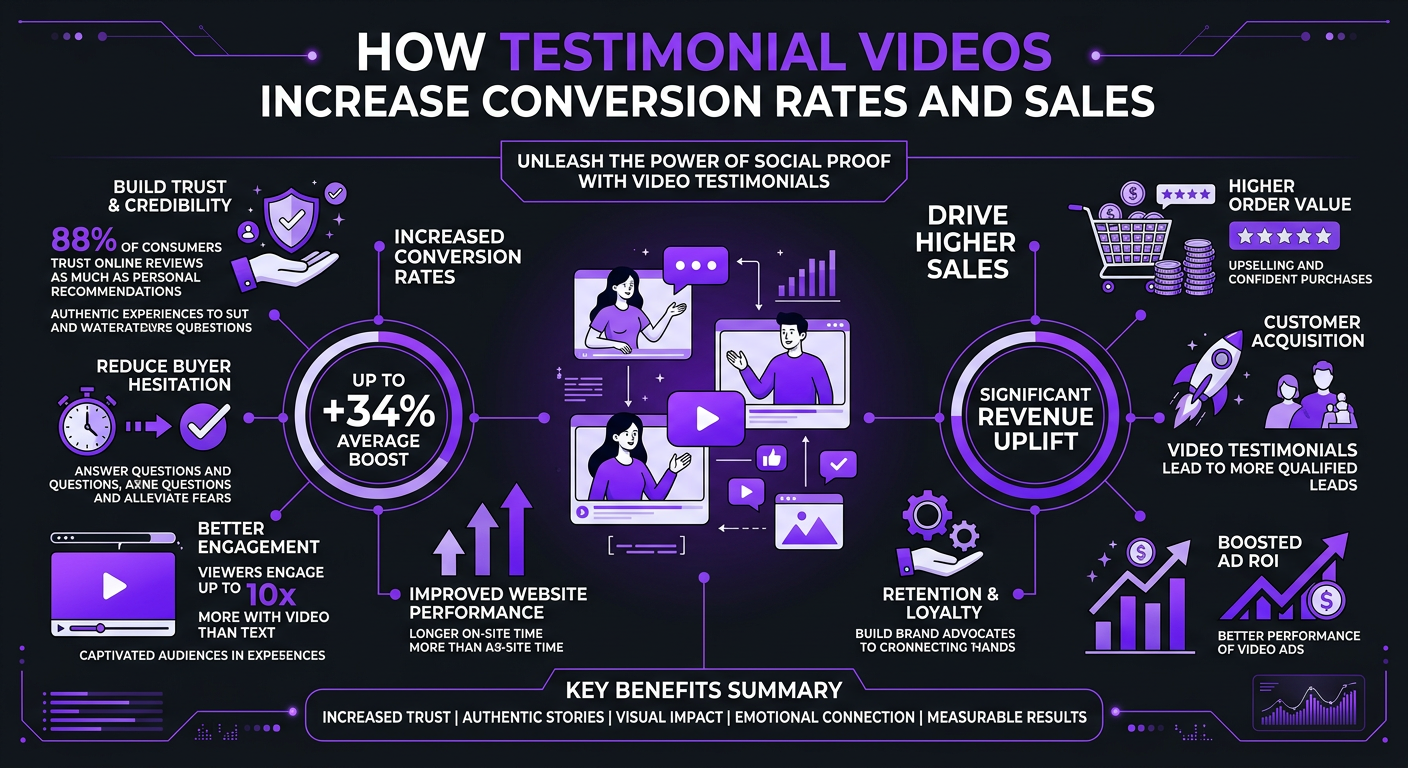
Written reviews are powerful. Star ratings matter. Case study PDFs have their place. But testimonial videos operate on a completely different level — and the data backs it up.
The Trust Factor
When a prospect reads a written testimonial, there’s always a nagging doubt: did the company write this themselves Is this person even real Video eliminates that doubt instantly. You can see the person, hear their voice, read their body language. Authenticity isn’t claimed — it’s demonstrated.
According to Wyzowl’s 2025 State of Video Marketing report, 79% of people say a brand’s video testimonial convinced them to buy a product or service. That’s not surprising when you consider the psychology: humans are wired to trust faces and voices more than text. A 60-second video testimonial carries more persuasive weight than a 500-word written case study.
The Emotional Connection
Written testimonials convey information. Video testimonials convey emotion. When a client’s face lights up describing how your service solved their problem — that genuine smile, that relief in their voice, that head-nodding emphasis — viewers mirror those emotions. It’s called emotional contagion, and it’s one of the most powerful persuasion mechanisms in marketing.
The catch: this only works if the video is edited to highlight those authentic emotional moments. A flat, unedited interview buries the emotional peaks under minutes of setup and filler. Professional editing is what excavates the gold.
The SEO and Distribution Advantage
Testimonial videos live on your website (boosting time on page), on YouTube (driving search traffic), on LinkedIn (generating social engagement), and in email campaigns (increasing click-through rates). A single well-edited testimonial video works across every channel in your marketing stack — and each placement compounds its impact.
Anatomy of a Testimonial Video That Converts
A high-converting testimonial video follows a specific narrative structure. It’s not random — it mirrors the prospect’s own decision-making journey. Here’s the framework:
1. The Hook (0-5 seconds)
Open with the single most compelling line from the entire interview. Not “Hi, I’m John from Acme Corp.” Instead: “We increased our revenue by 340% in six months.” or “I was spending 30 hours a week on something that now takes me 2.” The hook is a result, a transformation, or an emotionally charged statement that stops the scroll.
This is an editing decision, not a filming decision. The best hook is almost never at the beginning of the raw interview. It’s buried 12 minutes in, when the client has warmed up and starts speaking freely. The editor’s job is to find it and put it first.
2. The Problem (5-20 seconds)
Let the client describe their pain point in their own words. “We were struggling with…” or “Before, we tried…” This establishes relatability. The prospect watching should think: “That’s exactly my situation.”
3. The Discovery (20-35 seconds)
How did the client find you What made them choose you over alternatives This section addresses objections preemptively. If the client says “I was hesitant about the price, but…” — that’s gold for prospects who have the same hesitation.
4. The Experience (35-55 seconds)
What was it like working with you This isn’t about features — it’s about feelings. “The team was incredibly responsive.” “They understood our brand immediately.” “The process was so much easier than I expected.” This section builds confidence in the buying experience itself.
5. The Result (55-75 seconds)
Specific, quantifiable outcomes. Numbers, metrics, tangible improvements. “Our views went from 10K to 100K.” “We saved 20 hours per week.” “Our conversion rate doubled.” Vague praise (“they’re great!”) is worthless. Specific results close deals.
6. The Recommendation (75-90 seconds)
End with the client speaking directly to the viewer: “If you’re considering [company], just do it.” This functions as a peer-to-peer recommendation — far more persuasive than any marketing copy you could write.
| Section | Duration | Purpose | Editing Focus |
|---|---|---|---|
| Hook | 0-5 sec | Stop the scroll, create curiosity | Pull best quote to front, add text overlay |
| Problem | 5-20 sec | Establish relatability | Tight cuts, remove filler, add relevant B-roll |
| Discovery | 20-35 sec | Address objections | Emphasize decision factors, intercut with product shots |
| Experience | 35-55 sec | Build process confidence | Show authentic emotion, use reaction shots |
| Result | 55-75 sec | Prove ROI with specifics | Text overlays for numbers, data visualizations |
| Recommendation | 75-90 sec | Peer-to-peer endorsement | Clean close, branded end card with CTA |
The Editing Framework: From Raw Interview to Sales Tool
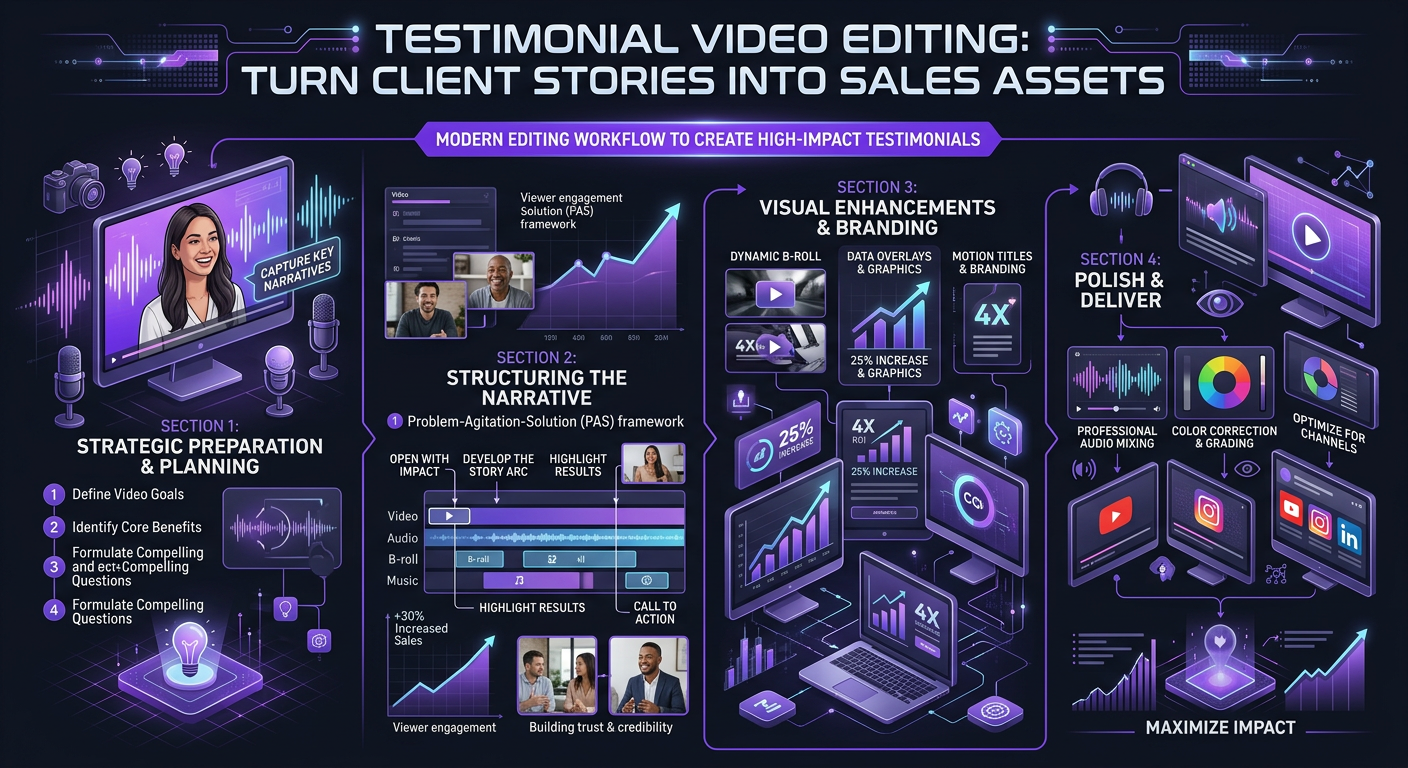
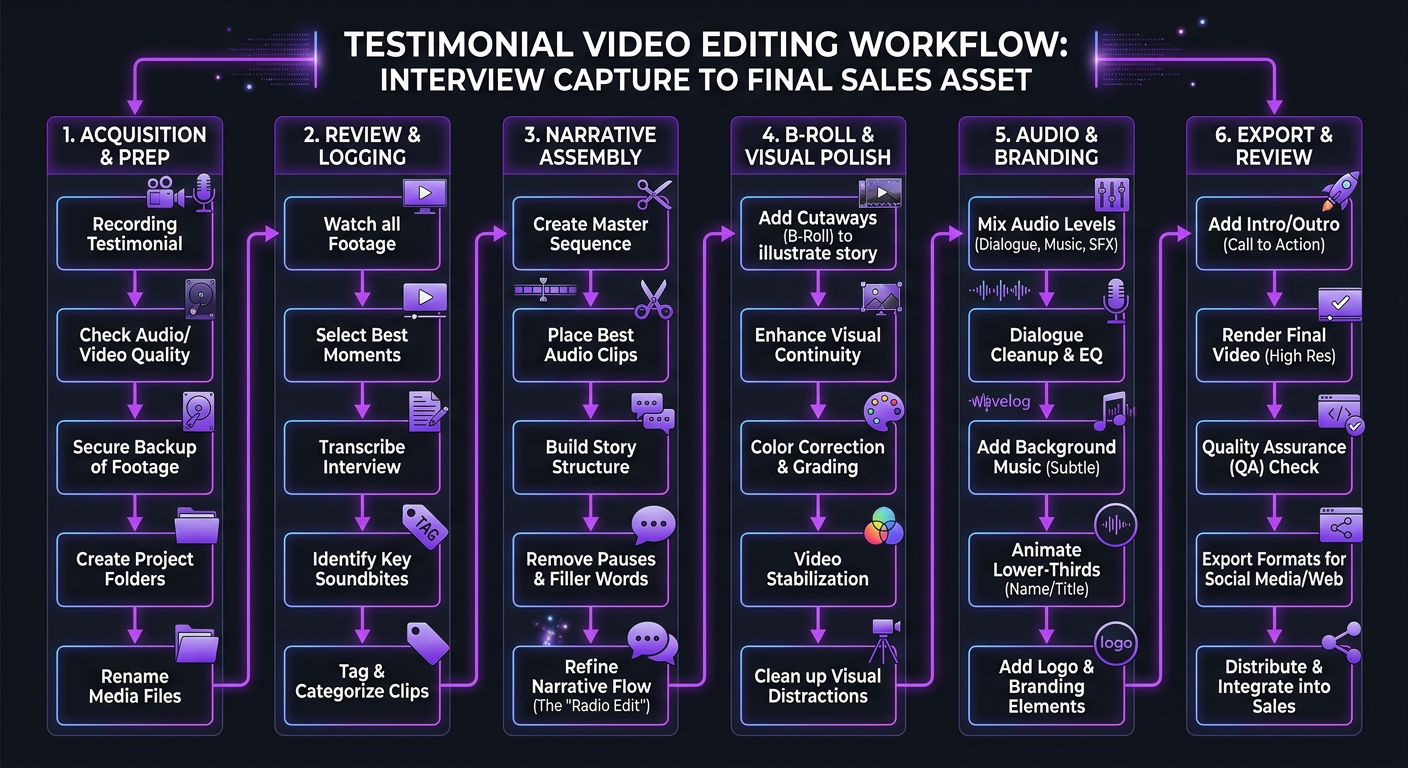
Here’s the actual editing process that transforms a 20-minute rambling interview into a 90-second conversion machine.
Step 1: Transcribe and Highlight
Before touching the timeline, transcribe the entire interview. Read through it and highlight every sentence that contains a specific result, an authentic emotional moment, or an objection-busting statement. In a typical 20-minute interview, you’ll find 3-5 minutes of usable gold. Everything else is setup, filler, repetition, or off-topic tangents.
Step 2: Paper Edit
Arrange the highlighted sections into the narrative structure above (Hook → Problem → Discovery → Experience → Result → Recommendation). This is called a “paper edit” — you’re scripting the final video using the client’s own words, just rearranged for maximum impact. The viewer should never know the content has been restructured.
Step 3: Rough Cut Assembly
Build the timeline based on the paper edit. This is where you discover which transitions work naturally and which need bridge B-roll to smooth over. You’ll typically cut 85-90% of the raw footage at this stage.
Step 4: Visual Enhancement
Layer in B-roll that reinforces the narrative: product screenshots when the client discusses results, team shots when they mention the experience, before/after visuals where relevant. Add branded lower thirds (name, title, company), text overlays for key metrics, and your logo/end card.
Step 5: Audio and Color Polish
Clean up the audio: remove background noise, normalize levels, add subtle room tone to mask edit points. Apply consistent color grading — the client should look natural and well-lit, not like they’re in a police interrogation. Add music: subtle, emotional, and significantly lower than the dialogue. Music sets the emotional tone but should never compete with the speaker.
Step 6: Multi-Format Export
Export in multiple formats for different placements: 16:9 landscape for website and YouTube, 1:1 square for LinkedIn and Instagram feed, 9:16 vertical for Stories, Reels, and TikTok. Each format should be intentionally reframed — not just cropped — to keep the speaker’s face and key visual elements properly composed.
5 Types of Testimonial Videos (and When to Use Each)
Not all testimonial videos serve the same purpose. Here are the five types you should have in your arsenal, and when each one works best:
1. The Quick Win (15-30 seconds)
A single powerful quote with a name, title, and your brand. Perfect for social media ads, Instagram Stories, and email signatures. These are extracted from longer testimonials — so every full testimonial you produce should yield 2-3 quick-win clips.
2. The Standard Testimonial (60-90 seconds)
The workhorse. Follows the full narrative structure: problem, experience, result, recommendation. Lives on your website, portfolio page, and YouTube. This is what most people picture when they think “testimonial video.”
3. The Case Study Video (2-3 minutes)
A deeper dive that includes context, process details, and comprehensive results. Often features both the client and your team. Best for bottom-of-funnel prospects who are comparing options and need detailed proof. Think of this as a video version of a written case study.
4. The Before-and-After (45-90 seconds)
Visually compelling format that shows the transformation. Especially powerful for creative services (video editing, design, branding), physical products, or any service with a visible outcome. Split-screen or sequential before/after comparisons make the impact undeniable.
5. The Compilation (2-4 minutes)
Rapid-fire clips from multiple clients, each delivering their strongest one-liner. “Our revenue doubled.” “Best decision we made.” “They just get it.” This format creates a feeling of overwhelming social proof — if this many people are saying the same thing, it must be true.
| Type | Length | Best For | Funnel Stage | Editing Complexity |
|---|---|---|---|---|
| Quick Win | 15-30 sec | Ads, social, email | Top of funnel | Low |
| Standard | 60-90 sec | Website, YouTube | Mid funnel | Medium |
| Case Study | 2-3 min | Sales decks, landing pages | Bottom of funnel | High |
| Before/After | 45-90 sec | Social, website, ads | Mid funnel | Medium-High |
| Compilation | 2-4 min | Homepage, sales page | Mid-Bottom funnel | Medium |
Need Testimonial Videos That Actually Converta
We edit raw client interviews into polished sales assets — complete with B-roll, motion graphics, and multi-format exports. Send us your footage.
Editing Remote & Zoom Testimonials
Not every testimonial happens in a studio. In 2026, a huge percentage of client testimonials are captured remotely — via Zoom, Riverside, Google Meet, or similar platforms. The good news: a skilled editor can make remote testimonials look and feel nearly as polished as in-person shoots.
Recording Best Practices (Before the Edit)
- Platform: Use Riverside or Squadcast for local recording (each participant’s audio and video recorded locally, not compressed through cloud). Zoom’s built-in recording is a fallback, not ideal.
- Client prep: Send the client a one-page guide on lighting (face a window), audio (use earbuds/headset), and framing (eye-level camera, clean background).
- Resolution: Record at 1080p minimum. 4K if the platform supports it.
- Separate audio: Always record a separate audio track. Compressed video audio is your enemy.
Editing Techniques for Remote Testimonials
Remote footage has inherent limitations — webcam quality, inconsistent lighting, network compression artifacts. Here’s how professional editors work around them:
- Strategic B-roll coverage: Use B-roll extensively to cover visual weaknesses. When the client discusses your product, cut to product footage. When they mention results, cut to data visualizations. You only need 40-50% of the final video to show the client’s face.
- Color correction: Webcam footage tends to be flat and slightly blue. A good color grade warms the skin tones and adds contrast without looking over-processed.
- Audio enhancement: AI-powered tools like Adobe Podcast, Descript, and iZotope can dramatically clean up webcam audio — removing room echo, keyboard clicks, and background noise.
- Framing: If the client recorded in too-wide a frame, crop in during editing to create a tighter, more professional composition. This is another reason to record at the highest resolution possible.
The clients of our social media editing services regularly produce remote testimonials that perform just as well as studio-shot content. The key is combining good pre-recording guidance with smart post-production techniques.
Where to Place Testimonial Videos for Maximum Conversions
A testimonial video is only as effective as its placement. Here’s where each type drives the most conversions:
Your Homepage
Place a compilation video or your strongest single testimonial above the fold or immediately after your value proposition. Homepage visitors are evaluating whether to explore further — a 60-second testimonial can be the difference between a bounce and a deeper engagement.
Your Pricing Page
This is the highest-leverage placement in your entire site. Prospects on the pricing page are actively considering a purchase. A testimonial that addresses price objections (“I was worried about the cost, but the ROI was immediate”) placed next to your pricing table removes the final barrier to conversion.
Landing Pages
Every campaign-specific landing page should include at least one testimonial video. Match the testimonial to the audience: if the landing page targets startups, use a testimonial from a startup founder. If it targets enterprise, use an enterprise client.
Email Sequences
Include testimonial video thumbnails (linking to the hosted video) in your nurture sequences. Emails with video thumbnails see 200-300% higher click-through rates. Place them strategically: after the first introductory email, after the pricing email, and as the “final push” before a deadline.
Sales Presentations
Give your sales team testimonial clips to embed in their pitch decks. A 30-second client clip in the middle of a sales presentation is worth more than 10 slides of your own claims. It breaks up the pitch, adds third-party credibility, and gives the salesperson a natural pause point.
Social Media (Paid and Organic)
Quick-win clips (15-30 seconds) perform exceptionally well as paid social ads because they don’t look like ads — they look like real people sharing genuine experiences. This “UGC-style” testimonial ad format consistently outperforms polished brand ads in terms of cost-per-click and conversion rate.
| Placement | Best Video Type | Optimal Length | Impact on Conversions |
|---|---|---|---|
| Homepage | Compilation or strongest single | 60-120 sec | Reduces bounce rate, builds trust |
| Pricing page | ROI-focused testimonial | 60-90 sec | Highest conversion lift (25-40%) |
| Landing pages | Persona-matched testimonial | 60-90 sec | Increases form fills 15-30% |
| Email sequences | Standard testimonial thumbnail | 60-90 sec | 200-300% higher CTR |
| Sales presentations | Quick-win clip | 15-30 sec | Breaks pitch fatigue, adds credibility |
| Paid social ads | Quick-win / UGC-style | 15-30 sec | Lower CPC, higher CVR than brand ads |
Testimonial Video Editing Costs
What should you expect to pay for professional testimonial video editing Here’s the market breakdown:
| Editing Level | Per Video Cost | What’s Included | Best For |
|---|---|---|---|
| Basic | $150–$400 | Trimming, lower thirds, logo, basic audio cleanup | Internal use, low-priority pages |
| Professional | $400–$800 | Narrative restructuring, B-roll, color grade, sound design, text overlays | Website, social media, sales |
| Premium | $800–$1,500 | Full case study treatment, motion graphics, multi-format, data visualization | Key accounts, homepage, flagship content |
| Retainer (monthly) | $2,500–$5,000/mo | Ongoing testimonial production, 4-8 videos/month, dedicated team | Companies actively collecting testimonials |
The ROI math on testimonial videos is straightforward. If a single testimonial video on your pricing page increases conversion rate by even 10% — and your average deal is worth $5,000 — the video pays for itself with one additional conversion. Every conversion after that is pure profit.
Our testimonial editing packages at Increditors include the full pipeline: narrative restructuring, B-roll integration, branded graphics, color grading, sound design, and multi-format exports. Most clients bundle testimonial editing into their broader content retainer, which makes the per-video cost even more attractive.
7 Editing Mistakes That Destroy Testimonial Credibility
1. Over-Scripting the Client
If the testimonial sounds rehearsed, it destroys the authenticity that makes video testimonials powerful in the first place. Guide the conversation with questions, but never script the answers. In the edit, keep the natural speech patterns — the “ums” and pauses that make it feel real. Just remove the lengthy ones.
2. Leading With Your Brand Instead of the Client’s Story
Don’t open with your logo animation and company overview. Open with the client. Their face, their voice, their most compelling statement. Your branding should be subtle — lower thirds, end cards, not a 10-second intro sequence that screams “this is an ad.”
3. Making It Too Long
If your testimonial video is over 2 minutes and it’s not a detailed case study, it’s too long. The editing discipline to cut from a 20-minute interview down to 90 seconds is what separates amateur from professional work. Every second in the final cut should be earning its place.
4. Poor Audio Quality
Viewers will tolerate imperfect video. They will not tolerate bad audio. If the client sounds like they’re in a tunnel, the viewer’s brain immediately codes the content as “low quality” regardless of what’s being said. Audio cleanup should be the first priority in post-production.
5. No B-Roll or Visual Variety
A talking head for 90 seconds straight is visually monotonous. Use B-roll to break up the visual, reinforce the narrative, and give the editor flexibility to make seamless cuts. Product shots, team interactions, data visualizations, even subtle motion graphics add visual interest and professionalism.
6. Ignoring Mobile Viewing
Over 70% of social media video is consumed on mobile. If your testimonial video only exists in 16:9 landscape with small text overlays, you’re losing the majority of your audience. Always produce vertical (9:16) and square (1:1) versions with appropriately sized text and framing.
7. No Call to Action
Every testimonial video should end with a clear next step: visit the website, book a call, schedule a demo. A testimonial that doesn’t tell the viewer what to do next is a missed conversion opportunity. The end card should include your CTA with a URL or QR code.
Case Studies: Testimonials That Drove Revenue
Riley Coleman: YouTube Testimonial That Became a Lead Magnet
When Riley Coleman, a YouTube creator, saw meaningful channel growth after working with Increditors, we recorded a casual video conversation about his experience. The raw footage was 25 minutes of genuine, unscripted conversation — enthusiastic but unfocused, jumping between topics.
Our editing team restructured the interview into a 90-second testimonial that followed the exact narrative arc: hook (his view count results), problem (spending too much time editing himself), experience (how our team understood his style), results (specific growth metrics), and recommendation. We cut B-roll of his channel analytics, our editing dashboard, and before/after clips of his videos.
That 90-second video now lives on our content creators page and has directly influenced multiple creator sign-ups — prospects who specifically mentioned seeing Riley’s video as a factor in their decision. One well-edited testimonial, working 24/7 as a sales asset.
eSafety: Enterprise Testimonial for a Complex Sales Cycle
eSafety, a government-affiliated online safety organization, needed video content that communicated trust, reliability, and institutional quality. Their testimonial requirements were different from a startup or creator — the tone needed to be authoritative, not casual.
We edited their stakeholder interviews with a more documentary style: deliberate pacing, formal lower thirds, data-driven text overlays, and a color grade that communicated professionalism. The B-roll featured their team at work, their office environment, and visualizations of their impact metrics.
The result was a testimonial suite that matched the gravitas of their brand while still feeling authentic and human. These videos became core assets in their stakeholder communications and helped them demonstrate the value of their production partnerships to budget decision-makers.
VYVE Wellness: Testimonials That Addressed the #1 Objection
VYVE Wellness faced a common challenge: prospects loved their offering but hesitated on price. We worked with them to edit client testimonials that specifically addressed the ROI question — not by avoiding price, but by having real clients explain why the investment was worth it.
The editing strategy was deliberate: we structured each testimonial so the “I was worried about the cost” moment came early, followed by specific results that justified the investment. We added text overlays with exact metrics at the moment clients mentioned results, creating a visual anchor for the ROI claim. These testimonials were placed directly on their pricing page, right next to the investment tiers — and their consultation booking rate increased measurably within the first month.
Ready to Turn Client Stories Into Sales Assetsa
Send us your raw interview footage and we’ll transform it into testimonial videos that actually close deals. Full narrative editing, B-roll, graphics, and multi-format delivery.
Frequently Asked Questions
The ideal testimonial video is 60-90 seconds for social media and sales pages. For detailed case study videos, 2-3 minutes works well. Anything over 3 minutes should be reserved for bottom-of-funnel prospects who are already close to buying. The first 5 seconds must hook the viewer with the most compelling result or quote.
Basic testimonial editing (single camera, simple cuts, lower thirds) costs $150-$400 per video. Professional editing with B-roll, motion graphics, color grading, and sound design runs $400-$1,200 per video. Monthly retainers for ongoing testimonial content start at $2,500/month with agencies like Increditors.
Focus on: What problem were you trying to solve What had you tried before Why did you choose us What specific results have you seen What would you say to someone considering our service Avoid yes/no questions. Ask clients to include the question in their answer so the interviewer can be edited out seamlessly.
Yes, remote testimonials recorded via Zoom, Riverside, or similar platforms produce excellent results with professional editing. Record at the highest quality settings, guide the client on lighting and audio, and work with an editor who can color correct, clean audio, and add B-roll to elevate production value.
Aim for 3-5 testimonials per buyer persona or use case. A SaaS company needs testimonials from different company sizes. A service business needs testimonials addressing different objections (price, quality, reliability). Update your library quarterly to keep content fresh and relevant.
Place testimonial videos on your homepage, pricing page, and dedicated case study pages for highest conversion impact. Use shorter clips (15-30 seconds) in paid ads and social media. Include them in email nurture sequences and sales presentations. Testimonials placed near CTAs or pricing information have the highest influence on purchase decisions.
Get Testimonial Videos That Close Deals
Your clients have great things to say. Let us edit their stories into assets that sell for you — 24/7, on every channel.
Pricing and conversion data in this article reflect 2026 market rates and industry benchmarks from sources including Wyzowl, HubSpot, and direct client experience. Results vary by industry, audience, and implementation. For current Increditors pricing, visit our pricing page or schedule a call.