










![3D Explainer Video - ScribbleLive.mp4_snapshot_00.12_[2022.03.09_03.14.16]](https://increditors.com/wp-content/uploads/elementor/thumbs/3D-Explainer-Video-ScribbleLive.mp4_snapshot_00.12_2022.03.09_03.14.16-r7wb53mx72rxst3qcqyrfxdmeyzb5r9jbl0wbjujh4.png "3D Explainer Video – ScribbleLive.mp4_snapshot_00.12_[2022.03.09_03.14.16]")
































You’ve been telling yourself you’ll “get faster at editing.” It’s been six months, and you’re still spending entire Sundays cutting a single YouTube video while your actual business collects dust.
Or maybe you’ve already tried outsourcing — a Fiverr editor who delivered something unwatchable, a friend-of-a-friend who was “pretty good with Premiere” and then ghosted after two projects.
Here’s the truth about whether to outsource video editing: it’s not about whether you can edit. It’s about whether you should. The signs that it’s time are usually obvious in hindsight — but hard to see when you’re deep in the grind.
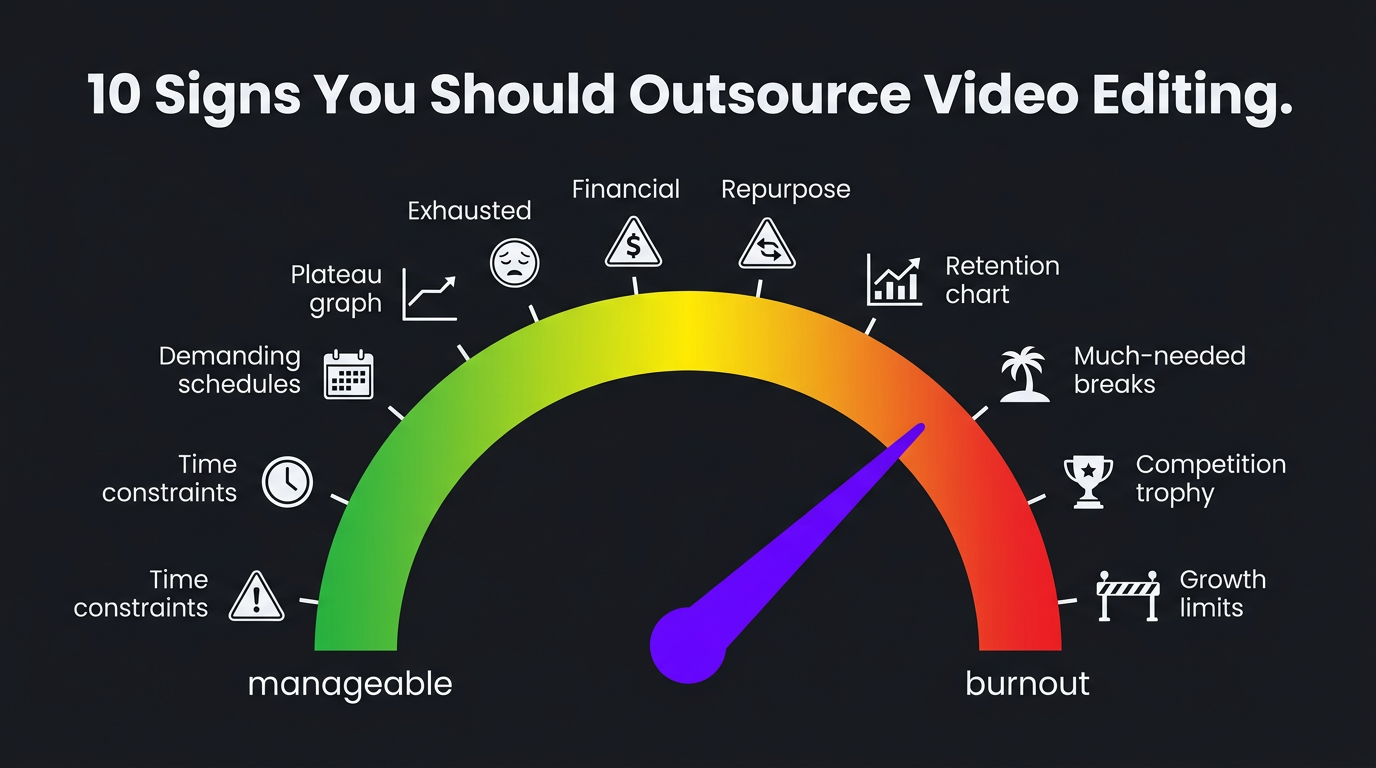
We’ve onboarded hundreds of creators and businesses who made the switch. Almost all of them say the same thing: “I should have done this six months ago.” Here are the 10 signs they recognized — usually too late.
What’s in This Guide
- Sign 1: Editing Takes Longer Than Filming
- Sign 2: Your Upload Schedule Is Inconsistent
- Sign 3: Quality Has Plateaued
- Sign 4: You Dread the Editing Process
- Sign 5: You’re Leaving Revenue on the Table
- Sign 6: You’re Not Repurposing Content
- Sign 7: Retention Rates Are Flat or Declining
- Sign 8: You Can’t Take Time Off
- Sign 9: Your Competitors Look Better
- Sign 10: You’ve Hit a Growth Ceiling
- Real Stories: Creators Who Made the Switch
- What Outsourcing Actually Costs
- How to Outsource Successfully
- FAQ
1 Editing Takes Longer Than Filming
This is the most universal sign, and the one creators ignore the longest.
A 15-minute YouTube video typically requires 1–2 hours of filming but 6–12 hours of editing — cuts, transitions, color correction, audio mixing, graphics, captions, and export. For complex content with B-roll, animations, or multi-camera setups, editing can take 15–20 hours per video.
When you’re spending 3–5x more time editing than creating, your priorities are inverted. Your unique value as a creator or business owner is in the content itself — the ideas, the on-camera presence, the expertise. Editing is skilled labor that can be replicated by a professional. Your ideas can’t.
| Video Type | Filming Time | DIY Edit Time | Pro Edit Time | Time You Save |
|---|---|---|---|---|
| Talking head (10 min) | 30–60 min | 3–5 hrs | 1–2 hrs | 3–4 hrs |
| YouTube essay (15 min) | 1–2 hrs | 8–15 hrs | 4–6 hrs | 8–12 hrs |
| Vlog with B-roll (12 min) | 2–4 hrs | 6–10 hrs | 3–5 hrs | 5–8 hrs |
| Product demo (5 min) | 1–2 hrs | 4–8 hrs | 2–4 hrs | 4–6 hrs |
| Short-form (60 sec) | 15–30 min | 1–3 hrs | 30–60 min | 1–2 hrs |
2 Your Upload Schedule Is Inconsistent
You planned to post every Tuesday and Thursday. In reality, you post when you finish editing — which is sometimes Tuesday, sometimes Friday, sometimes “this week just got away from me.”
Inconsistency kills channels. YouTube’s algorithm rewards predictable publishing. Your audience builds habits around your schedule. Every missed upload is a broken promise that erodes subscriber engagement.
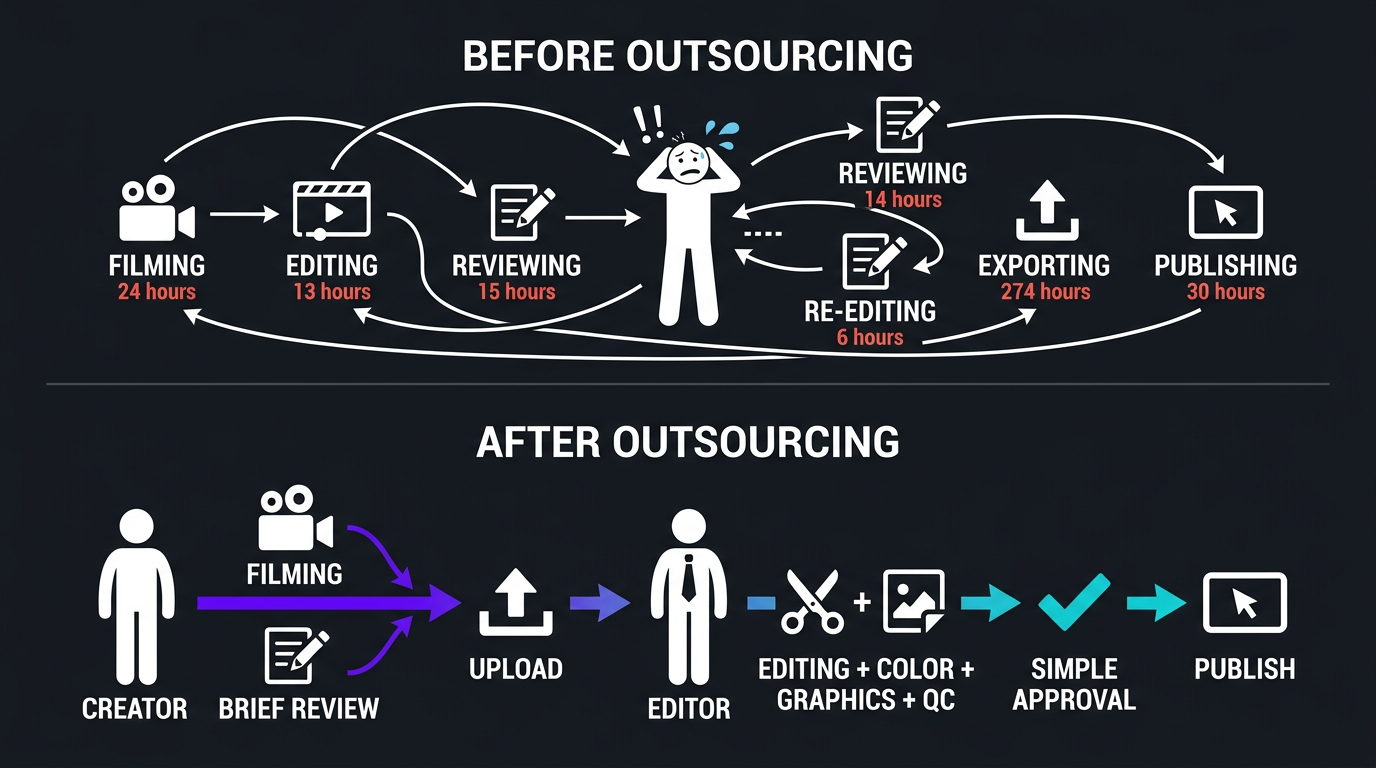
The reason you’re inconsistent isn’t laziness. It’s that editing is an unpredictable time sink that competes with everything else in your life. A professional editor eliminates this variable entirely. You film, you upload raw footage, they deliver on a schedule. Your publish dates become reliable.
This was one of the first things that changed for Riley Coleman when he started working with a dedicated editing team. Riley had great content and a growing audience, but his upload schedule was erratic because editing bottlenecked everything. Once he outsourced, consistency followed naturally — and his YouTube channel responded with significantly improved views. The algorithm rewards showing up on time, every time.
3 Your Content Quality Has Plateaued
You’ve learned the basics: cuts, transitions, color correction, text overlays. Your videos look “fine.” But they’ve looked “fine” for months, and you’ve stopped improving because you’ve hit the ceiling of what you can learn while also running a business or creating content.
Professional editors don’t just know different software — they think differently about storytelling, pacing, and visual communication. They know when to cut faster, when to let a moment breathe, how to use sound design to create emotion, and how to structure a video for maximum retention.
These skills take years to develop. You don’t have years. You have a business to run and content to create.
The plateau is real and measurable. Look at your average percentage viewed (YouTube Analytics) over the last 6 months. If it’s flat or declining despite better cameras, better lighting, and better content — editing is the bottleneck.
4 You Dread the Editing Process
This one’s personal, and it matters more than people admit.
When you dread editing, it affects everything downstream. You procrastinate on filming because you know the editing hell that follows. You rush through edits because you can’t stand spending another hour in the timeline. You settle for “good enough” because “great” would take four more hours you don’t have.
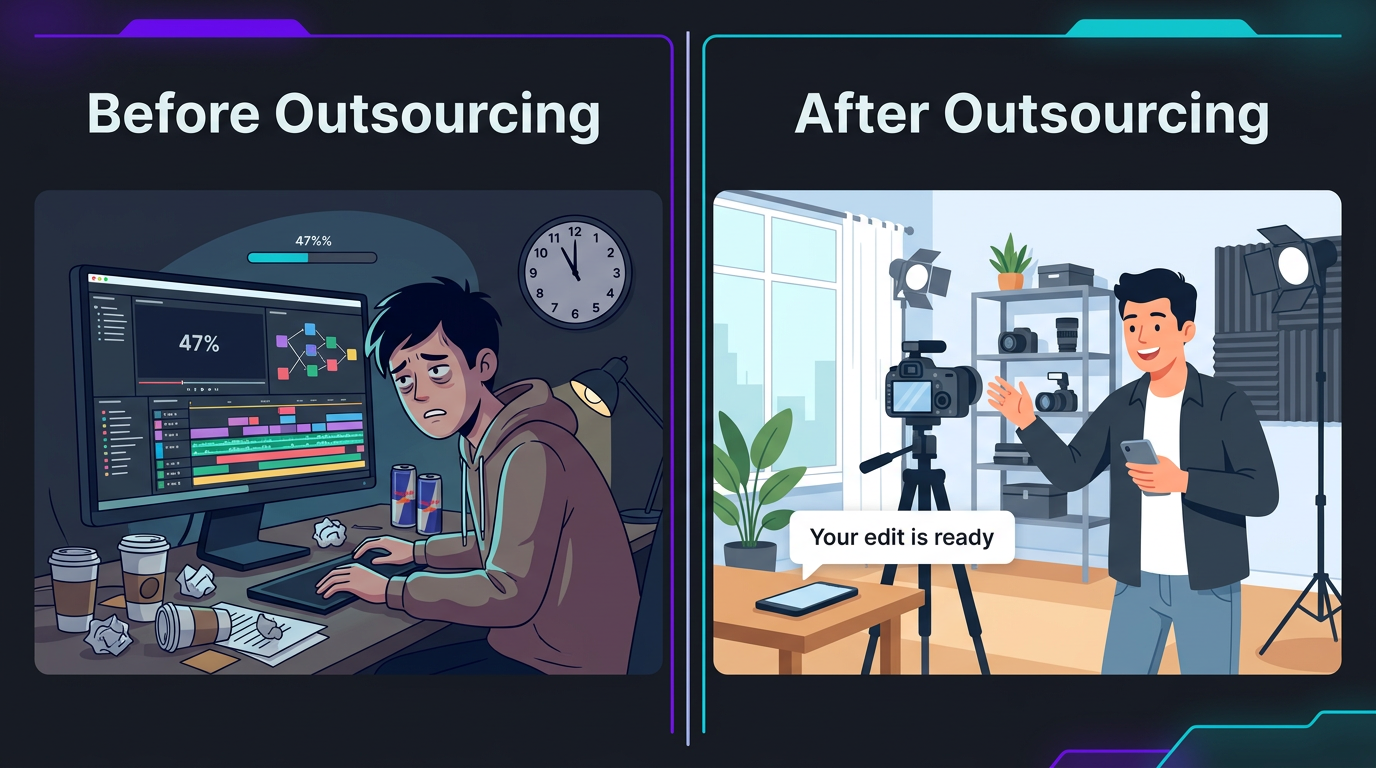
Dread compounds. It turns video from an exciting growth channel into an exhausting obligation. The energy you lose to editing dread doesn’t just disappear — it drains from your on-camera presence, your content ideas, and your enthusiasm for the medium.
If opening your editing software feels like a punishment, that’s not a discipline problem. That’s a resource allocation problem. The solution is delegation, not willpower.
5 You’re Leaving Revenue on the Table
Every hour you spend editing is an hour not spent on:
- Sales calls that close clients
- Content strategy that increases your reach
- Networking that creates partnerships
- Product development that grows your business
- Sponsorship outreach that monetizes your audience
For creators, the math is brutal. A YouTuber with 50K subscribers spending 20 hours/month editing could spend those 20 hours pitching sponsors, developing courses, building community, or creating more content. At even moderate creator income levels, the opportunity cost of self-editing is $2,000–$10,000+ per month in unrealized revenue.
For businesses, multiply that by client value. If one sales call converts a $5,000 client and you’re spending 5 hours editing instead of making that call — you just lost $5,000 to save $500 on editing.
The Opportunity Cost Calculator
| Your Hourly Value | Hours Editing/Month | Monthly Opportunity Cost | Typical Editing Service Cost | Net Loss from DIY |
|---|---|---|---|---|
| $50/hr | 20 hrs | $1,000 | $800 | -$200 |
| $100/hr | 20 hrs | $2,000 | $1,500 | -$500 |
| $200/hr | 20 hrs | $4,000 | $2,500 | -$1,500 |
| $500/hr | 20 hrs | $10,000 | $5,000 | -$5,000 |
At every income level, DIY editing costs more than outsourcing when you account for opportunity cost. The only exception is if your time has zero economic value — and if you’re reading this, it doesn’t.
6 You’re Not Repurposing Content
You film a 20-minute YouTube video. It gets posted to YouTube. That’s it.
Meanwhile, that single video could become 6–10 short-form clips for Instagram Reels, TikTok, YouTube Shorts, and LinkedIn. It could become an audiogram for Twitter/X. It could become a blog post. It could become newsletter content.
Repurposing is where content ROI explodes — but it requires more editing, not less. If you’re already drowning editing the long-form piece, repurposing never happens. Your best content dies after one upload on one platform.
Professional editing services, especially agencies like Increditors, build repurposing into the workflow. You deliver one batch of raw footage; they produce the long-form video plus multiple short-form cuts optimized for each platform. Your single filming session generates a week of content across every channel.
Drowning in Editing? Let’s Fix That.
Find out how much time and money you’d save by outsourcing your video editing. Free consultation, zero commitment.
7 Your Retention Rates Are Flat or Declining
YouTube Analytics tells you exactly how well your editing is working. Pull up your “Average percentage viewed” metric for the last 90 days. If it’s trending flat or down while your content topics remain strong, the editing — not the content — is likely the problem.
Professional editors understand retention at a structural level:
- Hook optimization — the first 30 seconds determine whether 70% of viewers stay or leave
- Pattern interrupts — visual changes every 15–30 seconds that prevent viewers from clicking away
- Pacing curves — knowing when to speed up and when to slow down based on content type
- Audio dynamics — music, sound effects, and silence used strategically
- End-screen strategy — driving clicks to the next video to increase session time
This isn’t something you learn from a YouTube tutorial. It comes from editing thousands of videos and watching the analytics on every single one. An experienced editor has this institutional knowledge. You’re building it from scratch.
8 You Can’t Take Time Off Without Your Content Stopping
Want to take a vacation? Your channel goes dark. Got sick for a week? No videos. Had a busy month with your actual business? Content suffers.
When you’re the sole editor, you are a single point of failure. There’s no backup, no system, no resilience. Every absence is directly visible to your audience.
This was a critical factor for Trade with Pat, a trading education brand. Pat’s content schedule was intense — his audience expected consistent uploads covering market movements and trading strategies. Missing a week meant losing relevance (markets don’t wait) and audience trust.
By outsourcing to a dedicated editing team, Trade with Pat built a content pipeline that didn’t depend on one person’s availability. He could batch-film multiple videos, hand off raw footage, and have content publishing on schedule even when he was traveling, attending conferences, or simply taking a break. The consistency that outsourcing enabled became a competitive advantage — his audience knew they could rely on his channel when other trading educators were posting sporadically.
9 Your Competitors Look Better Than You
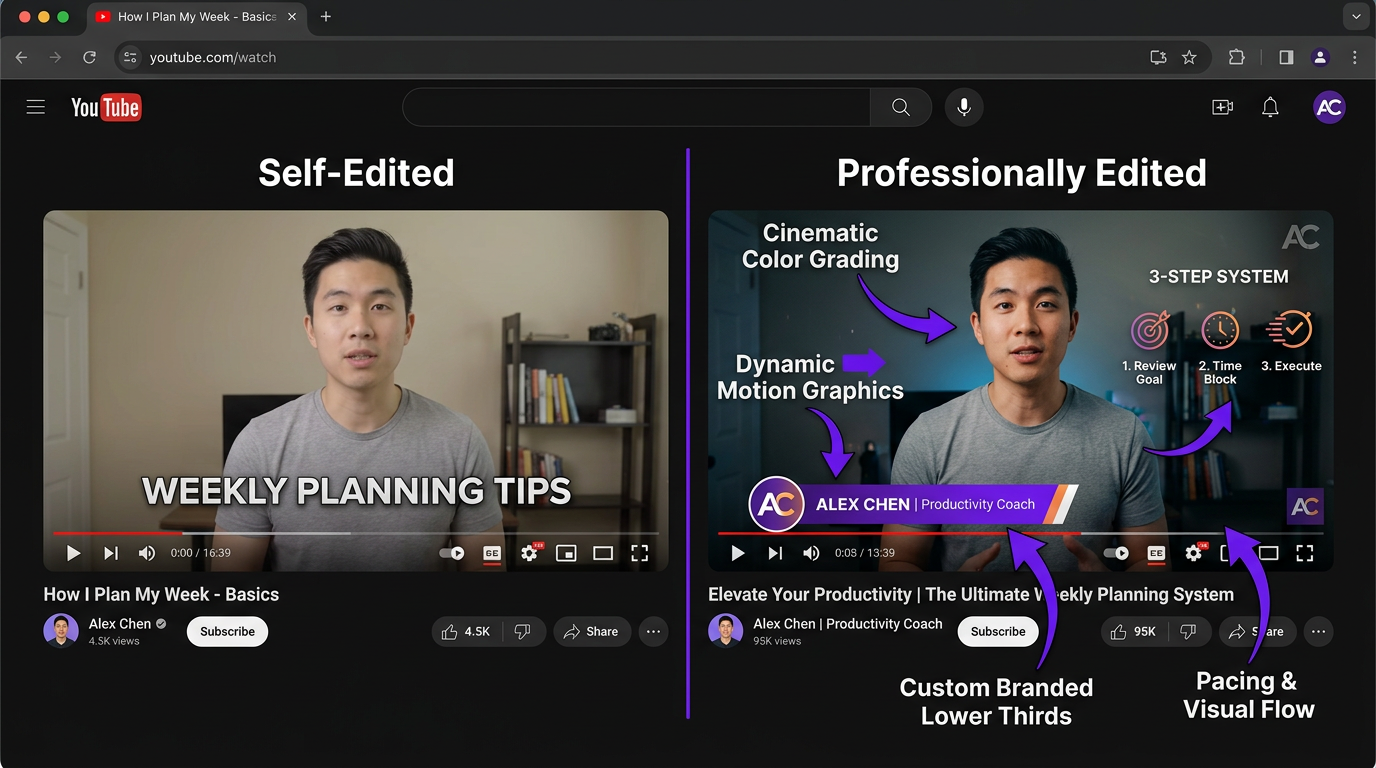
Pull up three competitors’ latest videos. Compare the editing quality to yours. If they have cleaner graphics, better pacing, more professional color, and tighter cuts — they’ve probably already outsourced.
Audiences don’t compare your videos to a theoretical standard. They compare them to everything else in their feed. If your editing looks amateur next to someone in your niche who invested in professional post-production, viewers unconsciously associate your brand with lower quality — even if your content and expertise are superior.
This is particularly brutal in competitive niches like finance, health and wellness, tech reviews, and business education. Your viewers are also watching professionally edited channels with custom animations, branded intros, dynamic lower thirds, and cinematic color grades. When your video follows one of those in someone’s feed, the comparison is immediate and unforgiving.
10 You’ve Hit a Growth Ceiling
This is the sign that encompasses all the others. Your channel or content strategy has plateaued. Views are flat. Subscriber growth has slowed. Business leads from video have leveled off.
You’ve tried everything on the creative side — better topics, better thumbnails, better filming setup, keyword optimization. Nothing moves the needle. That’s because the ceiling isn’t your content. It’s your production quality and output volume.
Growth in video follows a compound curve. More videos → more algorithm opportunities → more viewers → more subscribers → even more algorithm distribution. But this curve only works if both quality and quantity increase together. DIY editing caps both.
Outsourcing removes the cap. You can produce 2x or 3x more content at higher quality. The compound curve starts working again. Channels that outsource editing typically see 30–100% growth in views within 90 days — not because of a single viral video, but because the volume-quality combination unlocks algorithmic distribution.
Real Stories: Creators Who Made the Switch
Riley Coleman: From Plateaued Views to Doubling Performance
Riley Coleman is a YouTuber who was doing everything right — except editing. His content was solid. His on-camera presence was engaging. His topics were well-researched. But his videos looked like they were edited by someone who learned Premiere Pro from YouTube tutorials. Because they were.
When Riley came to Increditors, the content didn’t change. The editing did. We restructured his video pacing — faster hooks, strategic B-roll placement, pattern interrupts every 20–30 seconds, and audio dynamics that kept viewers engaged through the mid-roll.
We also rebuilt his visual identity: custom lower thirds, a branded intro/outro, consistent color grading, and motion graphics that made complex concepts visually digestible.
The result: Riley’s views doubled. Not gradually — within the first few months of professional editing. Same content creator, same niche, same audience. The only variable was editing quality. His retention rates improved by over 40%, which triggered YouTube’s algorithm to push his content to broader audiences.
The kicker? Riley reclaimed 15–20 hours per month that went into creating more content, engaging with his community, and developing new revenue streams. The editing investment paid for itself through increased ad revenue alone — everything else was pure upside.
Trade with Pat: Building a Content Machine That Runs Without the Founder
Trade with Pat operates in one of the most time-sensitive content niches: trading education. Markets open at 9:30 AM. His audience expects relevant content the same day. There is zero room for editing bottlenecks.
Before outsourcing, Pat was filming, editing, and publishing in a frantic same-day cycle that was unsustainable. The quality varied wildly — some videos were polished, others were clearly rushed. His audience noticed.
The switch to a dedicated editing team transformed his operation. Pat now batch-films content and hands off raw footage to his editing team. Videos are returned within 24 hours, professionally edited with color grading, branded graphics, and market data visualizations.
The pipeline approach also allowed him to build a content buffer — 2–3 videos always ready to publish, so market volatility or personal scheduling conflicts never disrupt his upload schedule. His audience sees consistency. His competitors see someone who appears to have a full production team. In reality, it’s Pat plus a dedicated editing partner.
What Outsourcing Video Editing Actually Costs
Let’s kill the vagueness. Here are real 2026 market rates for outsourcing video editing:
| Option | Cost | What You Get | Best For |
|---|---|---|---|
| Fiverr/Upwork freelancer | $100–$300/video | Basic cuts, transitions, music. Quality varies wildly. | One-off projects, testing the waters |
| Budget subscription (Vidchops, etc.) |
$495–$995/mo | 4–8 videos, dedicated editor, 1-2 day turnaround | Weekly YouTube, simple formats |
| Mid-tier subscription (Video Husky, beCreatives) |
$849–$1,999/mo | Hours-based or unlimited requests, more features | Growing creators, social-heavy businesses |
| Premium agency (Increditors) |
$2,500–$5,000+/mo | Dedicated team, PM, QC, motion graphics, fast turnaround | Serious creators, businesses where video = revenue |
| Full-time hire | $4,000–$7,000+/mo | One editor, 40 hrs/week. You manage everything. | Daily content, in-house control required |
The right price point depends on your volume and how much management you want to do yourself. But the universal truth is this: at every level above hobby creator, outsourcing is cheaper than doing it yourself when you factor in opportunity cost.
How to Outsource Video Editing Successfully: The First 30 Days
The transition from self-editing to outsourcing has a learning curve — but it’s shorter than most people expect. Here’s the playbook that works:
Week 1: Preparation
- Create a simple brand guide: Colors, fonts, logo files, any visual preferences. Doesn’t need to be fancy — a one-page Google Doc works.
- Collect 3–5 reference videos: Videos you love (yours or others’) that represent the style you want. These are 10x more useful than written descriptions.
- Prepare your first batch of footage: Have 2–3 videos ready to submit on day one.
- Set expectations: The first edit won’t be perfect. It’s a calibration, not a final product.
Week 2: First Edits and Feedback
- Submit your first video and give detailed, timestamp-specific feedback
- Don’t just say “I don’t like it” — say “at 2:14, the cut feels too fast” or “the lower third font doesn’t match our brand”
- Expect 2–3 revision rounds on the first video. This is normal and healthy.
Week 3–4: Calibration and Acceleration
- By the third or fourth video, your editor should be nailing 80–90% on the first cut
- Revision rounds should drop to 1 or less
- Your review time per video should be 15–30 minutes, not 2 hours
- Start increasing volume if quality is consistent
Month 2+: Cruise Mode
- Your editor knows your style. First cuts need minimal changes.
- You’re spending 2–4 hours/month on review total
- Content is publishing on schedule
- You have time back for what actually grows your business
Ready to Stop Editing and Start Growing?
We’ve helped hundreds of creators and businesses make the switch to outsourced editing. See our portfolio — then let’s talk about your content.
Frequently Asked Questions
You should outsource video editing when editing takes more than 5 hours per video, your content quality has plateaued, you’re missing upload deadlines, or your time would be better spent on content creation, strategy, or business development. Most creators and businesses reach this point at 2–4 videos per month.
Outsourcing video editing costs $150–$500 per video for one-off projects, or $500–$5,000+ per month for subscription services and agency retainers. Budget services like Vidchops start around $495/month for 4 videos. Premium agencies like Increditors start at $2,500/month for dedicated teams with faster turnaround and higher production value.
Yes, if video is a business channel — not just a hobby. Even channels under 10K subscribers benefit from professional editing through better retention rates, more consistent uploads, and freed-up time for content creation. The key is choosing a service that matches your budget (starting at $495/month for basic services).
Freelancers are cheaper per hour but require more management and offer no backup if they’re unavailable. Agencies provide dedicated teams, project management, quality control, and scalability. For 1–3 videos/month, freelancers can work. For 4+ videos/month with consistent quality needs, agencies typically deliver better ROI.
Start with one video as a trial. Prepare a simple brand guide (colors, fonts, style references). Share 2–3 example videos you like. Give detailed feedback on the first 2–3 edits. Most editors learn your style within 2–4 weeks. Expect the first month to require more review time — it gets much faster after calibration.
No — you gain creative leverage. When you edit yourself, you’re limited by your own skills and time. A professional editor executes your vision better and faster, freeing you to focus on creative direction and strategy. You still approve every edit before it goes live. The best editing partners actually enhance your creative vision by bringing professional techniques you wouldn’t know to apply yourself.
How Many of These Signs Apply to You?
If it’s 3 or more, you’re past the point where DIY editing makes sense. Let’s talk about what outsourcing looks like for your specific situation.
This guide reflects 2026 market rates and editorial observations from working with hundreds of creators and businesses. For personalized recommendations, visit our pricing page or schedule a free consultation.